FRP BOSS TOOL v1.6.1 Download Latest Version for FRP & EDL
Facing FRP locks, device connection errors, or complicated unlocking procedures? FRP Boss Tool offers server-based FRP unlock services, Fastboot reset, and firmware operations for Samsung, Xiaomi, Motorola, Nokia HMD, and Honor. Its credit-based system and multi-brand support help mobile technicians handle compatible Android devices through one Windows application.
What is FRP Boss Tool?
FRP Boss Tool is an online mobile servicing software for Factory Reset Protection and remote FRP unlock services.The tool supports brands such as Xiaomi, Samsung, Nokia HMD etc. The service is designed for mobile servicing professionals who need simple and affordable unlocking solutions without complex manual procedures. Its server-based operations provide 24/7 service availability for devices and help manage device security restrictions through remote operations.
Key Features Of FRP Boss Tool 2027
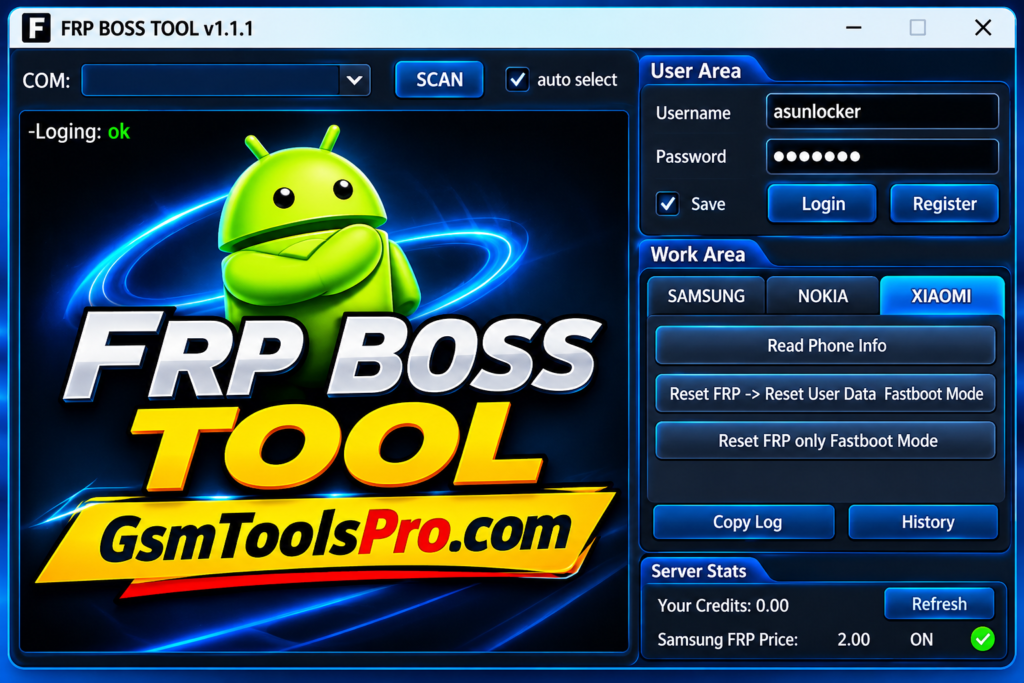
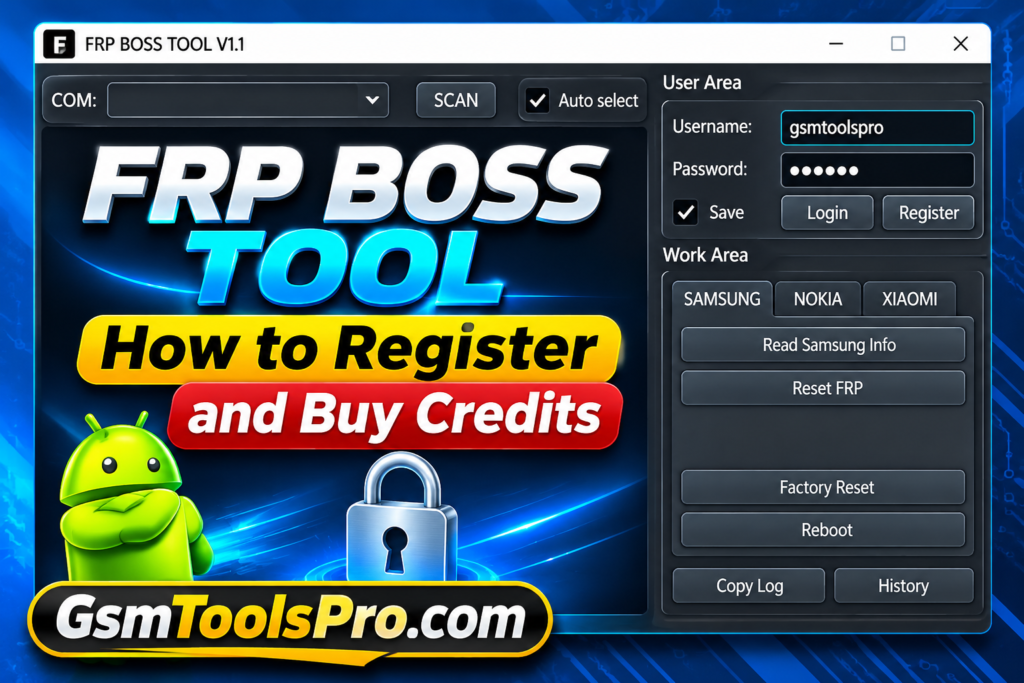
Account and Credit Management
Create or log in to your account, save login credentials, and manage credits for online servicing operations.
Server Status and Connection
Check server availability, select a COM port, scan connected devices, or use Auto Select for easier connection.
Device Information
Read basic smartphone details from connected devices using the Read Info function available across general and brand-specific sections.
Fastboot FRP Reset
Reset FRP on Andriod devices with one click, or generate and enter an unlock key using the device serial number.
Xiaomi Mi Assistant
Use Xiaomi Mi Assistant options to read device information and perform supported FRP reset operations through the Xiaomi section.
Xiaomi All-in-One Tool
Open the Xiaomi All-in-One Tool from the Xiaomi tab to access additional Xiaomi-specific servicing and server operations.
Nokia Fastboot Services
Access Nokia Fastboot functions to read phone information and perform FRP reset operations on supported Nokia devices.
Motorola Unlock Code
Calculate unlock codes for supported Motorola models through the dedicated Motorola Operations section.
Firmware Flashing
Select the required firmware file from the Flash section and start the flashing process.
Multi-Brand Online Services
Access online servicing for Samsung, Xiaomi, Motorola, Nokia, and Honor, including Samsung Token V3 and Xiaomi FRP Sideload operations.
MTK Auth Bypass
Use the Xiaomi Flash MTK V5 Auth Bypass option for Android devices.
Download Information
| Download Information | Details |
|---|---|
| Tool Name | FRP Boss Tool |
| Latest Version | V1.2.0 |
| File Name | FRP BOSS TOOL v1.6.1.zip |
| File Size | 87.7 MB |
| File Format | ZIP |
System Requirement
| System Requirement | Minimum / Required |
|---|---|
| Operating System | Windows 7 / 8 / 10 / 11 |
| Architecture | 32-bit & 64-bit |
| Processor | 1 GHz or faster |
| Recommended CPU | Dual-Core |
| RAM | 2 GB minimum |
| Recommended RAM | 4 GB |
| Free Disk Space | 400 MB |
| Administrator Rights | Required |
| USB Connection | Required for device servicing |
| Internet | Depends on service/build; server-based functions may require online access |
How to Install the Latest Version of the FRP Boss Tool?
- Visit the official FRP Boss website.
- Download the available FRP Boss Tool setup package from the official website or its linked download source.
- Extract the downloaded ZIP archive using WinRAR or 7-Zip, if required.
- Open the extracted folder and locate the FRP Boss Tool application file.
- Scan the downloaded files with updated security software before running the application.
- Launch the setup file or application and follow any on-screen installation instructions.
- Open FRP Boss Tool and register a new account or log in with your existing credentials.
- Check the server status and connect your supported smartphone using a suitable USB cable and required drivers.
FRP Boss Tool Xiaomi Reboot to EDL Error – How to Fix
This error can occur during the Xiaomi Fastboot-to-EDL process. Try these checks:
- Make sure your Xiaomi model is supported by the selected operation.
- Check that the device is correctly connected in Fastboot mode.
- Reinstall the required USB drivers.
- Use a stable USB data cable and another USB port.
- Check FRP Boss Tool server status before retrying.
- Update the tool to a compatible version.
- Contact official support at @FRP_BOSS if the error continues.
Motorola FRP Bugs and G24 Error
- Update FRP Boss Tool to v1.5.2 or a newer official version containing the fixes.
- Remove the older installation if it causes conflicts with the updated package.
- Install the latest compatible Motorola USB drivers.
- Check whether your exact Motorola model and variant are supported.
- Use a stable USB cable and check device detection in Windows Device Manager.
- Verify your internet connection, server status, and available account credits.
- Restart the application and check whether the issue is resolved.
Pros and Cons
| Pros | Cons |
|---|---|
| Supports multiple brands, including Samsung, Xiaomi, Motorola, Nokia, and Honor. | Requires an internet connection for online server operations. |
| Provides remote FRP unlocking services through an online server. | Some operations require account credits. |
| Includes Fastboot FRP reset and device information reading options. | Support is limited to compatible devices and models. |
| Offers Xiaomi Mi Assistant and All-in-One servicing options. | Server connectivity issues may interrupt operations. |
| Includes Nokia Fastboot and Motorola unlock code functions. | Some Motorola and Xiaomi operations may encounter errors. |
| Supports firmware flashing on compatible devices. | Requires suitable USB drivers and a stable device connection. |
| Provides operation logs, service history, and customer support. | Some advanced functions may require paid services. |
Also Read: BFT Tool V1.7 Best Flash Tool By BossV Stable Version [2027]
Conclusion
FRP Boss Tool is a server-based mobile servicing Application for FRP and other unlocking operations. The tool supports Samsung, Xiaomi, Nokia HMD, Honor, and Motorola, with features such as Fastboot FRP reset, Samsung Token V3, Xiaomi Fastboot-to-EDL, and firmware services. Its credit-based system and online operations make it useful for mobile technicians handling devices. Check model compatibility and available credits before using the tool.
FAQ’s
Which brands does FRP Boss Tool support?
It supports Samsung, Xiaomi, Nokia HMD, Honor, and selected Motorola devices. Compatibility depends on the model and available service.
Is FRP Boss Tool free to use?
The software can be downloaded, but many online unlocking operations require purchasing server credits.
Does FRP Boss Tool support Motorola G24?
Yes, Motorola G24 and G24 Power are listed among supported models for selected Fastboot services.
Does FRP Boss Tool require an internet connection?
Yes, an internet connection is required for account login, server communication, and online unlocking operations.
What should I do if FRP Boss Tool cannot detect my device?
Check the USB cable, reinstall compatible device drivers, select the correct COM port, and verify that the phone is in the required connection mode.
Where can I get FRP Boss Tool support?
You can contact the FRP Boss Tool support team through its official Telegram support.