Pandora Tool v9.25 by Z3X Free Download for Windows
Facing Android FRP locks, firmware errors, or bootloader issues? Pandora Tool V9.25 by Z3X Team brings MediaTek, UniSoC, and Qualcomm servicing together, with firmware flashing, IMEI repair, FRP reset, and advanced repair features to simplify mobile technicians’ daily tasks.
What Is Pandora Tool?
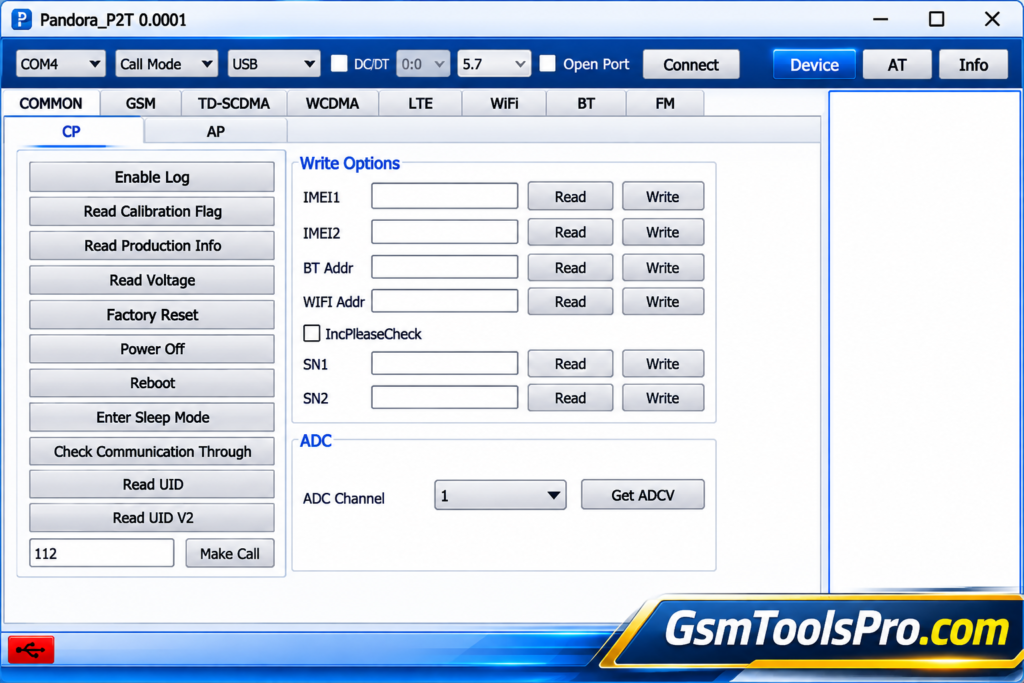
Pandora Tool is a professional mobile servicing software by Z3X Team for Android devices. The tool works with MediaTek, UniSoC, and Qualcomm chipsets for tasks such as firmware flashing, FRP reset, factory reset, user data reset, IMEI repair, etc. It also supports many smartphone brands, including Samsung, Xiaomi, OPPO, vivo, Realme, Tecno, etc helping technicians handle software repair and servicing tasks.
Features of Pandora Tool 2027
FLASH OTA VIA FASTBOOT
Pandora Tool supports OTA flashing on MediaTek and Qualcomm devices, including full A/B OTA ZIP packages and payload.bin files for firmware installation.
Huawei / Honor DLOAD Update
The tool supports Huawei and Honor firmware updates through DLOAD Mode, including ZIP and APP packages and Kirin chipsets such as Kirin 65x, 710A, 810, 820, 970, 980, and 990.
UNISOC T107 Full Flash Read
It allows full flash reading for UNISOC T107 devices, automatically splits dumps into partitions, reconstructs FTL data, and allows extracted partition images to be restored.
Bootloader Unlock and Relock
The Pandora software allows technicians to unlock or relock bootloaders on devices, depending on model compatibility, security restrictions, and permissions.
Factory Reset
The factory reset option restores devices to default settings, helping resolve software issues while removing existing user data from the device.
Advanced Repair Functions
Pandora Application offers advanced repair options, with some functions requiring root access and specific software versions.
MediaTek META Mode Features
Tool Pandora adds META Mode bootloader unlocking and a partition manager for MediaTek devices, along with fixes for bootloader unlocking issues on phones.
Firmware Flashing
It allows to direct Scatter firmware flashing from ZIP archives, TGZ firmware packages, and Android OTA updates through ZIP files.
What’s New in the Pandora Tool?
- Added OTA Flash via Fastboot for MediaTek and Qualcomm devices.
- Added Huawei and Honor DLOAD firmware update support.
- Added full flash reading and FTL reconstruction for UNISOC T107.
- Added META Mode bootloader unlock and partition manager for MediaTek.
- Added direct Scatter firmware flashing from ZIP and TGZ archives.
- Added Android OTA firmware updates using ZIP packages.
Download Information
| Information | Details |
| Tool Name | Pandora Tool |
| Version | V9.25 |
| File Size | 214 MB |
| File Format | ZIP |
| File Password | None |
| Developer | Z3X Team |
| Platform | Windows |
System Requirements
| Requirements | Minimum Specifications |
| Operating System | Windows 7, 8, 8.1, 10, 11 |
| Processor | Intel Dual-Core or equivalent |
| RAM | 2 GB minimum |
| Free Storage | 500 MB |
| Architecture | 32-bit / 64-bit |
| USB Port | Required |
| USB Drivers | Device-specific drivers |
| Internet Connection | Required for online functions |
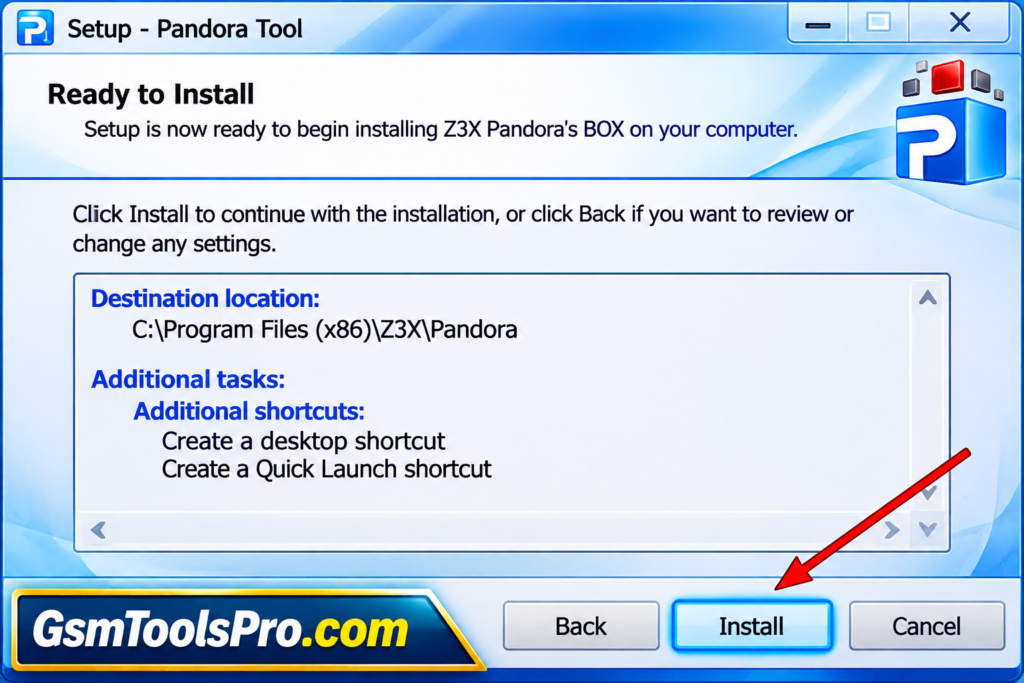
How to Download, Install & Use Pandora Tool?
- Download Pandora Tool: Get the setup package from a trusted source or the official Pandora Tool website.
- Check the Downloaded File: Review the package to see whether it contains a portable application or a separate installer.
- Extract the Package: If you downloaded a ZIP archive, unpack all files into a new folder on your Windows computer.
- Review the Instructions: Read the included setup notes to understand the installation steps and hardware requirements.
- Connect Pandora Box: Attach the compatible Pandora Box to your PC and install the necessary USB drivers.
- Open the Software: Run the verified executable or follow the provided installation instructions to start the application.
- Choose Chipset and Port: Select the correct chipset and communication port from the DUT interface.
- Select Operating Mode: Choose Normal Mode or Calibration Mode according to your device and testing requirements.
- Read Device Details: Use the available information-reading option to check the connected device’s details.
- Check the Results: Review the displayed information and follow the official instructions before performing any supported servicing operation.
Pros and Cons
| Pros | Cons |
| Supports multiple MediaTek and UniSoC devices. | Requires compatible Pandora Box hardware and activation. |
| Offers firmware flashing and FRP reset functions. | Not every function works on all device models. |
| Includes backup and restore options. | Requires proper USB drivers and device connections. |
| Provides bootloader unlock and relock features. | Some advanced repair functions require root access. |
| Supports device information reading and memory operations. | Incorrect flashing can cause data loss or software issues. |
| Receives software updates and new device support. | Internet access is needed for activation and online services. |
Also Read: A.N. TOOL v4.6 Free Download Latest Version For Windows [2027]
Conclusion
Pandora Tool V9.25 by Z3X Team is a useful solution for Android mobile servicing and software repair. It offers firmware flashing, FRP reset, factory reset, bootloader operations, and device information reading for supported MediaTek, UniSoC, and Qualcomm devices. Its multi-brand support, backup options, and regular updates make it a practical choice for mobile technicians handling smartphone repair tasks.
FAQ’s
What is Pandora Tool used for?
Pandora Tool is used for Android mobile servicing, including firmware flashing, FRP reset, factory reset, bootloader operations, and device repair.
Does Pandora Tool support MediaTek devices?
Yes, Pandora Tool supports many MediaTek devices and offers firmware flashing, partition management, bootloader unlocking, and other servicing functions.
Does Pandora Tool require a Pandora Box?
Yes, Pandora Tool requires compatible Pandora Box hardware with an activated smart card to access its supported servicing functions.
Is Pandora Tool free to use?
The software can be downloaded, but using its full features requires compatible hardware and activation.
Can Pandora Tool remove FRP locks?
Yes, it includes FRP removal functions for supported Android devices. Available methods depend on the device model and chipset.
Does Pandora Tool support firmware backup and restore?
Yes, Pandora Tool supports creating and restoring device backups, helping technicians save and recover supported device data.