
TMT Tool Pro V3.0.0.7 Latest Version–Android Servicing Helpful & Unlock Tool
FRP locks, boot loops, AUTH errors, and undetected MTK phones can make Android servicing frustrating and slow. TMT Tool Pro brings MediaTek AUTH, FRP, MiCloud, Factory Reset, and NVRAM/NVDATA backup functions together. Its multi-brand support gives technicians a practical Windows solution for supported Android devices.
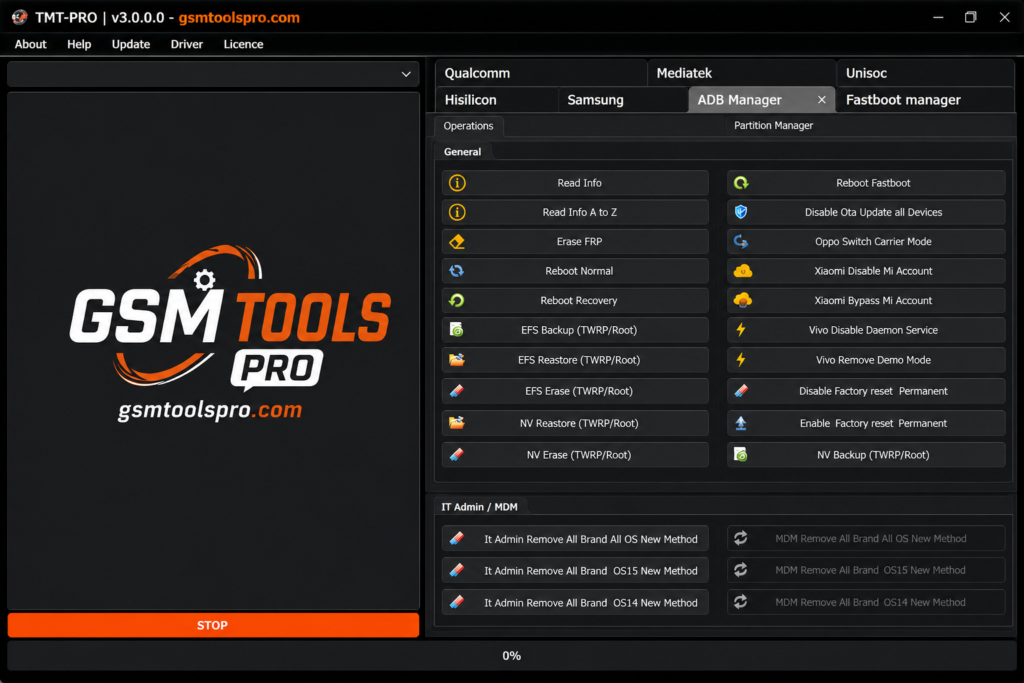
What is TMT Tool Pro V3.0.0.7
TMT Tool Pro is a Windows software made for Android servicing of MediaTek (MTK) devices. It can detect connected phones, flash firmware, manage FRP, and perform bootloader tasks. It also supports ADB, Fastboot, and Download Mode to connect the phone to a PC. MediaTek USB drivers and partition backup options for Boot, Preloader, NVDATA, and NVRAM are also included.
Key Features Of TMT Tool Pro Updated Version
MediaTek AUTH
The tool provides Disable AUTH support for MediaTek devices. Technicians can use this function to work with MTK smartphones to improve device connection and perform repair or servicing operations.
FRP & MiCloud Support
The tool includes FRP Lock Removal and MiCloud servicing for supported Android devices. Technicians can use these options to handle Google FRP Lock and MiCloud-related tasks.
Reset & Format Options
The tool provides reset and format options for Android phones, including Factory Reset, Userdata Format, and supported lock removal. It resolves bootloop, system hang, and forgotten screen-lock problems.
Multiple device brand support
The tool offers multi-brand Android support for devices from Samsung, Xiaomi, Redmi, OPPO, Vivo, Realme, Tecno, and Infinix.
Boot Partition Writing Support
The Tmt tool supports Boot partition writing on Android devices. This function can be used for supported root and unroot tasks, depending on the phone model and firmware version.
Pros & Cons of Pro TMT Tool V3.0.0.7
| Pros | Cons |
| MediaTek-focused servicing | Mainly supports compatible MediaTek devices |
| AUTH-related functions | Compatibility varies by model |
| FRP & MiCloud options | Advanced features need technical knowledge |
| Factory Reset support | Some operations may erase data |
| Bootloader management | Wrong operations may cause software issues |
System Requirements and File Info
| Requirement | Minimum / Recommended |
| Operating System | Windows 7, 8, 10, 11 |
| Architecture | 64-bit recommended |
| Processor | Intel or AMD Dual-Core or better |
| RAM | 4 GB minimum; 8 GB recommended |
| Storage | At least 2 GB of free space |
| USB Driver | Android USB Drivers; MTK drivers for MediaTek devices |
| USB Connection | Working USB port and quality data cable |
| Internet | Required for some online/login features |
| Device Support | Depends on the model, chipset, firmware, and Android version |
Download & Installation steps for TMT Pro Tool
- Get TMT Pro Tool: Download V3.0.0.7 from a trusted source.
- Unpack the Package: Extract the ZIP or RAR file before opening it.
- Set Up Drivers: Install the correct MTK USB drivers on Windows.
- Launch Software: Open TMT Pro Tool with proper permissions.
- Attach the Device: Connect the compatible MediaTek phone to your PC.
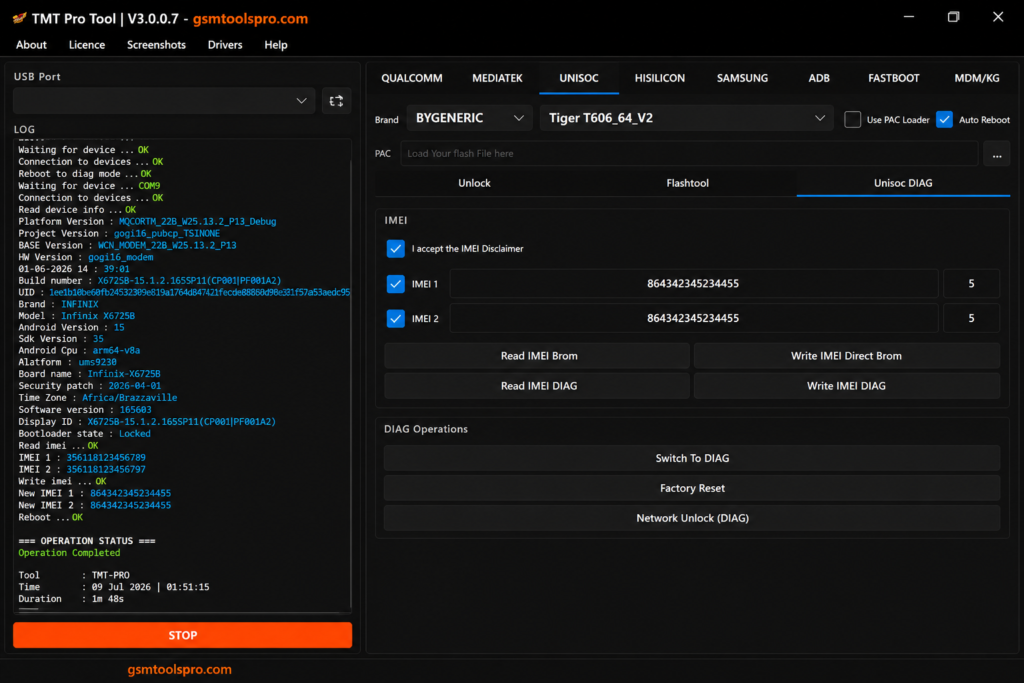
- Detect the Port: Use Scan Port to find the connected phone.
- Check Information: Read the device model and connection status.
- Pick a Service: Select options such as FRP, Reset, MiCloud, backup, or boot operations.
- Verify Compatibility: Check the exact model, chipset, and firmware support.
- Run the Task: Start the selected operation and keep the connection stable.
Also Read: https://gsmtoolspro.com/mr-auth-tool/
Conclusion
TMT Tool provides Android repair and servicing functions for compatible MediaTek devices. Its features include FRP, AUTH, MiCloud, Factory Reset, bootloader management, and partition backup. The tool is mainly useful for technicians working with Android smartphones.
Frequently Asked Questions
What can I do with TMT Pro Tool?
It provides Android servicing features such as FRP servicing, Factory Reset, Bootloader operations, DM-Verity repair, and partition backup for compatible devices.
Can I back up NVRAM and NVDATA with TMT Tool?
Yes. Supported MediaTek phones can use the tool for NVRAM and NVDATA backup or restore operations.
Does TMT Tool support FRP removal?
Yes. FRP removal is one of its listed servicing functions, but availability depends on the exact device and software configuration.
Can it repair a corrupted DM-Verity?
The tool includes a Fix DM-Verity Corrupted function for supported devices.
Why is my MediaTek phone not detected?
Detection can depend on the USB connection, MediaTek drivers, device mode, chipset, and model compatibility. The tool also includes Scan Port/Auto Device Detection.
Is TMT Pro Tool suitable for beginners?
Its interface includes automatic detection and simple servicing options, but advanced functions such as partition writing and bootloader operations require care and technical knowledge.