MR Auth Tool Latest Version–Xiaomi FRP, EDL & Flashing Tool
FRP locks, Mi Account restrictions, and authentication errors can delay Android servicing and device access. MR Auth Tool solves these issues with Xiaomi FRP removal, OTP authentication, Mi Account, EFS, etc support on compatible models. Its credit-based workflow gives technicians a practical way to handle supported Xiaomi, Oppo, Realme, and OnePlus servicing operations.
What is the MR Auth Tool
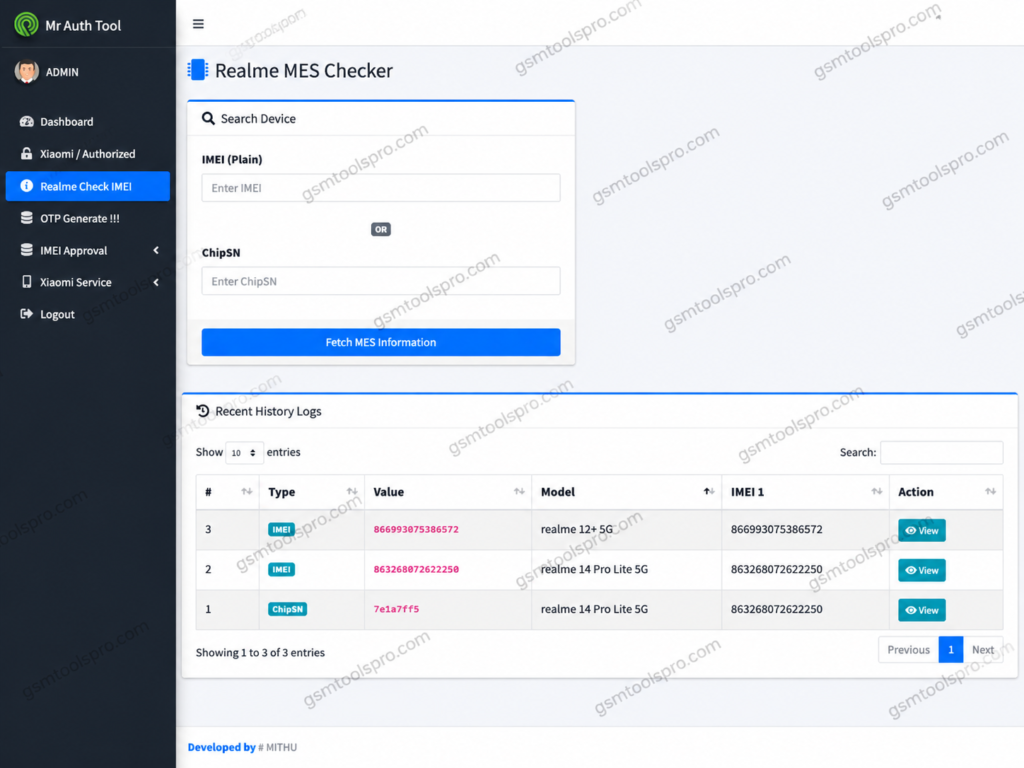
MR Auth Tool credit based Android servicing tool made for technicians working with device authentication and FRP operations. Instead of requiring a yearly license, users register an account and purchase credits for individual services. On supported devices, its workflow may use OTG, Sideload Mode, and OTP authentication. With a simple interface credit system, MR Auth Tool offers a practical option for mobile repair professionals.
Key Features Of MR Auth Tool
Remove Xiaomi FRP
Removes the Google FRP lock from supported Xiaomi devices after successful OTP authentication, helping technicians restore access when the device is locked by Factory Reset Protection.
Server-Side OTP Generation
The tool provides one-time authentication codes through its online server for selected Oppo, Realme, and OnePlus services, helping support flashing and servicing operations.
Sideload Mode Support
MR Auth Tool works with Xiaomi Sideload Mode on different models, an alternative connection method for completing compatible device servicing tasks.
Mi Account Service
Provides Mi Account service functions for Xiaomi models, allowing technicians to perform account-related servicing tasks.
EFS Management
The Mr auth tool provides EFS management tools to read, write, or erase EFS data on supported devices when the required service is available.
Firmware Flashing Support
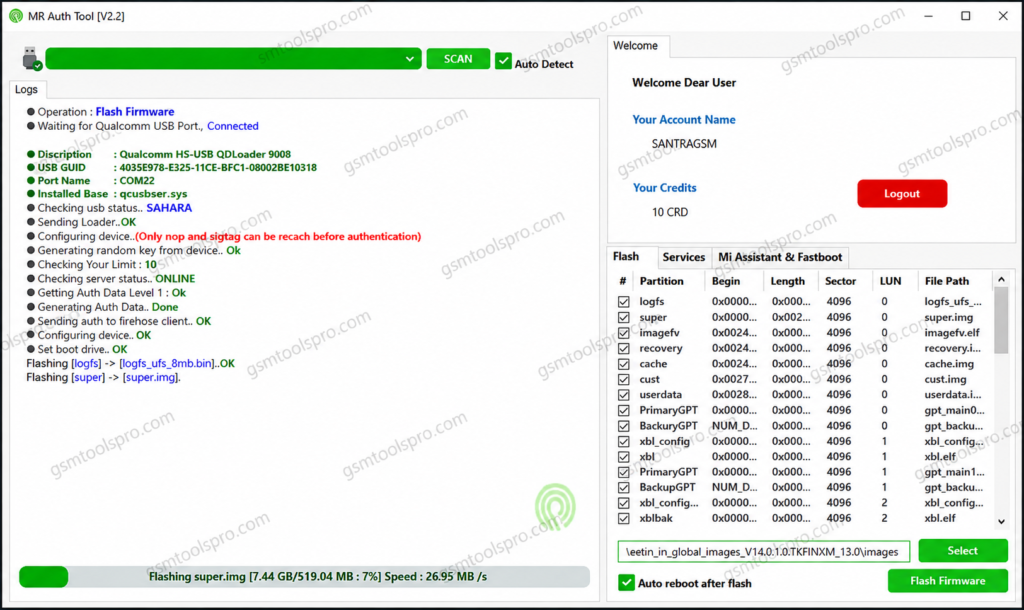
Mr Auth Tool supports firmware flashing on compatible Xiaomi, Realme, Oppo, and OnePlus devices through authorized online services. Availability depends on the device model and the active server.
How to download and install Mr Auth Tool
- Open the MR Auth Tool website and access the available service.
- Prepare a second Android phone with a stable internet connection.
- Connect the Xiaomi device to the Android phone using an OTG cable.
- Boot the Xiaomi phone into Sideload Mode.
- Complete the required OTP authentication.
- Choose the required servicing option.
- Wait for the tool to finish the selected operation.
How Does the MR Auth Tool Work?
- Sign Up: Create your account and prepare the required login credentials.
- Verify Availability: Check whether the server for your device brand is currently available.
- Load Credits: Add sufficient credits to perform the selected servicing operation.
- Enter Service Mode: Connect the phone through the appropriate Fastboot, EDL, or Sideload mode.
- Run the Operation: Launch the matching MR Auth Tool module, identify the device, and select the desired service.
- Authorize & Finish: Enter the provided OTP or token when prompted, then allow the online server to process the authorization.
MR Auth Tool File Information
| Information | Details |
| Package Size | Approximately 625 MB |
| Package Type | Multiple desktop application setups |
| O+ Tool | Oppo, OnePlus & Realme devices |
| Realme Tool | Selected older Realme models |
| Xiaomi Tool | Xiaomi device operations |
| Download Source | Official MR Auth Tool website |
| PC Platform | PC-based desktop software |
| Mobile Platform | Android devices |
| Connection Interface | Android ADB interface |
| Antivirus | May need configuration if it blocks tool communication |
Also Read: Android Win Tool v2.1.8 Download Latest Version for Windows 2026
Conclusion
MR Auth Tool provides an Android servicing workflow for Xiaomi, Oppo, Realme, and OnePlus devices. It combines OTP authentication, Xiaomi FRP removal, Sideload Mode, Mi Account services, and EFS management for compatible models. Its credit-based system allows technicians to pay for individual operations instead of using a fixed activation license. With server-based authentication and OTG support, MR Auth Tool can simplify device servicing tasks.
FAQ’s
Which devices does MR Auth Tool support?
MR Auth Tool primarily supports Xiaomi devices, while current service offerings also include selected Oppo, OnePlus, and Realme operations. Support varies by service.
Is MR Auth Tool free to use?
No. The tool works through paid credits, which are required for supported authentication and servicing operations.
Can it remove Xiaomi FRP?
Yes, Xiaomi FRP servicing is one of the documented functions, but successful operation depends on the supported model and active server service.
Can it flash Xiaomi phones?
Yes. MR Auth Tool provides authorized Xiaomi flashing services for supported devices, including selected EDL-based operations.
Does MR Auth Tool need a dongle or a box?
For the software-based MR Auth Tool service, available documentation states that no box or dongle is required, although credits and an account are needed.
Why should I check server status first?
Because MR Auth operations depend on online authorization servers. The official channel regularly posts server availability and service updates, so availability can vary by brand and operation.
Which brands and chipsets are supported?
Xiaomi, Realme, Oppo and OnePlus devices, plus MediaTek and Qualcomm-based models.
![Extra Tool V1.4.5 Free Setup 100% working [2026]](https://gsmtoolspro.com/wp-content/uploads/2026/09/Extra-Tool-V1.4.5-Download-Free-Setup-100-working-2026-3-768x576.png "Extra Tool V1.4.5 Download Free Setup 100% working [2026] 3")
![SSC Defeat Tool by Sengkoyo Service Center Mobile Unlocking [100% Working]](https://gsmtoolspro.com/wp-content/uploads/2026/09/SSC-Defeat-Tool-by-Sengkoyo-Service-Center-Mobile-Unlocking-100-Working-768x576.png "SSC Defeat Tool by Sengkoyo Service Center Mobile Unlocking [100% Working] 6")