SP Flash Tool v6.2404 Download for Windows and Linux [Latest Versions]
Is your MediaTek (MTK) Android phone stuck in a bootloop or refusing to start after a failed firmware update? SP Flash Tool helps flash Stock ROMs, firmware, and recovery files through a USB connection. It supports MediaTek smartphones and tablets and can help restore devices affected by software problems.
What is the SP Flash Tool?
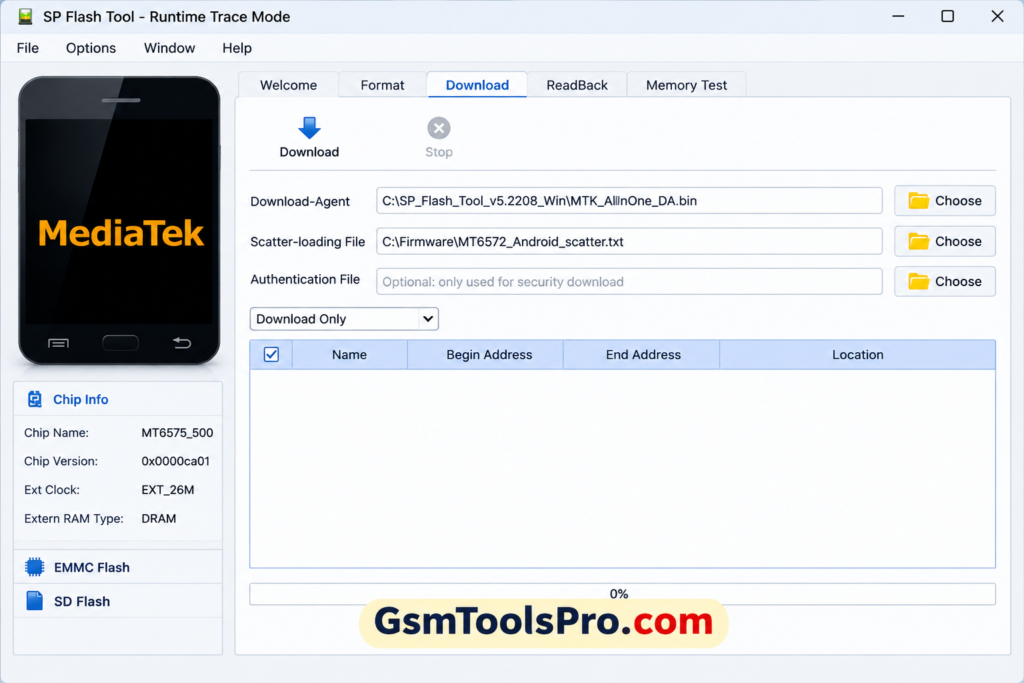
SP Flash Tool, also called Smart Phone Flash Tool, is a Windows and Linux software made for MediaTek (MTK) smartphones and tablets. It uses a scatter file to flash Stock ROMs, firmware, system images, and recovery files via USB. It can also help with device recovery, bootloop issues, firmware updates, and flash recovery on Android devices.
Key Features oF SP Flash Tool
Flash Firmware/Stock ROM
It allows you to flash firmware and Stock ROM to fix corrupted files on Android devices and make them fully functional and usable as before. It supports models with MediaTek chipsets.
Multiple Flashing Options
The tool allows you to flash multiple brands within one window. You can flash multi brands mobiles and fix the issues and make the device work.
Format MTK Phones
SP Flash Tool can format selected parts or the whole MediaTek device when needed. This can help fix software errors and other system problems.
Unbrick MTK Phones
When the device is soft-bricked or stuck in a bootloop, the tool also allows you to reinstall the correct firmware.
Device Memory Testing
It performs RAM and storage tests to identify hardware-related issues.
Common Causes of MediaTek Device Boot Issues
| Boot Issue | Short Fix |
| Incorrect Firmware Installation | Flash the correct firmware for your exact device model. |
| Interrupted System Updates | Reinstall the firmware and avoid USB or power interruptions. |
| Software Corruption | Flash a clean Stock ROM to restore damaged system files. |
| Malware and Security Threats | Remove harmful apps and reinstall clean firmware if needed. |
Download Information
| Information | Details |
| Latest Windows Version | SP Flash Tool v6.2404 |
| File Size | 12 MB |
| Release Date | 11 November 2024 |
| Older V5 Version | SP Flash Tool v5.2404 |
| V5 File Size | 66.40 MB |
| Operating System | Windows |
| Chipset Support | MediaTek (MTK) |
| License | Free |
System Requirements
| Requirement | Minimum / Needed |
| Operating System | Windows 10/11 64-bit |
| Processor | Modern 64-bit processor |
| RAM | 2 GB or more |
| Storage | Space for tool + firmware |
| USB | Working USB port and data cable |
| Drivers | MediaTek USB VCOM drivers |
How to Repair a MediaTek Android Phone with SP Flash Tool
Step 1: Install MediaTek USB Drivers
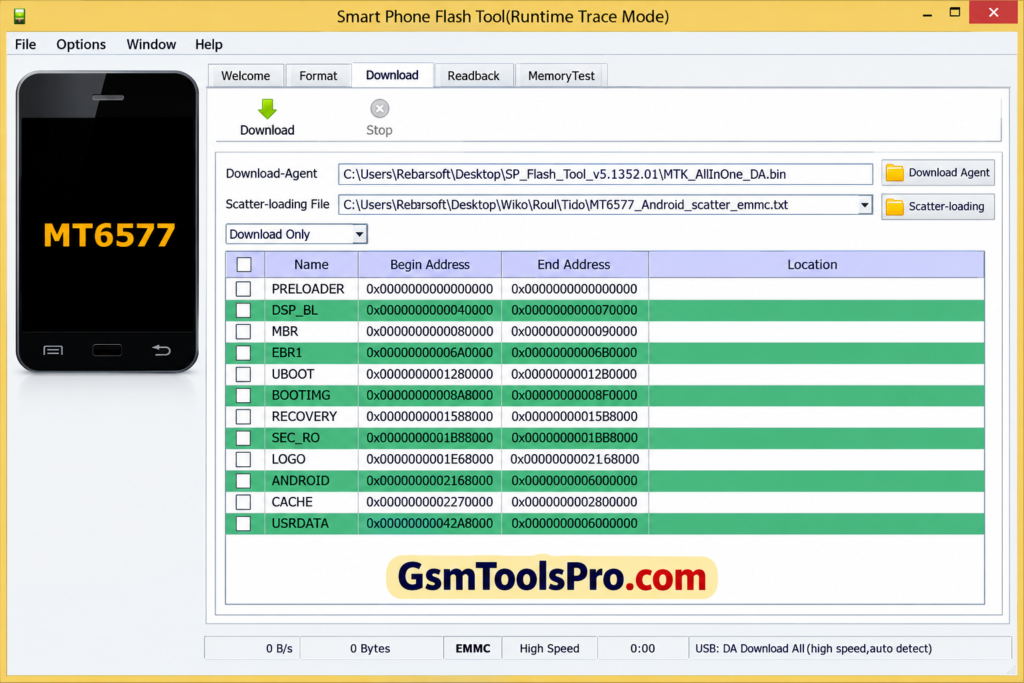
First, install the MediaTek USB VCOM drivers on your PC. After installation, restart the computer so the drivers work correctly.
Step 2: Extract the Required Files
Extract the SP Flash Tool and your device’s firmware to separate folders. Then, open SP Flash Tool as an administrator.
Step 3: Add the Scatter File
Open the Scatter-loading File option and select the MTxxxx_Android_scatter.txt file from your firmware folder.
Step 4: Choose a Flashing Mode
Select the mode you need:
- Download Only: For normal firmware flashing.
- Firmware Upgrade: For updating the device firmware.
- Format + Download: For advanced repairs that require formatting.
Step 5: Turn Off the Phone
Power off the MediaTek phone completely. Keep it disconnected from the PC for now.
Step 6: Start Flashing
Click Download in SP Flash Tool. Now connect the powered-off phone with a USB cable. The tool should detect it and start the process.
Step 7: Let the Process Complete
Keep the phone connected and do not interrupt the flashing process. Wait until the green checkmark appears.
Step 8: Turn On the Phone
Remove the USB cable and start the phone. The first boot can take a few minutes after a firmware flash.
Pros and Cons
| Pros | Cons |
| Supports MediaTek (MTK) devices | Mainly limited to MediaTek devices |
| Can flash stock firmware | Wrong firmware can cause boot issues |
| Helps recover some bricked devices | Some newer devices need extra authorization |
| Supports scatter-based flashing | Incorrect formatting can remove important partitions |
| Works with USB connection | Device detection can sometimes fail |
Also Read: Prime Tool X v9 by GSM Prime Download Free Activated Setup [2026]
Concusion
SP Flash Tool is a useful software for MediaTek (MTK) Android devices. It can flash Stock ROMs, custom ROMs, firmware, and recovery files. It also helps with device recovery, memory testing, and some bricked phones. With a simple interface and USB connection, users can manage firmware in a few steps.
FAQ’s
Can SP Flash Tool fix a MediaTek phone stuck in a bootloop?
Yes, it can help when the bootloop is caused by damaged or incorrect firmware. Flashing the correct stock firmware may restore the phone.
Why does SP Flash Tool show a scatter file error?
This usually happens when the scatter file does not match the phone or firmware. Make sure you use the correct firmware for your exact model.
Why is SP Flash Tool stuck at Download DA 100%?
This can happen because of DA, firmware, driver, or device compatibility problems. Check the correct firmware and MediaTek drivers first.
Why is my MediaTek phone not detected by SP Flash Tool?
Check the USB cable, USB port, MediaTek drivers, and the phone’s connection mode. A poor USB connection can also interrupt detection.
Should I use SP Flash Tool V5 or V6?
It depends on the firmware and chipset. Some users report that older scatter-based firmware works better with V5, while newer setups may use V6.
Can SP Flash Tool repair a completely bricked MediaTek phone?
It can recover some bricked devices, but success depends on the chipset, firmware, security protection, and condition of the phone.

![TTA EDL Tool V1.0.4 Latest Version Download [2026]](https://gsmtoolspro.com/wp-content/uploads/2026/09/TTA-EDL-Tool-V1.0.4-Latest-Version-Download-2026-2-768x576.png "TTA EDL Tool V1.0.4 Latest Version Download [2026] 5")