
Prime Tool X v9 by GSM Prime Download Free Activated Setup [2026]
Are you struggling with FRP locks, firmware errors, or forgotten screen passwords? Prime Tool V9.0 provides Android servicing in one Windows tool, supporting issues like FRP servicing, firmware flashing, screen unlocks, and factory reset through ADB, Fastboot, EDL, and Download Mode on Samsung, Xiaomi, Redmi, Huawei, and Oppo devices.
What is the Prime Tool?
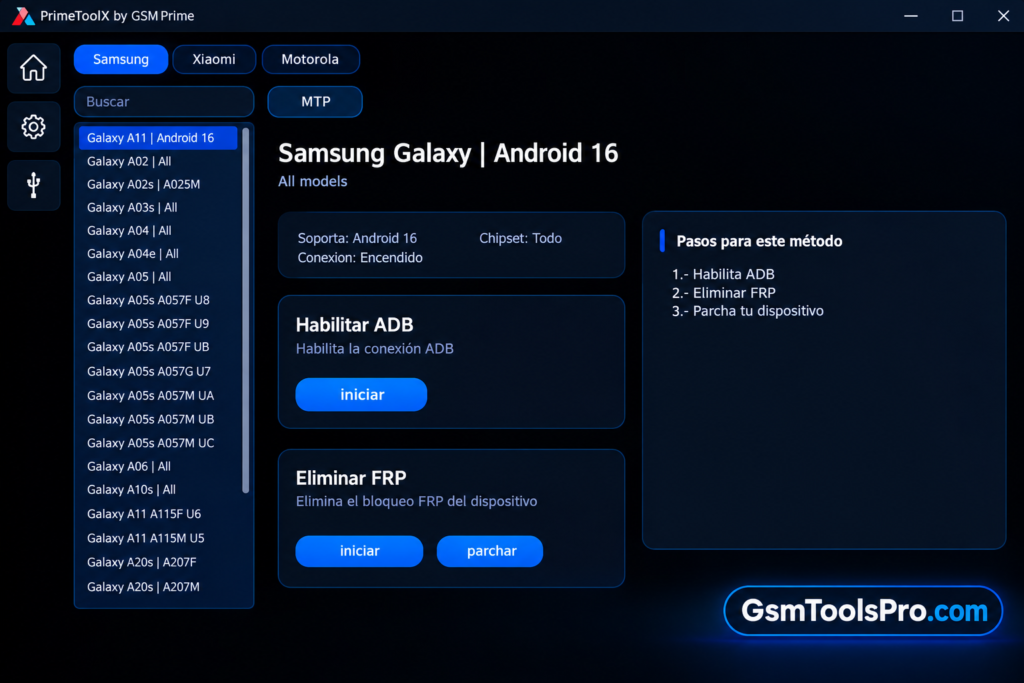
Prime Tool is a Windows-based Android repair software designed for mobile repair and software tasks. The tool supports FRP removal, firmware flashing, screen unlock, factory reset, etc operations through ADB, Fastboot, EDL, and Download Mode. The tool works with Samsung, Xiaomi, Redmi, Huawei, and Oppo devices, depending on the model, chipset, firmware, and security patch.
Key Features Of Prime Tool
FRP Bypass
The tool provides an option to bypass FRP-locked Android devices and makes the mobile fully functional. FRP removal is not limited to this tool; it also supports devices from Xiaomi, Redmi, Huawei, Realme, Oppo, and Vivo.
Multi-Chipset
The software is compatible with multi-brand chipsets, making it divers repairing tool for technicians that works on multi-brand chipsets, including MediaTek, Exynos, SPD, and Unisoc.
Firmware Flashing
It supports Firmware Flashing to solve corrupted firmware and unsupported firmware, allowing technicians to select the correct firmware for the selected device.
Screen Lock Removal
The Prime Tool helps to unlock locked mobiles due to lost or forgotten passwords. It helps to remove screen passwords, PINs, patterns, etc and safely open the device without losing the files.
ADB & Fastboot
ADB & Fastboot functions allow users to connect the device to Windows by using these modes. They provide a bridge between the device and the PC.
Auto Device Detection
It auto-detects the connected device brands and chipsets and shows the info about the device, making it easier to decide the right operation.
Backup & Restore Functions
This feature of the Prime tool allows you to make a backup of the files present in the mobile device and also provides a backup after the completion of the operation.
Lightweight
The tool is lightweight, making it easier to use on low-end devices and PC because some users have older versions for repair in their shops and centers.
What’s new in the Prime Tool 2026?
- Android 16 FRP Bypass Added
- Samsung Qualcomm New Bit Support
- No More Zadig for Qualcomm Devices
- New Community Tab
- Bug Fixes and Stability
Prime Tool V9.0 Errors & Fixes
| Error / Issue | Possible Fix |
| Device Not Detected | Check the USB cable, install the correct drivers, run Prime Tool as Administrator, and try a USB 2.0 port. |
| Model Not Showing | Check whether your device is supported in the current Prime Tool V9.0 version. |
| Enable ADB Not Working | Reconnect the phone in the correct boot mode and try enabling ADB again. |
| FRP Screen Still Appears | Restart the device and run the Patch Device option again. |
| Antivirus Deleting Files | Temporarily disable antivirus during extraction or add the tool folder to exclusions. |
| Tool Crashes on Launch | Extract the ZIP completely and install Microsoft Visual C++ 2015 or newer. |
| Samsung A04e / A06 Issues | Some Android 14 models may have compatibility issues in V9.0. Try a supported alternative method. |
Download Information
| Information | Details |
| Tool Name | Prime Tool X |
| Version | V9.0 |
| Platform | Windows |
| File Type | ZIP / RAR Archive |
| File Size | Around 137–155 MB |
System Requirements
| Requirement | Minimum Specification |
| Operating System | Windows 7, 8, 8.1, 10, or 11 |
| Processor | Intel Dual Core / AMD Dual Core |
| RAM | 2 GB minimum |
| Storage | 500 MB free space |
| .NET Framework | 4.7.2 or higher |
| USB Port | Working USB port |
| USB Cable | Good-quality USB data cable |
| Drivers | Required device USB drivers |
| Permissions | Administrator access |
How to Download Prime Tool V9.0?
- Download Prime Tool V9.0 from a trusted source.
- Extract the downloaded archive with WinRAR or 7-Zip.
- Open the folder and launch the tool as Administrator.
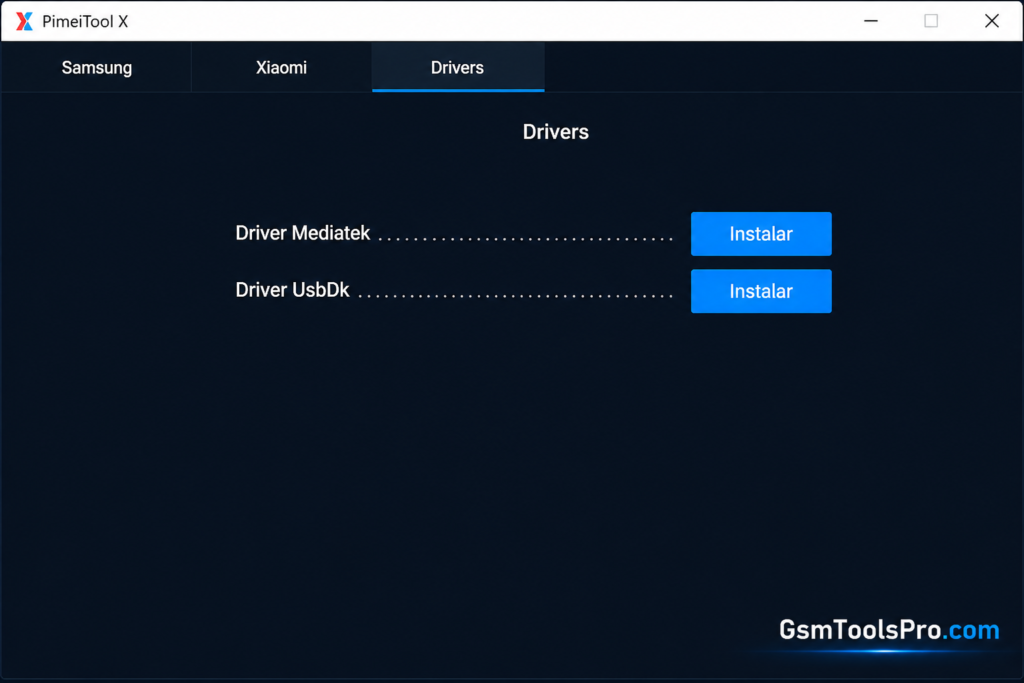
- Install the required MediaTek, UsbDk, and Qualcomm QDLoader 9008 drivers.
- Restart Windows after completing the driver setup.
- Run Prime Tool, choose your brand and model, then begin the required operation.
Pros & Cons
| Pros | Cons |
| Supports multiple Android servicing tasks | Compatibility varies by device model |
| Works with ADB, Fastboot, and EDL modes | Some newer security patches may not work |
| Supports selected Samsung, Xiaomi, and other devices | Requires proper USB and device drivers |
| Simple Windows-based interface | Antivirus may flag or remove tool files |
| Useful for technicians and mobile repair tasks | Some features may require specific boot modes |
Also Read: UMT SPD Tool V1.9 Setup Download Unisoc Module 100% Working
Conclusion
Prime Tool offers Android servicing tasks in one Windows-based software. With support for firmware flashing, FRP servicing, screen unlocks, factory reset, ADB, etc., it can help with Samsung, Xiaomi, Redmi, Huawei, Vivo, etc. devices. Consequently, the tool depends on the device model, chipset, firmware, and security patch.
FAQ’s
Can Prime Tool remove FRP from Samsung Galaxy A04?
A 4PDA user reported using Prime Tool for FRP removal on the Samsung Galaxy A04, although the process may not work on the first attempt.
Does Prime Tool work with Redmi A3?
Community users have reported using Prime Tool X V8.8 for FRP on the Redmi A3, including newer Android versions.
Why does Prime Tool fail to detect my phone?
Community discussions point to USB drivers, connection mode, and the correct boot mode as common reasons for detection problems.
Does Prime Tool support Qualcomm devices?
Recent community documentation reports Qualcomm support through HS-USB QDLoader 9008 / EDL, with V9.0 reducing the need for older Zadig-based setup.
Is Prime Tool V9.0 free?
Community reports describe V9.0 as the free version, while later V26 builds are positioned as a more advanced professional version.
Can Prime Tool work on newer Android security versions?
Reports around the V9.0 release mention Android 16 FRP support on selected Samsung devices, but actual results depend on the exact model and security build.


![TTA EDL Tool V1.0.4 Latest Version Download [2026]](https://gsmtoolspro.com/wp-content/uploads/2026/09/TTA-EDL-Tool-V1.0.4-Latest-Version-Download-2026-2-768x576.png "TTA EDL Tool V1.0.4 Latest Version Download [2026] 8")