Advance Turbo Flasher Tool Setup v12.70 Download All Versions (Pre-Activated)
Are you facing firmware corruption, boot errors, or forgotten security codes on an older Nokia phone? Advance Turbo Flasher (ATF) v12.70 offers a practical solution. Used with the ATF Box, it supports Nokia BB5, DCT4, MeeGo, and MediaTek devices for firmware flashing, software recovery, flash memory operations, and servicing.
What is Advance Turbo Flasher?
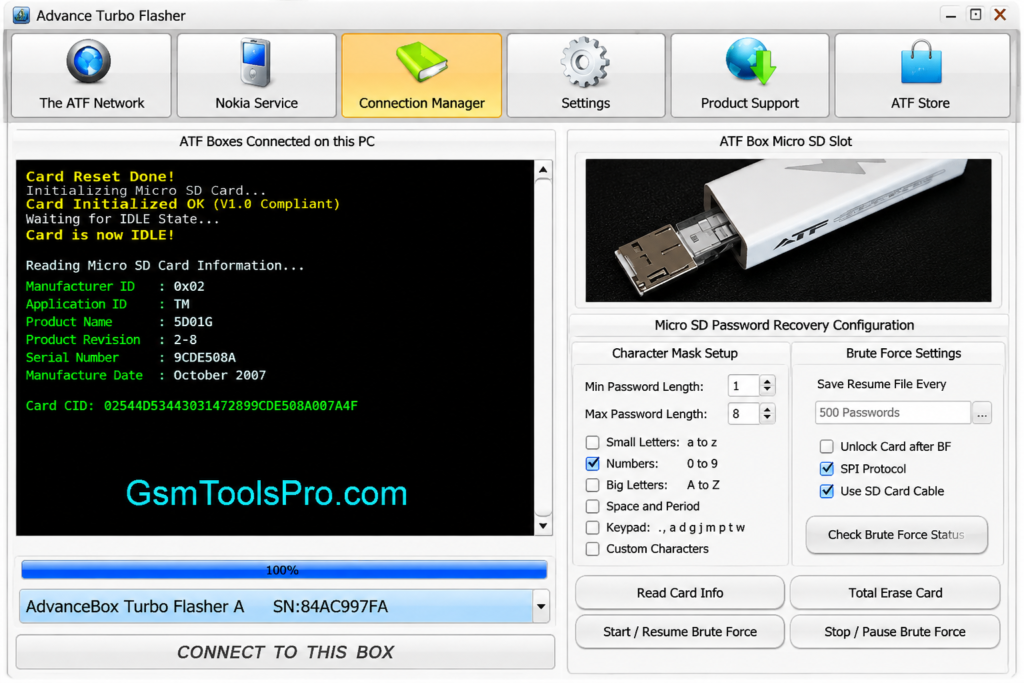
Advance Turbo Flasher, also called ATF, is a Nokia servicing tool used with ATF Box hardware and Windows software. It helps technicians flash Nokia firmware, reinstall flash files, read device information, reset security codes, and fix software problems. ATF supports Nokia BB5, DCT4, MeeGo,etc devices. It helps to recover phones that are facing firmware corruption, boot failures, or software glitches.
Key Features of the Advanced Turbo Flasher Tool
Firmware Flashing
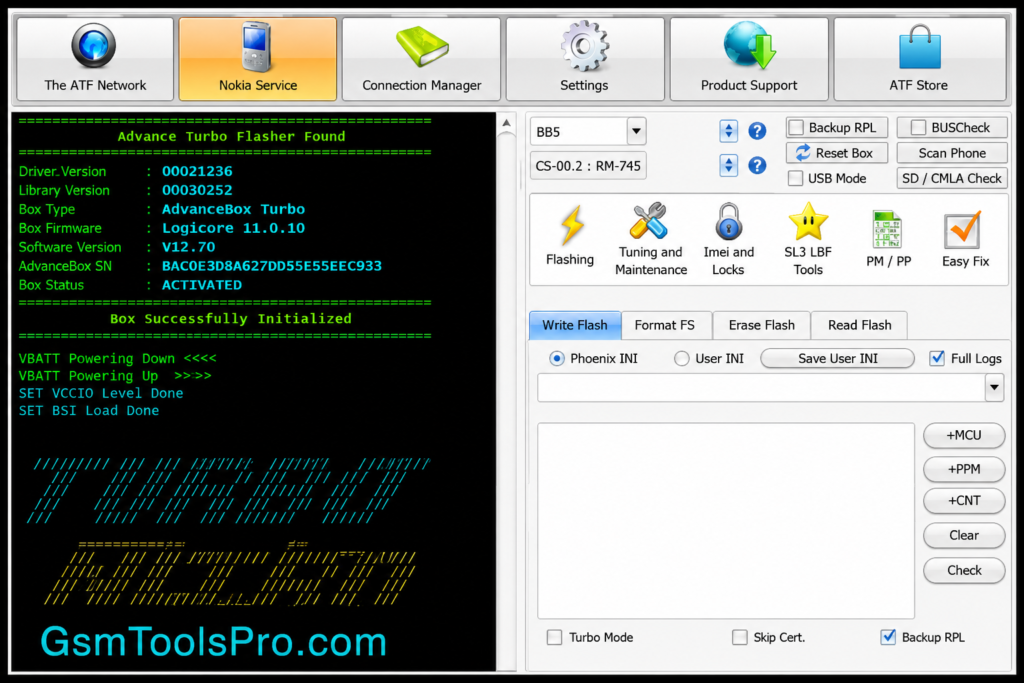
ATF allows technicians to flash or reinstall Nokia firmware and ROM files. It helps recover BB5, DCT4, and MediaTek phones from corrupted software, failed updates, boot errors, and other firmware problems.
User Lock Reset
Advance Turbo can reset forgotten user and security codes on Nokia feature phones. Technicians can regain device access and resolve lock issues, depending on the Nokia model, firmware, BB5 platform, and ATF Box hardware.
Multi-Platform Support
The ATF Tool supports Nokia platforms, including BB5, DCT4, MeeGo, and selected MediaTek devices. This broad compatibility helps technicians service different Nokia.
Read & Write Flash Memory
The Turbo Flasher supports reading and writing flash memory on Nokia devices. Technicians can use these operations to handle firmware files, backups, software recovery, and flash reinstallation, helping resolve firmware-related issues during professional mobile servicing.
USB Flashing Support
Advance Turbo Flasher (ATF) supports USB flashing on Nokia phones, allowing technicians to transfer firmware and flash files directly from a Windows PC.
Hardware-Based Security
ATF works with the Advance Box Turbo Flasher (ATF Box), providing hardware for secure communication between the Windows software and Nokia devices during servicing.
System Requirements for Advance Turbo Flasher v12.70
| Requirement | Minimum / Recommended Details |
| Operating System | Windows XP, 7, 8/8.1, or 10; 32-bit and 64-bit systems are supported by ATF v12.70. |
| Processor | Standard Intel or AMD processor suitable for basic Windows applications. |
| RAM | 2 GB minimum; 4 GB or more recommended for smoother performance. |
| Storage | At least 1 GB of free space for software, drivers, firmware, and temporary files. |
| USB Port | A functional USB port is required for the ATF Box and Nokia device connection. |
| ATF Box | Original Advance Box Turbo Flasher hardware is required for hardware-based functions. |
| USB Drivers | Compatible ATF Box USB drivers are required for proper device communication. |
| Internet Connection | May be needed for updates, drivers, and online services. |
| Connection Cable | A compatible USB cable required for PC, ATF Box, and Nokia handset connections. |
| Firmware Files | Correct Nokia flash or firmware files are required for installation and recovery. |
Download Information for ATF Setup
| Information | Details |
| Tool Name | Advance Turbo Flasher (ATF) |
| Version | v12.70 |
| Release Date | 31 March 2017 |
| File Size | 418.5 MB (≈419 MB) |
| File Format | ZIP Archive |
| Developer / Team | ATF / Advance-Box |
How to Download and Install Advance Turbo Software
- Download ATF v12.70: Save the compatible Advance Turbo Flasher (ATF) package on your Windows PC.
- Extract Package: Unzip the ATF ZIP file into an accessible folder.
- Run Setup: Open the extracted files and start the ATF installer.
- Install USB Drivers: Install ATF Box USB drivers for proper Windows communication.
- Connect ATF Box: Plug the Advance Box Turbo Flasher into the PC.
- Launch ATF: Open the software and select BB5, DCT4, MeeGo, or MediaTek where supported.
- Load Firmware: Choose the correct Nokia flash/firmware files for your handset.
- Start Flashing: Connect the Nokia phone in the required flash mode and begin servicing.
- Complete Process: Wait for completion, disconnect the device, and restart it.
Pros and Cons of ATF Tool
| Pros | Cons |
| Effective for repairing and servicing older Nokia feature phones. | Limited support for newer Android smartphones. |
| Handles firmware flashing and software recovery tasks. | Many advanced features need the original ATF Box. |
| Supports resetting compatible user and security codes. | Does not target Android FRP or screen-lock removal. |
| Covers BB5, DCT4, MeeGo, and selected MediaTek platforms. | The interface is older than modern servicing software. |
| Useful for professional Nokia repair technicians. | Cracked or unofficial ATF packages may create security risks. |
Also Read: Cheetah Tool Pro Download Latest v2026.05.02.177.1 [100% Pre-activated version]
Conclusion
Advance Turbo Flasher (ATF) v12.70 a useful servicing solution for technicians working with Nokia feature phones. It supports firmware flashing, software recovery, device information reading, and user security-code resets across platforms such as BB5, DCT4, MeeGo, and MediaTek. However, ATF is an older servicing platform and depends on ATF Box, USB drivers, Nokia firmware files, and different device models.
FAQ’s
Why does ATF show “BOOTROM NOT DETECTED” on my Nokia phone?
This error may appear because of faulty connections, missing ATF Box USB drivers, an incorrect flash mode, an incompatible Nokia model, or a problematic cable.
Which cable works with the Advance Turbo Flasher?
Advance Turbo Flasher (ATF) supports compatible FBUS and RJ45 cables for certain Nokia models. The required cable depends on the handset and the selected servicing method.
Can ATF flash Nokia phones using USB?
Yes. ATF can perform USB firmware flashing on supported Nokia devices for firmware installation, software recovery, and related servicing tasks.
Why does ATF fail while flashing Nokia firmware?
Flashing may stop because of incorrect Nokia firmware files, connection problems, unsupported devices, or an improper flashing mode. Always select files matching the exact model.
Can ATF recover a Nokia phone that will not boot?
Yes. Supported Nokia models can use Dead USB recovery and firmware flashing to restore software, provided the device hardware and connection are working properly.