Dolphin Tool V1.2 by GSM Sulteng Latest Version Download 2026 [100% Free]
Android repair can become complicated when FRP, boot loops, firmware, or MediaTek security issues require different tools. Dolphin Tool v1.2 by GSM Sulteng brings ADB, Fastboot, and MTK servicing into one Windows solution, with features for FRP, firmware, SLA/DA, Mi Cloud, and bootloader tasks, helping technicians handle common Android problems from one place.
What is Dolphin Tool?
Dolphin Tool is a Windows-based Android repair software developed by GSM Sulteng. It helps technicians fix problems such as FRP locks, boot loops, Mi Account locks, and firmware issues. With ADB, Fastboot, and MediaTek (MTK) modes, Dolphin Tool also supports flashing, SLA/DA bypass, data backup, and restore, making Android servicing easier.
Key Features Of Dolphin Tool 2026
ADB/Debug Mode
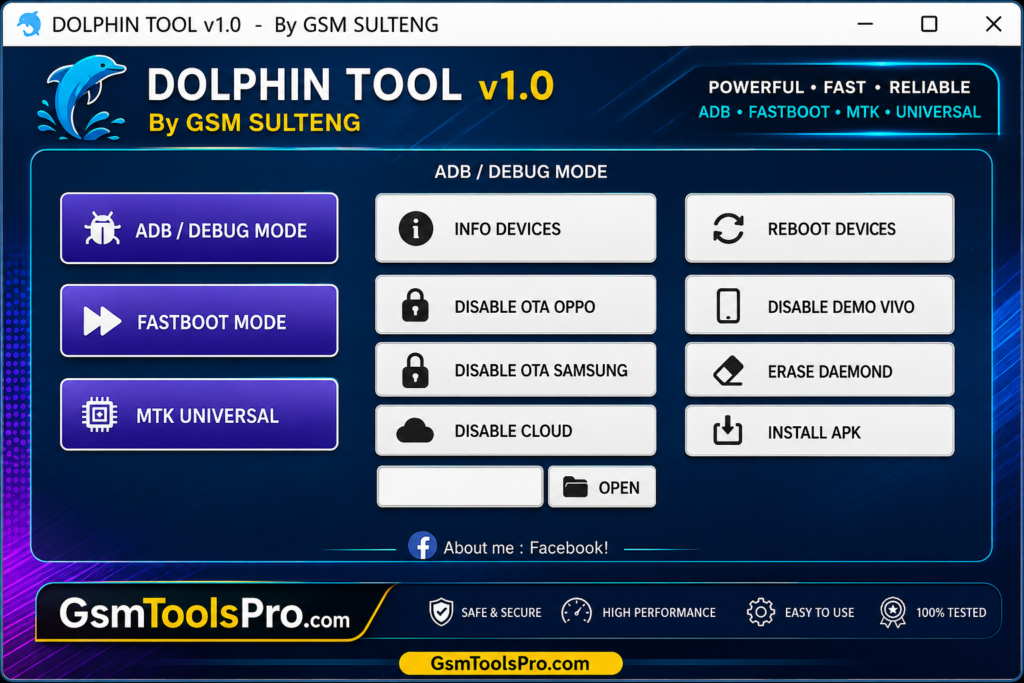
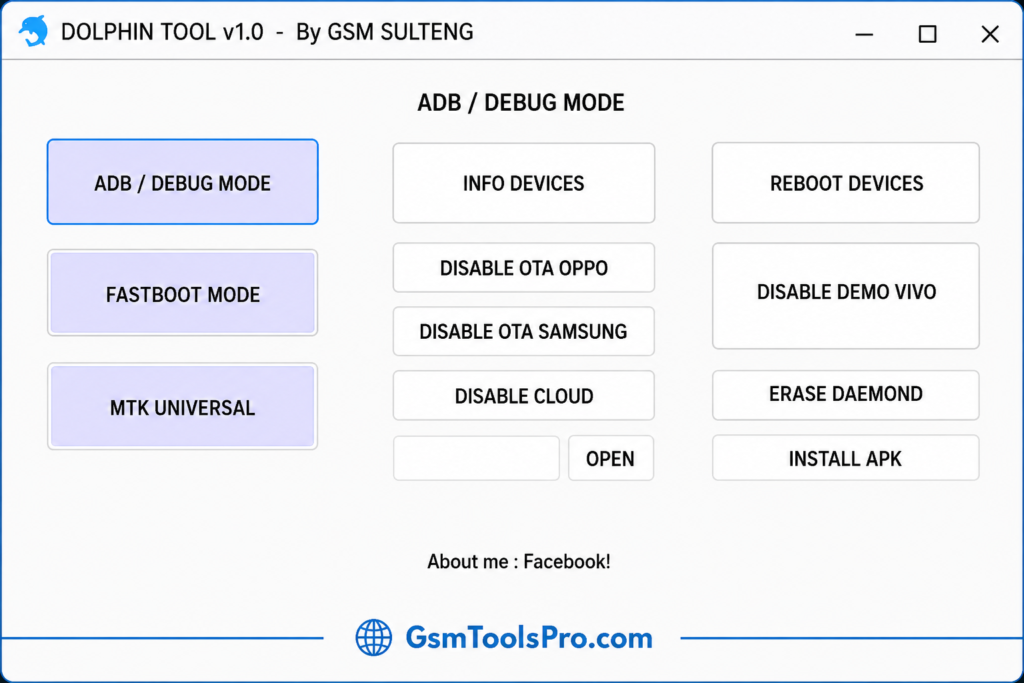
Dolphin Tool uses ADB (Android Debug Bridge) to read device information, reboot Android phones, install APK files, disable OTA updates, remove Vivo Demo Mode, disable cloud services, and erase DAEMON data on supported devices.
Fastboot Mode
Fastboot Mode allows Dolphin Tool to read device information, reboot Android phones into System, Recovery, or Bootloader Mode, erase configuration and user data, remove FRP (Factory Reset Protection), and wipe data on Android devices.
MTK Universal
MTK Universal supports MediaTek (MTK) devices with options to bypass SLA/DA, Factory Reset, remove FRP, reset Samsung FRP, format cloud data, unlock or relock the Bootloader (UBL), and erase custom partitions.
What’s New in the Latest Dolphin software v1.2
- MTK Force BROM Bypass (CMD)
- ADB FRP Bypass for Samsung
- Reset MI Cloud (Sideload Method)
Dolphin Tool v1.2 File Information
| Details | Information |
| Tool Name | Dolphin Tool |
| Version | v1.2 |
| Developer | GSM Sulteng |
| Platform | Windows PC |
| Tool Type | Android Repair & Servicing Tool |
| Supported Modes | ADB, Fastboot, MTK |
| License | Free |
| Latest Features | MTK Force BROM Bypass, Samsung ADB FRP Bypass, Mi Cloud Reset |
Required Drivers For Dolphin Tool Setup
Before you start, you have to install the drivers given below.
- MTK USB Driver
- Android USB Driver
- Samsung USB Driver
- Qualcomm Driver (for limited operations)
- USBDK Driver
- VCOM Driver
Dolphin Tool v1.2 System Requirements
| Requirement | Recommended Specification |
| Operating System | Windows 7, 8, 10, or 11 |
| Architecture | 32-bit or 64-bit Windows |
| RAM | 2 GB or higher |
| Storage | At least 500 MB free space |
| Processor | Dual-Core or higher |
| USB Drivers | MediaTek, ADB, and Android USB Drivers |
| Internet | Required for some online operations |
| Administrator Access | Recommended |
How to Download, Install & Use Dolphin Tool V1.2?
- Get the latest Dolphin Tool version from a trusted official source.
- Extract the downloaded ZIP file.
- Temporarily disable antivirus software if necessary.
- Open the extracted Dolphin Tool folder.
- Right-click Dol.exe and select Run as Administrator.
- Install the required Android USB drivers.
- Connect your Android device to the computer.
- Select the required function and start the process.
Read Also: Advance Turbo Flasher Tool Setup v12.70 Download All Versions (Pre-Activated)
Conclusion
Dolphin Tool by GSM Sulteng is a Windows solution for Android servicing, especially on MediaTek (MTK) devices. Its ADB, Fastboot, and MTK modes bring repair tasks into one interface, including FRP servicing, factory reset, bootloader management, and SLA/DA operations. For mobile technicians, this reduces the need to switch between multiple tools. Overall, Dolphin Tool v1.2 is a useful choice for routine Android repair and software maintenance.
Frequently Asked Questions(FAQ’s)
Is Dolphin Tool free to use?
Yes, Dolphin Tool v1.2 is available as a free Windows-based Android servicing tool.
Can Dolphin Tool install APK files?
Yes, Dolphin Tool can install APK files through its ADB/Debug Mode.Yes, Dolphin Tool can install APK files through its ADB/Debug Mode.
Can Dolphin Tool remove Vivo Demo Mode?
Yes, its ADB features include Vivo Demo Mode removal on supported devices.
Does Dolphin Tool work with Windows 11?
Yes, Dolphin Tool is designed to run on Windows PCs, including Windows 11.
What USB drivers are needed for Dolphin Tool?
You may need ADB, Fastboot, and MediaTek USB drivers so the computer can detect the connected Android device properly.
![Xiaomi Tool v2026.01.18 Use for Mi Account Setup Download [2026] (2)](https://gsmtoolspro.com/wp-content/uploads/2026/09/Xiaomi-Tool-v2026.01.18-Use-for-Mi-Account-Setup-Download-2026-2-768x576.png "Xiaomi Tool v2026.01.18 Use for Mi Account Setup Download [2026] 4")
![EMC Activator v1.5.2 for iOS & iPad Download Latest Update Setup 2026 [100% Working]](https://gsmtoolspro.com/wp-content/uploads/2026/09/EMC-Activator-v1.5.2-for-iOS-iPad-Download-Latest-Update-Setup-2026-100-Working-768x512.png "EMC Activator v1.5.2 for iOS & iPad Download Latest Setup 2026 [100% Working] 7")