Adanichell Tool V3.4 Free Download for Android Repairing
Is your Android phone facing FRP locks, firmware errors, or boot problems? Adanichell Tool v3.4 brings MediaTek, Qualcomm, EDL 9008, MTP, Fastboot, and FRP servicing into one Windows application. With support for Samsung, Xiaomi, Oppo, Vivo, Realme, and other Android brands, it helps technicians handle multiple smartphone repair tasks without switching between tools.
What is Adanichell Tool?
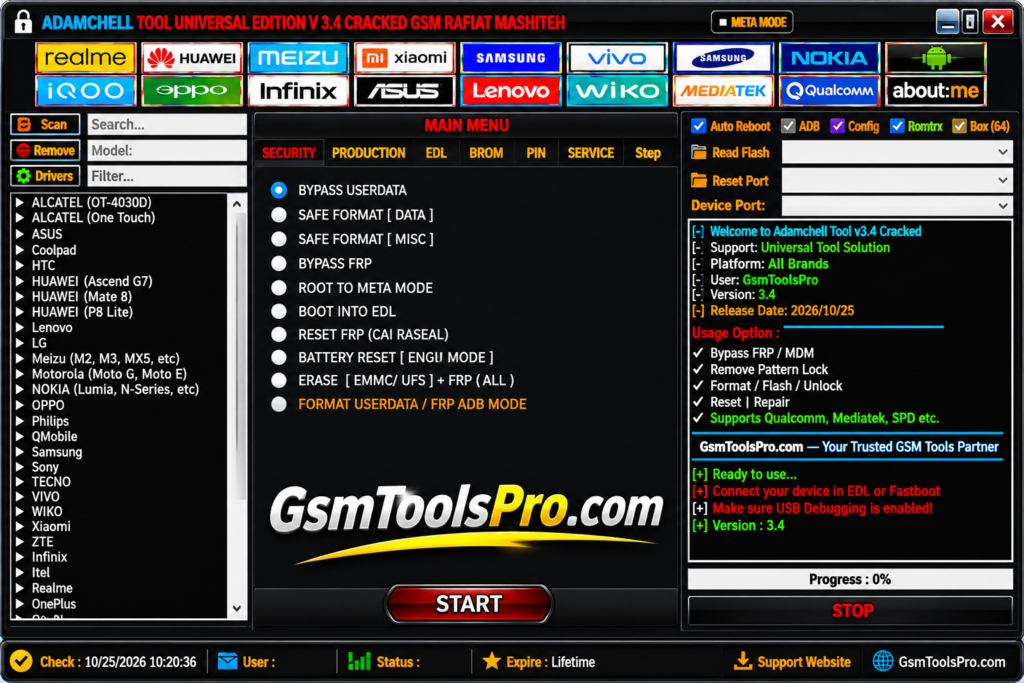
Adanichell Tool is a Windows Android repair application designed for smartphone repair and maintenance. The tool provides support for MediaTek, Qualcomm, MTP, ADB, Fastboot, EDL 9008, and Samsung Download Mode in one interface and supports mobile brands like Samsung, Xiaomi, Oppo, Vivo, Realme, Infinix, Nokia, Asus, etc. It helps technicians perform different device operations without switching between multiple programs.
Key Features Of Adanichell Tool
MTK Universal Tools
Adanichell Tool supports MTK smartphones with device detection, hardware information, boot modes, formatting, and other chipset servicing operations.
FRP & Account Functions
The FRP option provides Factory Reset Protection and account-related servicing options for Android devices, depending on the chipset, model, and security patch. Makes the device fully functional after service.
Safe Format & Factory Reset
Safe Format, Erase Userdata, and Factory Reset options help technicians manage user data and resolve software or device setup problems.
Bootloader Unlock & Relock
The Tool includes Unlock and Relock Bootloader options for Android devices, helping technicians perform bootloader and software maintenance operations for smooth firmware flashing.
MTP Mode Support
The MTP feature offers servicing for Samsung, Xiaomi, Vivo, Oppo, and Realme devices through Media Transfer Protocol connection mode, making it the best gateway for repairs.
Qualcomm Device Support
The Qualcomm module provides servicing options for Snapdragon-powered smartphones, including device connection, hardware information, firmware operations, and other chipset-related functions.
EDL 9008 Mode
Adanichell Tool supports Qualcomm Emergency Download Mode for devices, allowing technicians to perform low-level software servicing and recovery operations.
Firmware & Flashing Services
The firmware tool provides software installation and recovery operations, helping technicians handle firmware corruption, boot problems, and unsuccessful software updates.
What’s New in the Adanichell Tool 2027?
- Boot Information and GPT reading
- Meta Mode support
- Xiaomi-specific servicing options
- NV and Persist read/write operations
Download Information
| Information | Details |
|---|---|
| Tool Name | Adanichell Tool |
| Version | v3.4 |
| File Size | 328.12 MB |
| File Type | ZIP / RAR Archive |
| Platform | Windows |
| License | Free |
| Password | No Password |
| Category | Android Servicing Tool |
System Requirements
| Requirements | Minimum |
|---|---|
| Operating System | Windows 7 / 8 / 10 / 11 |
| Architecture | 32-bit / 64-bit |
| RAM | 2 GB or more |
| Processor | Compatible Intel or AMD processor |
| .NET Framework | Version 4.0 or later |
| Storage | Sufficient free disk space |
| USB Connection | Working USB port and cable |
| USB Drivers | Compatible Android USB drivers |
| Device Modes | MTP, Fastboot, Meta Mode, EDL |
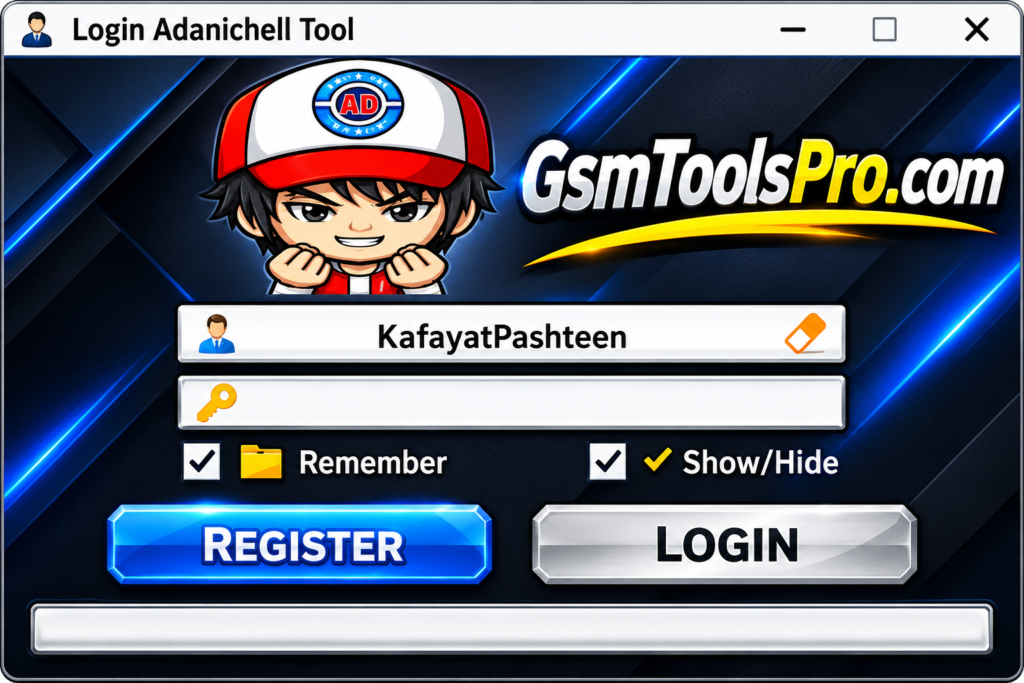
How to Download, Install & Use Adanichell Tool?
- Download the Tool: Visit the official Adanichell website or use a trusted download source to get the setup package.
- Extract Files: Locate the downloaded ZIP or RAR file and unpack its contents using WinRAR or 7-Zip.
- Install USB Drivers: Set up the required MediaTek, Qualcomm, ADB, or other Android USB drivers on your Windows computer.
- Launch the Application: Find the Adanichell Tool executable, right-click it, and select Run as Administrator.
- Connect Your Phone: Use a working USB cable to connect your Android smartphone to the computer.
- Select Device Module: Open the relevant section, such as MTK, Qualcomm, Samsung, MTP, Service, or UBL, according to your device.
- Check Device Information: Read the detected device details and confirm its model, chipset, and connection mode.
- Choose a Service Function: Select the required option from the available tools based on the repair or maintenance task.
- Confirm Compatibility: Make sure the selected function supports your phone model, Android version, firmware, and security level.
- Complete the Process: Start the selected operation and keep the USB connection stable until the tool displays its completion status.
Pros and Cons
| Pros | Cons |
|---|---|
| Supports multiple Android brands in one interface. | Some features work only on selected device models. |
| Combines MediaTek and Qualcomm servicing functions. | Newer Android security patches may limit certain operations. |
| Includes FRP, MTP, Fastboot, and EDL options. | Requires compatible USB drivers for device connections. |
| Provides firmware and partition management functions. | Incorrect firmware operations can cause software problems. |
| Offers bootloader unlock and relock options. | Requires technical knowledge for advanced servicing tasks. |
| Includes Oppo, Realme, and Vivo service options. | Feature availability varies by model and software version. |
Also Read: GS Tool v2023.02.03 Download Free Latest Setup [2027]
Conclusion
Adanichell Tool is a Windows-based Android servicing application that combines MediaTek, Qualcomm, FRP, MTP, Fastboot, EDL, and firmware management functions. It supports brands like Samsung, Xiaomi, Oppo, Vivo, Realme, and Infinix. The tool helps mobile technicians handle common Android software repair, device maintenance, and recovery tasks through one interface. However, available functions depend on the device model, chipset, Android version, and security patch. Consequently, always back up the main files before servicing to make the operation safe.
FAQ’s
Is Adanichell Tool compatible with Windows 11?
Yes, Adanichell Tool is reported to support Windows 11, along with Windows 7, 8, and 10. Compatible drivers may be required.
Can Adanichell Tool fix a dead Oppo phone?
It includes Fix DL options for selected Oppo models. Success depends on the phone model, firmware condition, and cause of the problem.
Does Adanichell Tool support Qualcomm and MediaTek devices?
Yes, it provides separate MTK and Qualcomm servicing modules. Available operations depend on chipset compatibility and the supported device model.
Why is my phone not detected by Adanichell Tool?
Check the USB cable, install the correct MTK or Qualcomm drivers, and select the required connection mode before reconnecting your phone.
Does Adanichell Tool require an activation or login?
Requirements may depend on the particular version and package. Check the included instructions because activation and login details can vary.
Can Adanichell Tool erase user data and reset FRP?
Yes, it includes these options for supported devices. Some operations erase personal data, so check compatibility and back up important files first.