GSMWolf MTK Tool Free Download: FRP Removal and Bootloader [Latest Version]
Facing MediaTek phone servicing issues, FRP locks, or authentication errors? GSMWolf MTK Tool brings useful Android repair options into one Windows software. It supports MTK FRP, Auth Bypass, Vivo Safe Format, bootloader control, etc functions, helping technicians handle Android maintenance easily.
What is GSMWolf MTK Tool?
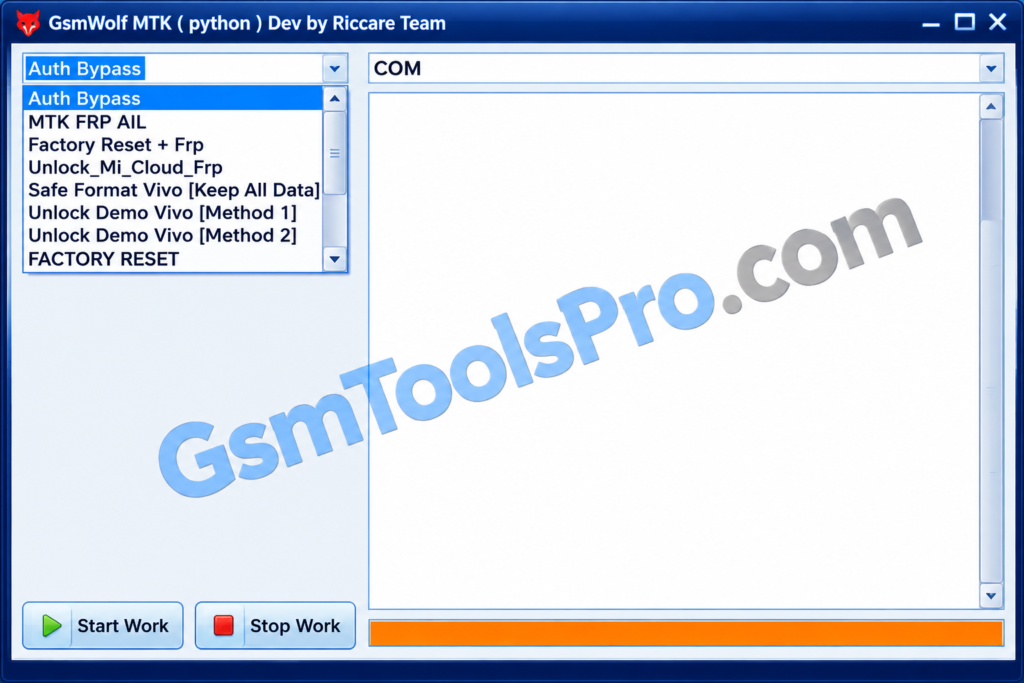
GSMWolf MTK Tool is a Windows-based Android repair software developed for devices with MediaTek chipsets. The tool allows technicians to perform mobile repair, device identification, and software maintenance. This tool is intended for technicians and Android users who work with supported smartphones and tablets. Its available functions depend on the device model, chipset, Android version, and security patch level.
Key Features of GSMWolf MTK Tool
MediaTek Device Support
GSMWolf MTK Tool focuses on MTK smartphones, helping technicians work with Android devices for mobile servicing and maintenance tasks.
Auth Bypass
The authentication bypass option supports MediaTek devices, but availability depends on the phone model, chipset configuration, and Android security version.
MTK FRP Removal
The MTK Tool offers an FRP option for Android devices, with support varying by smartphone model and Android security patch.
Factory Reset and FRP
This option combines factory reset and FRP-related servicing for mobiles. Furthermore, back up important files before performing operations that may erase data.
Vivo Safe Format
The Vivo Safe Format option is designed for Vivo smartphones during servicing.
Bootloader Unlock and Relock
It provides bootloader unlock and relock options for devices. Support varies by model, and incorrect operations may erase data.
Xiaomi Account Servicing
The tool helps with Xiaomi account-related issues for devices. Available functions depend on the software version and device compatibility.
NV Backup
The NV Backup option helps technicians save non-volatile data before servicing. This backup help to troubleshoot and device recovery.
Download Information
| Details | Information |
|---|---|
| Tool Name | GSMWolf MTK Tool |
| Version | v2027 |
| File Size | 427.35 MB |
| Platform | Windows |
System Requirements
| Requirement | Minimum Specification |
|---|---|
| Operating System | Windows (version not confirmed) |
| Processor | Not officially confirmed |
| RAM | Not officially confirmed |
| Storage | At least 500 MB free space recommended |
| USB Connection | USB data cable |
| Drivers | Compatible MediaTek USB drivers, if required |
| Internet | Not confirmed |
How to Download, Install, and Use GSMWolf MTK Tool?
- Download GSMWolf MTK Tool: Download the available setup file from a trusted source and save it on your Windows computer.
- Extract the Package: If the file comes in ZIP or RAR format, extract its contents using a suitable extraction program.
- Set Up USB Drivers: Install compatible MediaTek USB drivers if your phone requires them for PC connectivity.
- Open the Tool: Enter the extracted folder and launch the application by following the included instructions.
- Connect Your Device: Connect your supported MediaTek smartphone to the computer with a USB data cable using the required connection mode.
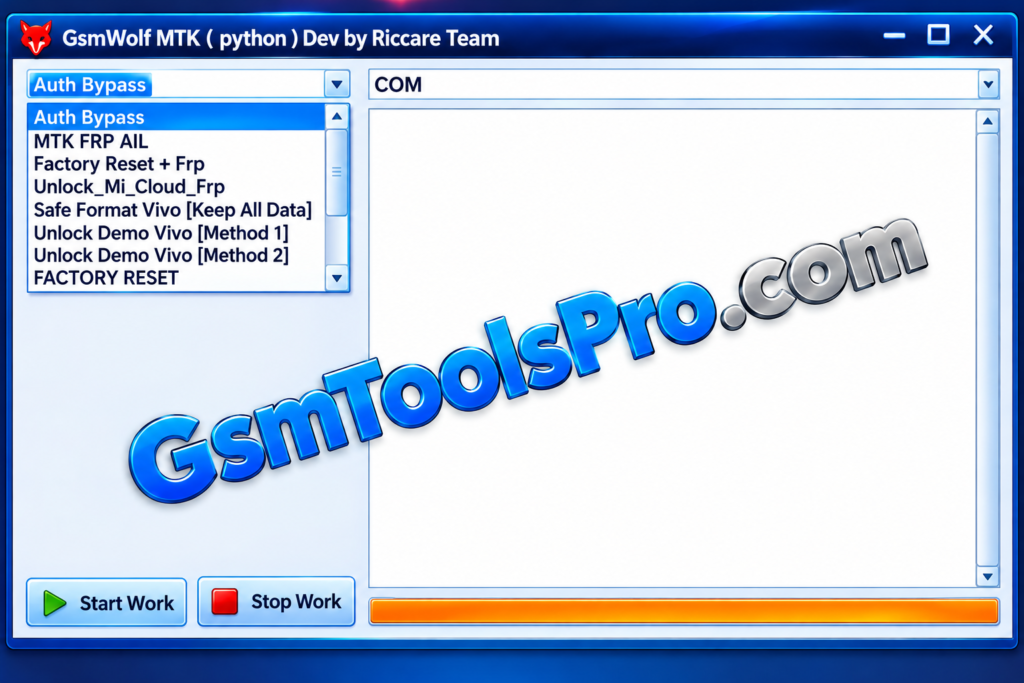
- Choose a Function: Select an available option, such as FRP servicing, Vivo Safe Format, or NV Backup, according to your device’s compatibility.
- Run the Operation: Follow the instructions displayed by the tool and wait for the process to finish without disconnecting your phone.
- Finish the Process: Once the operation is complete, follow the tool’s instructions to disconnect or restart your device safely.
Pros and Cons of GSMWolf MTK Tool
| Pros | Cons |
|---|---|
| Supports multiple MediaTek (MTK) servicing functions. | Does not support every MediaTek device. |
| Includes FRP-related options for compatible devices. | Some features may not work on newer Android versions. |
| Offers authentication bypass options for supported devices. | Incorrect operations may cause data loss or boot issues. |
| Provides Vivo Safe Format and Demo Unlock options. | Formatting or resetting may erase user data. |
| Includes Xiaomi account-related servicing options. | Bootloader operations require careful handling. |
Also Read: HELIOS TOOL V1.0.0 Download Latest Version 2027
Conclusion
GSMWolf MTK Tool is a Windows utility for technicians working with MTK Android devices. It brings together options for FRP servicing, authentication bypass, Vivo Demo Unlock, Safe Format, Xiaomi account servicing, etc. However, feature support depends on the device model and Android security version. Always back up important data before starting any servicing operation.
FAQs
Why is GSMWolf MTK Tool not detecting my MediaTek phone?
Check the MediaTek USB drivers, USB cable, device connection, and BROM or Preloader mode before trying again.
Does GSMWolf MTK Tool support Windows 11?
The tool is designed for Windows PCs, but Windows 11 compatibility should be tested with the required USB drivers.
Can GSMWolf MTK Tool perform Vivo Safe Format without losing data?
It includes a Vivo Safe Format option, but data preservation is not guaranteed. Always create a backup first.
Why does MTK Auth Bypass fail on some devices?
Auth Bypass may fail because of unsupported chipsets, newer security patches, or incompatible device configurations.
Does MTK Tool support Xiaomi and Samsung phones?
It lists Xiaomi account servicing and Samsung MTK FRP options, but support depends on the specific device model.
Is Wolf MTK safe to use?
Download it from a trusted source, scan the setup file, and back up your device before performing servicing operations.