DARS Unlock Tool v5 | Download Latest Version for FRP Unlock and Flashing
Is your Samsung or Apple phone facing FRP locks or software issues? Dars Unlock Tool V5 helps technicians service devices with Samsung Exynos FRP, Qualcomm loaders, and Apple A12/A13 Boot Diag support. It also improves Hello Bypass and supports MediaTek, Qualcomm, and Unisoc devices through a simple Windows interface.
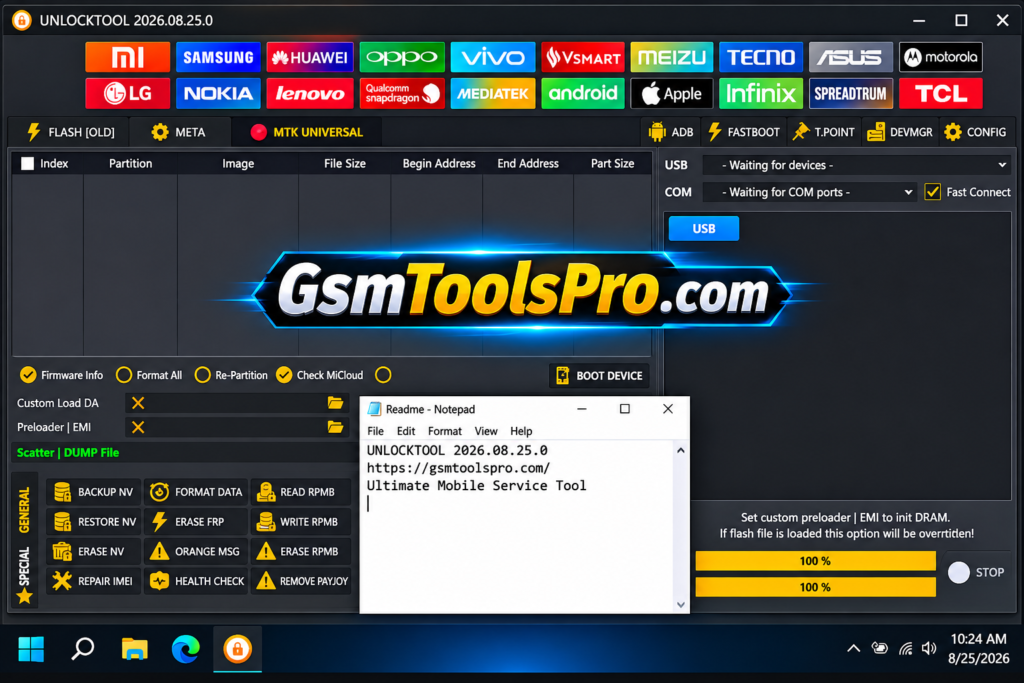
What is Dars Unlock Tool?
Dars Unlock Tool is a Windows-based mobile repair software. It works with the UnlockTool application through a login-based system. The tool offers servicing functions for Samsung, Android, and Apple devices. Its features include Boot Diag for selected Apple A12 and A13 devices, Samsung Exynos FRP servicing through Odin Download Mode, and Qualcomm loader.
Key Features Of Dars Unlock Tool 2027
Boot Diag support
Dars Unlock Tool supports Boot Diag for Apple devices with A12 and A13 chipsets. Support depends on the device model and tool version.
Samsung Exynos FRP servicing
The Tool supports FRP servicing on Samsung Exynos devices through Odin Download Mode.
Hello Bypass Improvements
It improves Hello Bypass by fixing an issue that prevented the device screen from turning off automatically after the operation.
Wide Chipset and Brand Support
The software supports MediaTek, Qualcomm, and Unisoc chipsets across Samsung, Xiaomi, Vivo, OPPO, Realme, and Huawei devices, depending on the model and version.
Apple Device Compatibility
The Dars supports Apple devices, including iPhone 11, 11 Pro, 11 Pro Max, SE 2020, XS, XS Max, XR, iPad Air 3, iPad mini 5, and iPad 8.
What’s New in Dars Unlock Tool V5?
- Samsung Exynos FRP Support: Added FRP servicing for selected Samsung Exynos devices through Odin Download Mode.
- Qualcomm Loader Update: Added new Qualcomm loaders to support more Samsung device models.
- Apple Boot Diag Support: Added Boot Diag support for selected Apple devices with A12 and A13 chipsets.
- Hello Bypass Fix: Fixed the issue where the screen did not turn off automatically after Hello Bypass.
- Loader Issue Fixes: Fixed reported loader problems to improve tool performance.
- VPN and Server Fixes: Addressed reported VPN restrictions and server connection errors.
Download Information
| Information | Details |
|---|---|
| Tool Name | Dars Unlock Tool |
| Latest Version | V5 |
| File Name | DarsUn V5.rar |
| File Size | 281.8 MB |
| File Format | RAR |
| Operating System | Windows |
System Requirements
| Component | Minimum Requirements |
|---|---|
| Operating System | Windows 8.1 / 10 (64-bit) |
| Processor | Intel Core i3 or AMD Equivalent |
| RAM | 4 GB |
| Free Storage | 2 GB |
| USB Drivers | MediaTek, Qualcomm, or SPD Drivers |
| Software | Compatible UnlockTool Version |
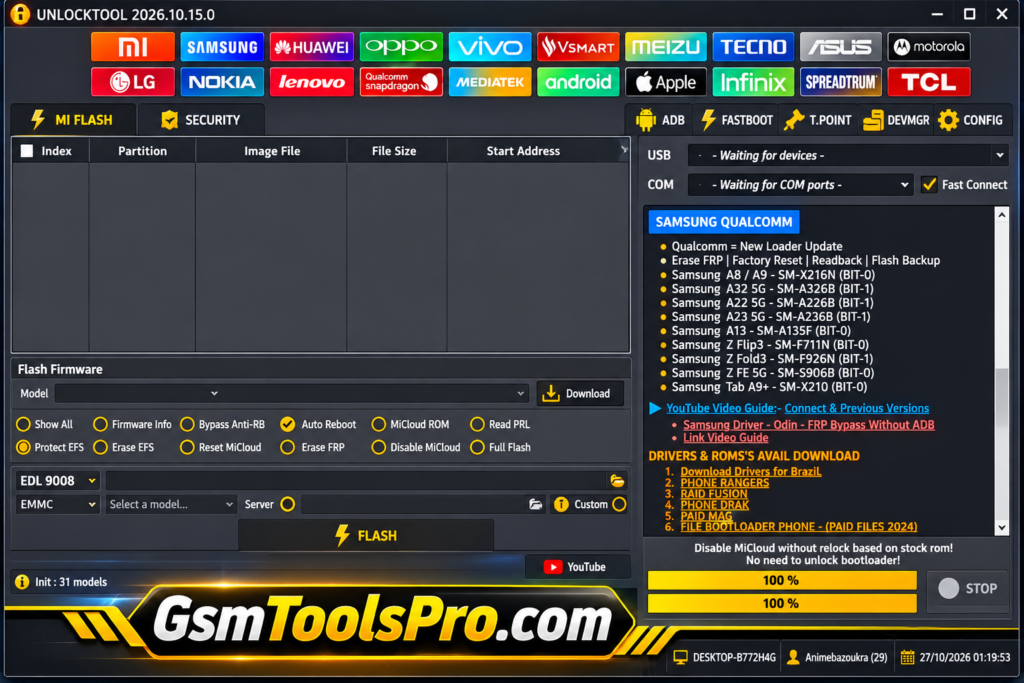
How to Download & Install Dars Unlock Tool
- Download the Dars Unlock Tool package from a trusted source.
- Right-click the RAR file and extract it into a separate folder.
- Scan the extracted files with antivirus software before running them.
- Install the required MediaTek, Qualcomm, or SPD USB drivers.
- Open the tool by selecting Run as Administrator.
- Enter your login details if the tool requires account access.
- Connect your smartphone to the PC using a working USB cable.
- Choose your device brand, chipset, and required servicing function.
- Check the selected device model and connection mode before proceeding.
- Follow the instructions on the screen and keep the USB connection active until the process finishes.
Pros and Cons
| Pros | Cons |
|---|---|
| Supports selected Samsung Exynos FRP operations. | Support is limited to selected device models. |
| Includes Boot Diag support for Apple A12 and A13 devices. | Not all Apple devices are supported. |
| Adds Qualcomm loader support for selected Samsung models. | Requires a compatible UnlockTool version. |
| Supports multiple mobile chipsets. | Features depend on the tool build and device model. |
| Fixes reported loader and server connection issues. | Login-based access may be required. |
| Works on Windows PCs. | Official download source is not confirmed. |
Also Read: GSMWolf MTK Tool Free Download: FRP Removal and Bootloader [Latest Version]
Conclusion
Dars Unlock Tool is a Windows-based mobile repair for technicians working with smartphones. It offers Samsung Exynos FRP servicing, Qualcomm loader support, and Boot Diag features for Apple A12 and A13 devices. The tool also includes Hello Bypass improvements and device information functions. Before using it, check device compatibility, confirm the correct version, and download the files from a trusted source.
FAQ’s
What is the latest version of Dars Unlock Tool?
Dars Unlock Tool V5 is listed in third-party download sources. Check the release information before downloading.
Is Dars Unlock Tool available for Windows 10?
Yes, Dars Unlock Tool is listed as Windows-based software. Check the package requirements before installing it.
Does Dars Unlock Tool support Samsung FRP?
Yes, it offers FRP servicing for selected Samsung Exynos devices through Odin Download Mode.
Does Dars Unlock Tool support Apple devices?
Yes, reported support includes selected Apple A12 and A13 devices, such as iPhone 11, XS, XR, and iPad models.
Why does Dars Unlock Tool require login?
Some versions use a login-based system to access the UnlockTool application and its servicing functions.
Why is Dars Unlock Tool not detecting my phone?
Check the USB cable, install the correct MediaTek, Qualcomm, or SPD drivers, and select the correct device connection mode.