HalabTech Tool v1.1 Free Download Activated Setup [2026]
Forgotten screen locks, FRP restrictions, or difficult MTK and Qualcomm connections can slow down Android repairs. HalabTech Tool V1.1 brings FRP removal, screen unlocking, firmware flashing, IMEI maintenance, ADB, Fastboot, MTK, and Qualcomm support into one Windows utility for Samsung, Xiaomi, Huawei, Oppo, Vivo, and Tecno devices.
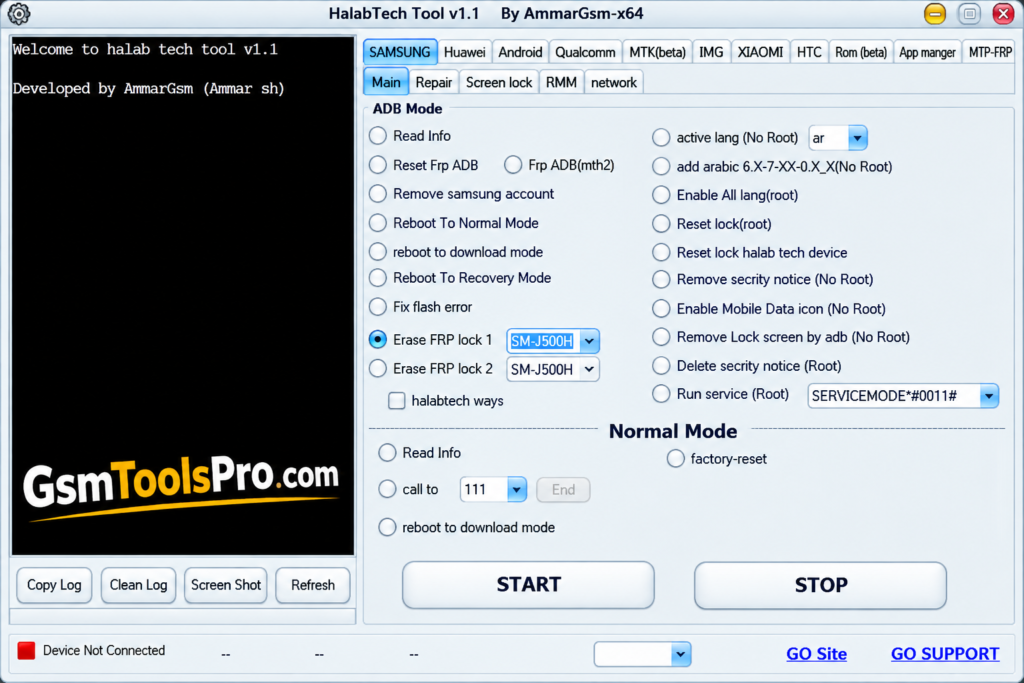
What is HalabTech Tool?
HalabTech Tool is a Windows-based Android servicing and repair software for mobile technicians. It supports ADB, Fastboot, MTK, and Qualcomm modes for device connectivity and software maintenance. The tool offers functions such as FRP removal, screen lock operations, firmware flashing, IMEI repair, device information, rooting, and unlocking. HalabTech Tool works with popular brands including Samsung, Huawei, Xiaomi, Oppo, Vivo, Tecno, and other Android devices.
Key Features of HalabTech Tool
FRP Bypass & Reset
HalabTech Tool helps remove Factory Reset Protection from Samsung, Xiaomi, Vivo, Oppo, Realme, Huawei, and Tecno devices.
Android Screen Unlock
The Android unlock option handles PIN, password, pattern, and screen locks when users cannot access their devices.
MTK Tool Support
MediaTek support connects compatible Android phones through MTK modes and test points for device detection, information reading, and repairs.
Qualcomm Tool Support
The Qualcomm module supports EDL and Fastboot connections, helping technicians detect devices, read information, and perform supported servicing tasks.
Firmware Flashing
HalabTech Tool supports firmware flashing to update Android software, repair boot problems, restore devices, and replace corrupted system files.
IMEI Repair
The tool provides IMEI-related maintenance functions for restoring proper device network identification.
USB Driver Support
Built-in driver support helps connect Android phones through MTK, Qualcomm, and ADB interfaces for smoother detection and servicing.
Online Server Functions
Some advanced operations use online servers for authentication, verification, secure feature access, and authorization during the repair process.
Multi-Brand Support
The Android servicing setup supports brands such as Samsung, Xiaomi, Huawei, Oppo, Vivo, Tecno, Realme, Infinix, and more.
Simple User Interface
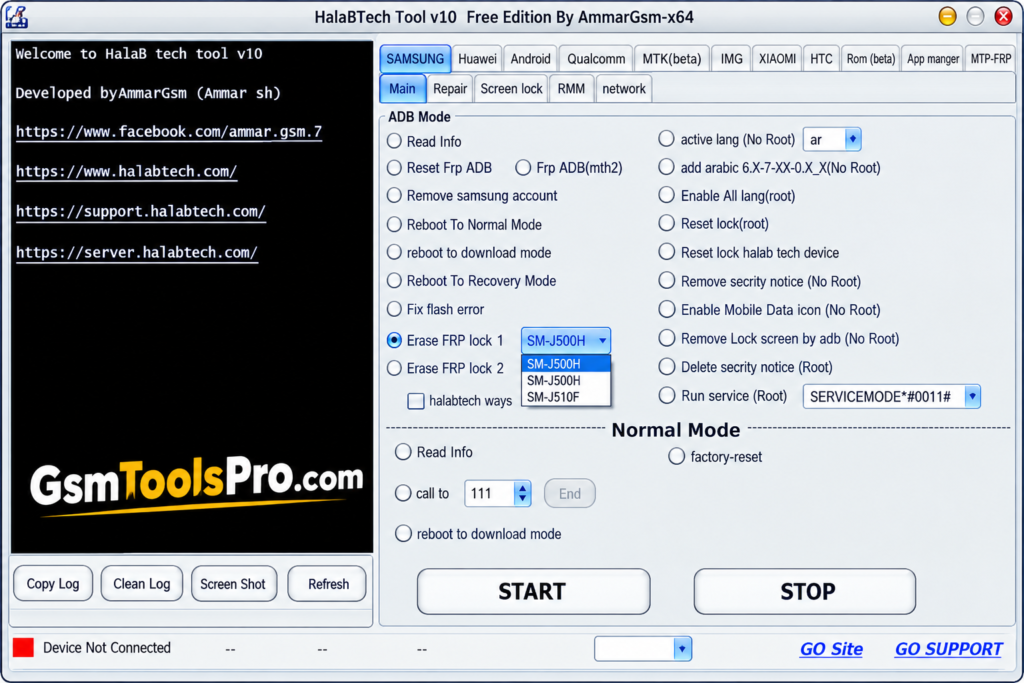
HalabTech Tool offers an easy dashboard with organized options, helping technicians quickly find common Android repair and servicing functions.
What’s New in HalabTech Tool V1.1?
- Redmi Note 8/8T Support: Added bootloader unlock for Redmi Note 8 and 8T with different board IDs.
- Xiaomi MTK Support: Added USB-based FRP reset, bootloader unlock/relock, userdata format, and Mi Account reset for supported MTK devices.
- More Samsung Models: Added FRP removal support for several Samsung MTK phones through USB and EDL methods.
- More Oppo & Realme Devices: Expanded MTK support for FRP reset and formatting across several Oppo and Realme models.
Download Information
| Information | Details |
| Tool Name | HalabTech Tool |
| Latest Version | V1.1 |
| File Type | Setup / ZIP |
| Platform | Windows |
HalabTech Tool System Requirements
| Requirement | Details |
| Operating System | Windows 7, 8, 10, or 11 |
| Processor | Intel/AMD Dual-Core or better |
| RAM | 2 GB minimum |
| Storage | At least 1 GB free space |
| USB Port | Required for phone connection |
| USB Drivers | ADB, Fastboot, MTK & Qualcomm drivers |
| Internet | Required for online/server-based functions |
How to Download HalabTech Tool V1.1?
- Visit the official HalabTech Support download page.
- Download the available tool package and save it to an easy-to-find folder.
- Extract the ZIP file using WinRAR or 7-Zip if the package is compressed.
- Before running the tool, install the required ADB, MTK, and Qualcomm USB drivers.
- Open the extracted folder and run the HalabTech Tool setup or executable file.
- Connect your supported Android phone through USB and allow the required connection mode.
- Follow the tool instructions to start the required servicing operation
Pros & Cons
| Pros | Cons |
| Supports MTK, Qualcomm, Kirin, Samsung, Huawei, Oppo, and Tecno devices. | Some operations depend on specific device models, chipsets, or supported firmware. |
| Includes FRP, bootloader, userdata, and device servicing functions. | Advanced repair operations may require technical knowledge. |
| V1.1 adds support for many Xiaomi MTK devices and more models. | Some advanced services may require online or authorized access. |
| Works on Windows with a simple interface. | Compatibility can vary between individual device variants. |
Also Read: Alriqi Soft Tools V2 Download For Unlocking & FRP [2026]
Conclusion
HalabTech Tool brings Android servicing features into one practical Windows utility. It supports FRP removal, screen lock operations, firmware flashing, IMEI maintenance, MTK, Qualcomm, and multi-brand devices. Its simple interface makes common repair tasks easier for mobile technicians and advanced Android users. Before using any operation, check device compatibility and required drivers to avoid connection or firmware issues.
FAQ’s
Why does HalabTech Tool freeze during FRP reset?
Some users reported the tool becoming unresponsive during Qualcomm FRP operations, especially when the selected device model did not match the phone.
Why does HalabTech Tool show “No response from device”?
Forum users reported this when the Qualcomm 9008 connection or loader failed. Reconnecting the phone and checking the correct loader may help.
Can HalabTech Tool remove FRP from older Android phones?
Yes, users have reported successfully removing FRP from supported older devices, including Huawei models, through HalabTech Tool and test-point methods.
Does HalabTech Tool work with Qualcomm devices?
Yes. Users have discussed using it with Qualcomm phones, but results depend on the exact model, connection mode, and required loader.
Why does HalabTech Tool require a loader for some devices?
Certain Qualcomm and Huawei servicing operations need a compatible loader to communicate with the phone through modes such as EDL or test point.
Is HalabTech Tool easy for beginners?
Real forum discussions show beginners trying it alongside other repair tools, but some operations still require knowledge of ADB, Fastboot, test points, loaders, and device modes.