King Soft Team Tool v6 Free Download Latest Version Setup
Is your Android phone stuck with FRP locks, firmware errors, or servicing problems? King Soft Team Tool V6 brings Samsung, Qualcomm, MediaTek, Huawei Kirin, and Xiaomi devices together with ADB, MTP, FRP Reset, and Download Mode support to simplify Android repair tasks.
What Is King Soft Team Tool?
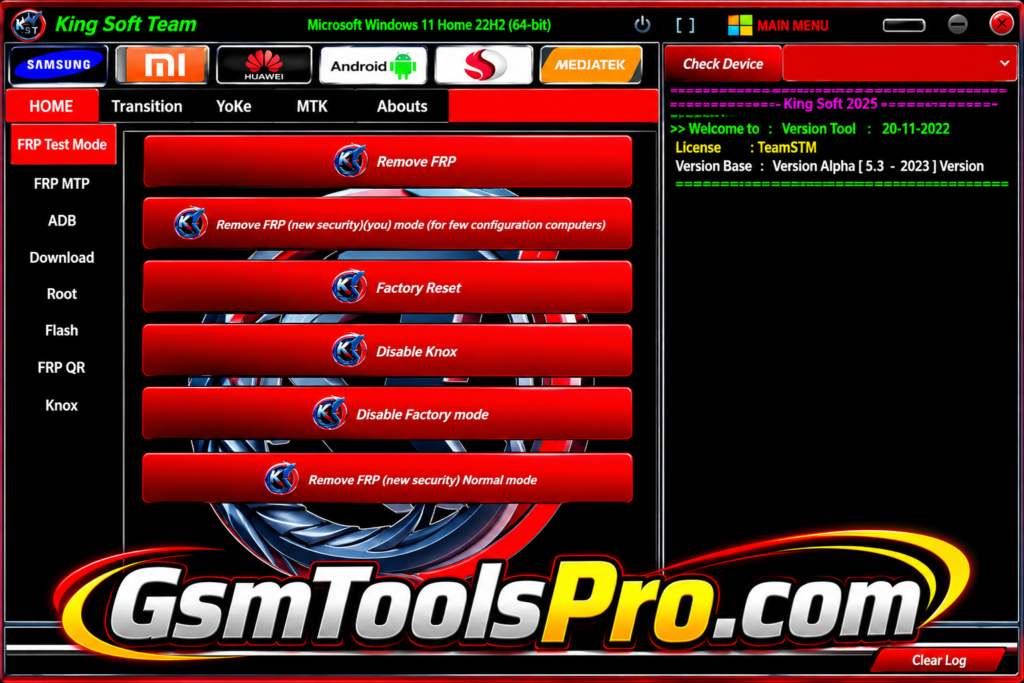
King Soft Team Tool V5.8 is a free Windows-based Android servicing application for mobile technicians. The tool supports devices from Samsung, Xiaomi, Huawei/Honor, Motorola, LG, OPPO, etc. It includes ADB, MTP, FRP Test Mode, FRP Reset, Download Mode, Qualcomm EDL, MediaTek, Kirin, firmware-related, etc., functions. Consequently, the software can help with device information, factory reset, FRP servicing, bootloader operations, and IMEI repair.
Key Features Of King Soft Team Tool 2027
Samsung Tools
King Soft Team Tool supports Samsung devices with Test Mode, MTP, ADB, and Download Mode for device information, servicing, FRP, and troubleshooting.
ADB & Android Utilities
The ADB module helps technicians connect Android devices, read device information, manage settings, and perform maintenance or diagnostic operations through ADB communication.
Qualcomm EDL Support
The Qualcomm module works with Qualcomm devices through Emergency Download Mode, offering GPT information, loader communication, firmware processing, and maintenance functions.
MediaTek Support
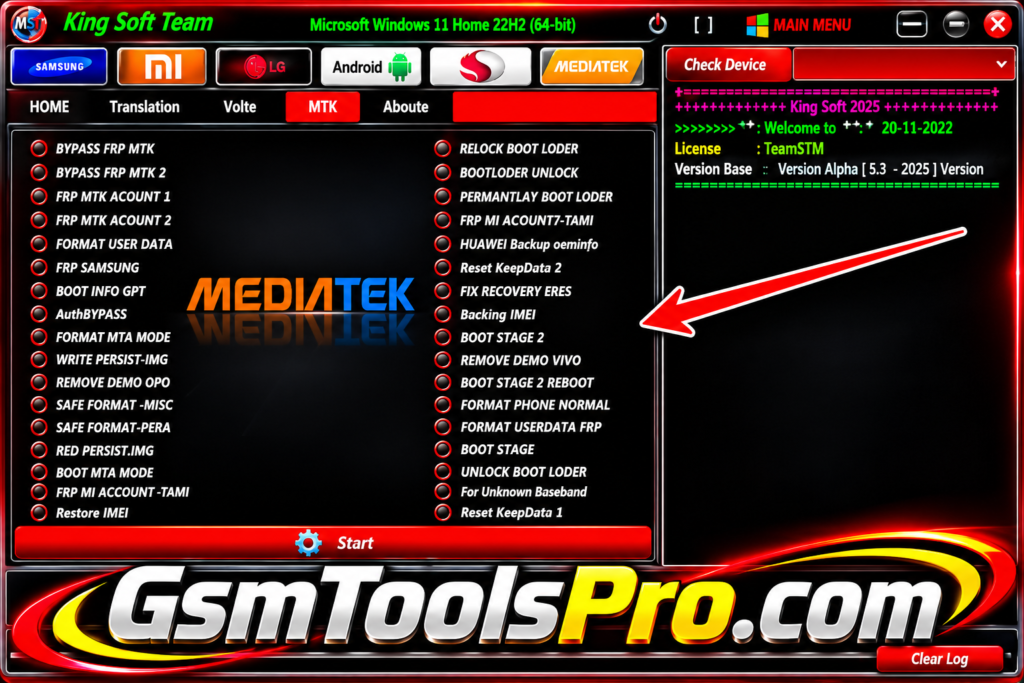
The MediaTek module provides device identification and firmware servicing for MTK phones. Available functions depend on the chipset, phone model, Android version, and security level.
Huawei Kirin Support
King Soft Tool includes support for Huawei and Honor phones using Kirin chipsets, with available servicing functions depending on device compatibility and software support.
FRP & Account Lock
King Soft Team Tool provides FRP unlock options for Android devices, helping technicians handle Google account locks through available Test Mode, MTP, ADB, or QR methods.
Factory Reset
The Factory Reset functions can help technicians reset Android devices during servicing. Options and requirements vary according to the phone model, chipset, and security version.
Knox & Samsung Security
Samsung servicing modules include Knox-related functions for Android devices. Available operations depend on the Samsung model, security level, connection mode, and King Soft Tool release.
QR Function
QR options support Android setup and servicing workflows, giving technicians another connection method on devices where QR-based functions are supported.
Translation & Interface Improvements
Version 5.8 includes Arabic translation improvements and better interface rendering, helping technicians navigate King Soft Team Tool menus and find supported servicing utilities more easily.
Download Information
| Information | Details |
|---|---|
| Tool Name | King Soft Team Tool |
| Version | V6 |
| Developer | King Soft Team |
| File Name | King_Soft_Tool_V5.8.zip |
| File Size | Around 540 MB |
| License | Free |
System Requirements
| Requirement | Minimum / Recommended |
|---|---|
| Operating System | Windows 7 / 8 / 10 / 11 |
| System Type | 32-bit or 64-bit |
| Processor | Windows-compatible processor |
| RAM | Not clearly specified by reliable listings |
| Storage | Enough free space for the tool and drivers |
| USB Port | Required for connecting Android devices |
| USB Cable | Required |
| Samsung Drivers | Required for Samsung servicing |
What’s New in King Soft Team Tool V6?
- Android 15 and Samsung One UI 7 Support
- Improved Arabic Translation
- Better User Interface (UI/UX)
- Fixed Unresponsive Buttons
- Resolved Option Access Errors
- Improved Samsung and Qualcomm Modules
- Bug Fixes and Performance Improvements
- Enhanced Android Device Compatibility
How To Download, Install & Use King Soft Team Tool?
- Download: Get King Soft Team Tool from the download link below or its official website.
- Extract Files: If the downloaded package is in ZIP or RAR format, unpack it into a separate folder on your Windows computer.
- Run Setup: Follow the included installation guide and open the installer if the package provides one from a trusted source.
- Install USB Drivers: Set up the required USB drivers from a reliable source to help your computer recognize the connected Android device.
- Open the Tool: Start King Soft Team Tool and make sure its main interface opens without errors.
- Connect Your Phone: Use a working USB cable to connect your supported Android phone and follow the required connection mode.
- Verify Device Support: Check your phone model, chipset, firmware version, and required permissions before using any servicing option.
- Choose a Function: Select the suitable Samsung, Xiaomi, Qualcomm, MediaTek, or Android module and follow the instructions for your authorized servicing task.
- Check the Result: Once the process finishes, inspect your device to confirm the result and review any error messages if a problem occurs.
Pros and Cons
| Pros | Cons |
|---|---|
| Combines Samsung, Xiaomi, Qualcomm, MediaTek, and Android servicing tools in one application. | Supports selected device models rather than every Android phone. |
| Provides ADB, MTP, and Download Mode utilities for device management and troubleshooting. | Requires compatible USB drivers for proper device detection. |
| Includes Qualcomm EDL and MediaTek firmware-related servicing options. | Some operations require technical knowledge and correct device selection. |
| Offers Samsung FRP, Factory Reset, and Knox-related functions. | Resetting or flashing firmware can cause data loss. |
| Supports selected Huawei Kirin and other Android devices. | Compatibility depends on chipset, Android version, and security level. |
| Includes Arabic translation and an improved user interface in V5.8. | Reliable documentation and official support information may be limited. |
| Offers multiple servicing functions through a free Windows application. | Unverified download packages may contain security risks. |
Also Read: GEN PRO TOOL V2.02.23 Free Download For PC Latest Version 2027
Conclusion
King Soft Team Tool is a free Windows-based Android servicing software for mobile repair technicians. The tool brings Samsung, Qualcomm, MediaTek, Huawei Kirin, and Xiaomi modules together, firmware operations, and software troubleshooting. Its Android 15 and One UI 7 support adds value for Android devices. Before using it, check phone compatibility, install the required USB drivers, and back up important data to avoid unexpected data loss.
FAQ’s
What is King Soft Team Tool used for?
King Soft Team Tool is a Windows-based Android servicing application that provides ADB, MTP, firmware, device information, and manufacturer-specific utilities.
Is King Soft Team Tool free to download?
Yes, King Soft Team Tool is listed as a free application. However, some third-party listings mention paid activation for selected functions.
Which Android brands does King Soft Team Tool support?
It lists Samsung, Xiaomi, POCO, Huawei, Honor, Motorola, LG, OPPO, Vivo, Realme, Nokia, and TCL. Actual support depends on the device model.
Does King Soft Team Tool V6 support Android 15?
Yes, its published V5.8 changelog mentions Android 15 and Samsung One UI 7 support. However, compatibility can vary between phone models.
Why is King Soft Team Tool not detecting my Android phone?
This can happen because of missing USB drivers, an incorrect connection mode, or an unsupported device. Check ADB, MTP, and USB driver installation.
Why does Windows Defender detect King Soft Team Tool as a virus?
Some users have reported Windows Defender warnings when downloading or opening the tool. Scan the file and verify its source instead of ignoring security alerts.