GEN PRO TOOL V2.02.23 Free Download For PC Latest Version 2027
s your Android phone stuck with an FRP lock, firmware problem, or bootloader restriction? Gen Pro Tool brings MediaTek, Qualcomm, and Spreadtrum servicing features together, including FRP removal, firmware flashing, IMEI repair, Meta Preloader, ADB, and Fastboot functions for supported Vivo, OPPO, Xiaomi, Tecno, and Infinix devices.
What Is the Gen Pro Tool?
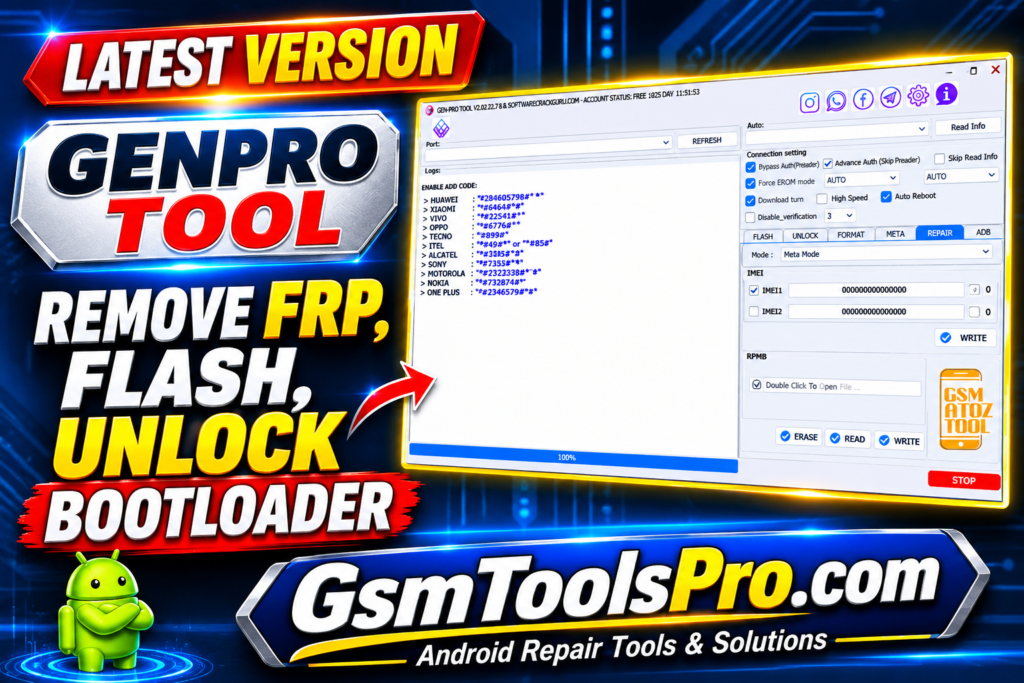
Gen Pro Tool is Android servicing software for technicians working with Qualcomm, MediaTek, Spreadtrum, etc., devices. The tool supports features including FRP removal, screen lock and bootloader operations, firmware flashing, IMEI repair, EFS management, etc. It works with brands such as Vivo, OPPO, Xiaomi, Tecno, and Infinix. Gen Pro Tool also supports both older and newer mobile chipsets.
Features of Gen Pro Tool
Flashing Firmware
Gen Pro Tool allows technicians to write firmware, boot devices, format eMMC, and upgrade MediaTek firmware using Download Only, Firmware Upgrade, Format + Download, and Repartition modes, including MiCloud removal.
IMEI Repair
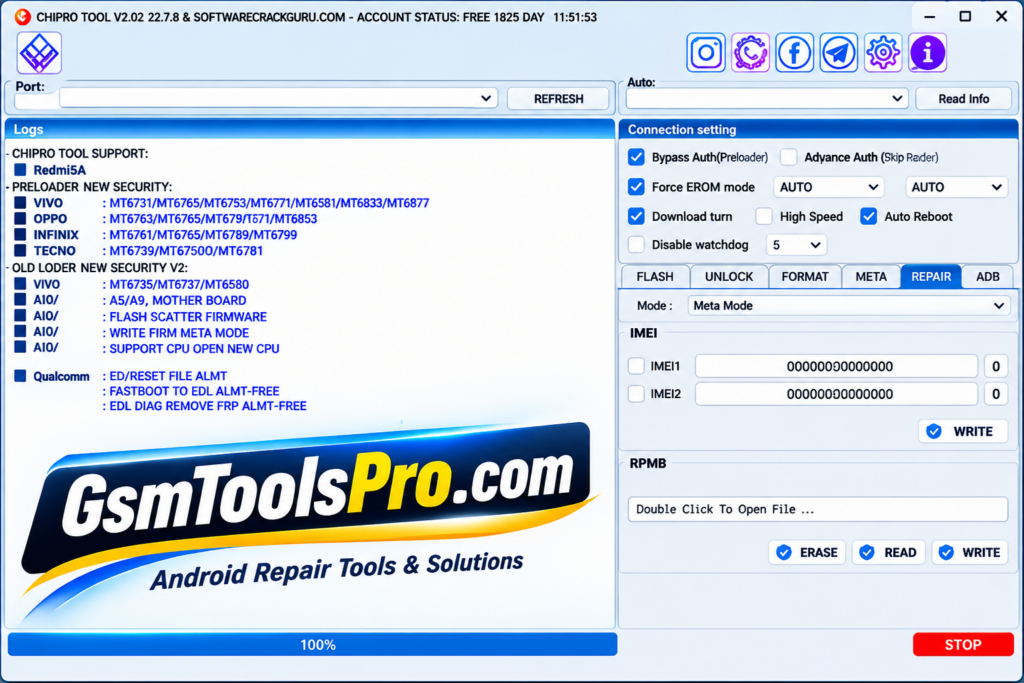
GSM Gen Tool supports IMEI repair through Meta Preloader and Meta BROM; technicians can write IMEI 1 and IMEI 2 on MediaTek devices.
Meta Preloader
The Pro Tool provides Meta Preloader options for Factory Reset, Format Data, Wipe Data, Wipe Data Cache, and Gallery formatting on Android devices.
FRP Unlock
The tool helps technicians to remove Google FRP locks from Android devices using MediaTek, Qualcomm, and Samsung servicing modes. It is helpful when the owner has lost the Google verification password.
Unlock Bootloader
The software Gen supports bootloader unlocking on Android devices, helping technicians remove bootloader restrictions and prepare phones for firmware flashing, software repair, and other servicing operations.
ADB and Fastboot Mode
Gen Pro Tool offers ADB and Fastboot functions to read device information, disable OTA updates, prevent relocking, enable Diag mode, erase FRP and userdata, manage EFS, and reboot Android devices into EDL or normal mode.
What’s New Latest GEN PRO Tool?
- Free 3-Day Trial
- All Features Unlocked
- New Android Model Support
- Qualcomm Servicing Improvements
- MediaTek V6 Improvements
Download Information
| Information | Details |
|---|---|
| Software Name | Gen Pro Tool |
| File Size | 103 MB |
| Developer | GsmToolsPro |
| File Type | ZIP |
| Compatible | Windows 7 / 8 / 8.1 / 10 / 11 |
| Password | GsmToolsPro.com |
System Requirements
| Requirements | Minimum Specifications |
|---|---|
| Operating System | Windows 7 / 8 / 8.1 / 10 / 11 |
| Processor | Intel Dual-Core or equivalent |
| RAM | 2 GB |
| Free Storage | 500 MB |
| System Type | 32-bit / 64-bit |
| USB Connection | USB Port |
| USB Drivers | Required device-specific drivers |
| Internet Connection | Required for login and online functions |
Guide: How to Use GEN PRO TOOL for Android Repair and Flashing 2027 Guide
How to Download and Install Gen Pro Tool
- Open the GSMToolsPro website in your browser or download from another source.
- Search for the Gen Pro Tool download page.
- Open the Gen Pro Tool article.
- Scroll down to the download section.
- Click the available download button.
- Wait for the 103 MB ZIP file to download.
- Open your Windows Downloads folder.
- Right-click the downloaded ZIP file.
- Select Extract Here or Extract All using WinRAR or 7-Zip.
- Enter the extraction password: GsmToolsPro.com, if requested.
- Open the extracted folder and run the setup or application file as an administrator.
- Follow the available instructions, connect your supported Android device via USB, and launch Gen Pro Tool.
Common Issues
| Issue | Details |
|---|---|
| Qualcomm Section Not Working | The Qualcomm section reportedly does not work in the available version. |
| Developer Inactive | The developer is reported to be inactive, affecting future updates. |
| Login Problem | Some versions rely on a login-bypass loader to access the tool. |
| Loader Compatibility | The login bypass may stop working after a future developer update. |
| MediaTek Compatibility | MTK functions are reported to work, but support depends on the device and chipset. |
Pros and Cons
| Pros | Cons |
|---|---|
| Supports MediaTek, Qualcomm, Spreadtrum, and Samsung chipsets. | Qualcomm functions may not work properly in some versions. |
| Offers FRP removal and factory reset options. | Some functions support only specific device models. |
| Supports MediaTek firmware flashing and scatter files. | Incorrect firmware can cause flashing errors. |
| Provides IMEI writing and NVRAM backup options. | IMEI repair requires correct device compatibility. |
| Includes ADB, Fastboot, and bootloader functions. | Requires proper USB drivers and device connections. |
| Supports multiple brands, including Vivo, OPPO, Xiaomi, and Tecno. | Some features may require an active login. |
Also Read: Miracle Thunder Box v3.40 Free Download 2027
Conclusion
Gen Pro Tool is a useful Android servicing solution for mobile technicians who handle different repair tasks. The tool combines MediaTek flashing, Qualcomm servicing, FRP removal, IMEI repair, Meta Preloader, ADB, Fastboot, bootloader, etc., functions in one place. Furthermore, with support for Vivo, OPPO, Xiaomi, Infinix, Tecno, and Samsung, it covers several Android platforms. However, some Qualcomm functions may not work in some versions, so check device compatibility before use.
FAQ’s
What is Gen Pro Tool used for?
Gen Pro Tool is used for Android servicing tasks such as FRP removal, firmware flashing, IMEI repair, factory reset, and bootloader operations.
Which chipsets does Gen Pro Tool support?
It supports MediaTek, Qualcomm, Spreadtrum (SPD), and Samsung-related servicing functions. Actual support depends on the device and available module.
Does Gen Pro Tool support MediaTek firmware flashing?
Yes, it supports MediaTek flashing through Download Only, Firmware Upgrade, Format + Download, and Repartition modes.
Can Gen Pro Tool repair IMEI on dual-SIM phones?
Yes, its IMEI Repair section provides IMEI 1 and IMEI 2 writing options through Meta Preloader and Meta BROM on compatible devices.
Does Gen Pro Tool support FRP removal?
Yes, it includes FRP removal options for supported MediaTek, Qualcomm, and SPD devices. Results depend on the phone model and security version.
Why is the Qualcomm section not working in Gen Pro Tool?
Some users may experience Qualcomm module issues because the developer is reportedly inactive and the login bypass loader has limitations.