Miracle Thunder Box v3.40 Free Download 2027
Facing firmware errors, FRP locks, or dead boot issues on Android phones? Miracle Thunder gives mobile technicians a single Windows tool for firmware flashing, IMEI repair, NV Read/Write, and device servicing across supported MediaTek, Qualcomm, and Spreadtrum chipsets.
What is Miracle Thunder?
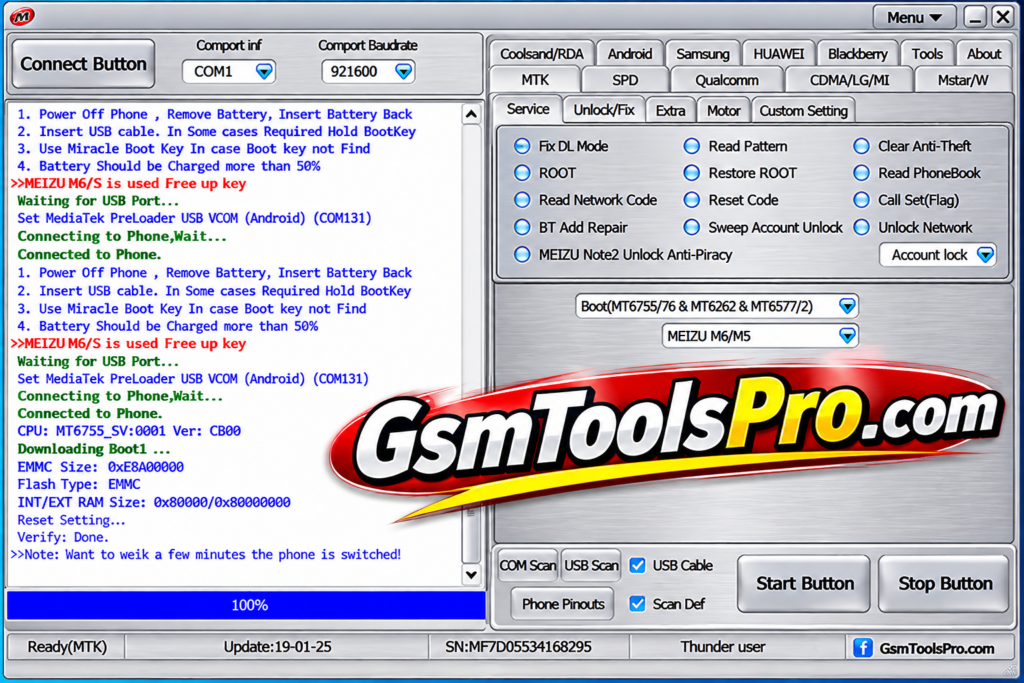
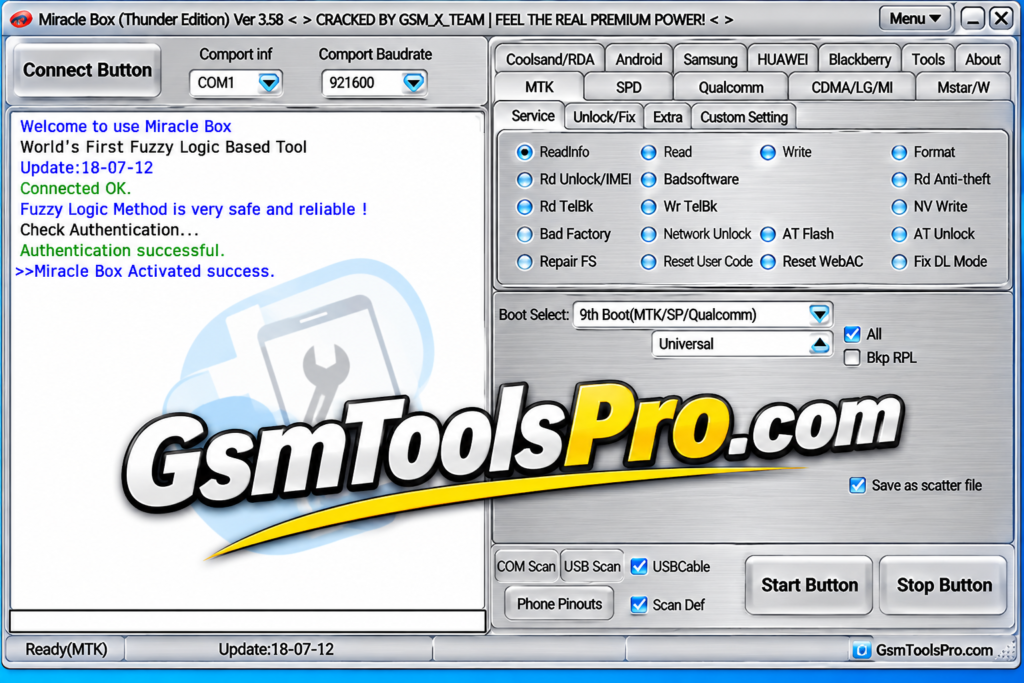
Miracle Thunder is a Windows-based mobile repair software associated with Miracle Team and Miracle Box. The tool supports devices with MTK, MediaTek, Spreadtrum, SPD, Qualcomm, etc. chipsets. Technicians can use it for firmware flashing, device information reading, FRP and account lock servicing, screen lock removal, IMEI repair, ADB operations, dead boot repair, etc. issues. The Thunder also supports features such as Auth Bypass, EDL Mode, Flash Scatter Files, and other Android servicing tasks.
Key Features of Miracle Thunder
IMEI Repair
The tool helps to repair and customize the IMEI or unlock SIM cards when the IMEI shows issues or SIM locks due to some reasons.
FRP Bypass
When the owner of the device loses their Google verification password after a factory reset, the tool helps to bypass the FRP to unlock the device and make it fully working.
Firmware Flashing
It helps to Flash Firmware for corrupted firmware or software issues, install official updates, and repair bricked devices. The tool provides a wide range of Android models for repair.
Mi Account Bypass
Miracle Thunder includes a Mi Account Bypass feature for servicing Xiaomi devices. It helps technicians handle Mi Account lock issues during Android repair and servicing.
Bootloader Unlock or Relock
Bootloader unlock and relock on MTK and Qualcomm devices. It includes bootloader detection and writing methods, along with Fastboot-based unlock and relock for Vivo models.
NV Read
NV Read allows technicians to read and save NV data from Android devices. This backup can help restore network information and troubleshoot issues such as an unknown baseband and an invalid IMEI.
NV Write
Technicians can manage NV data to troubleshoot network and baseband-related problems. The available operations depend on the device chipset and supported software functions.
Download Information
| Details | Information |
|---|---|
| Software Name | Miracle Thunder |
| File Size | 856.25 MB |
| Developer | Miracle Team |
| File Type | ZIP |
| Platform | Windows |
| Category | Mobile Repair Software |
System Requirements
| Requirements | Minimum Specifications |
|---|---|
| Operating System | Windows 7, 8, 10, 11 |
| Processor | Intel Dual-Core or Higher |
| RAM | 2 GB Minimum |
| Free Storage | 1 GB |
| System Type | 32-bit / 64-bit |
| USB Port | Required |
| USB Drivers | Compatible Android USB Drivers |
| Internet Connection | Required for Activation and Updates |
How to Download Miracle Thunder
- First, open your browser and visit the GSMToolsPro website or download from another source.
- Search for Miracle Thunder using the website’s search bar.
- Open the download page to view the latest available version.
- Read the software details, file size, and system requirements carefully.
- Scroll down the page until you find the download section.
- Click the download button to start downloading the ZIP file.
- Wait for the download to finish, depending on your internet speed.
- Once downloaded, locate the ZIP file in your PC’s Downloads folder.
Pros and Cons
| Pros | Cons |
|---|---|
| Supports multiple Android brands and chipsets, including MediaTek, Qualcomm, and Spreadtrum. | Advanced repair features may require technical knowledge and experience. |
| Offers firmware flashing and software repair functions for supported devices. | Some phone models and Android versions may not be supported. |
| Includes device information reading and chipset detection features. | Incorrect flashing operations can cause data loss or software problems. |
| Provides tools for selected FRP, screen lock, and account lock servicing tasks. | Some functions require a valid license or Miracle Box/Miracle Key. |
| Supports different servicing modes, including EDL for compatible Qualcomm devices. | USB connection and driver problems can interrupt repair operations. |
| Offers backup and restore options for supported device data and partitions. | Results may vary depending on the phone model and security patch. |
Also Read: KG Killer Tool v3.8.0 Latest Version Free Download 2027
Conclusion
Miracle Thunder is a useful mobile repair software for technicians who work with Android devices. The tool offers features for firmware flashing, device information reading, and supported repair tasks across MediaTek, Qualcomm, and Spreadtrum chipsets. Its advanced functions require technical knowledge and careful handling. Consequently For better device safety, users should choose trusted downloads and use a valid license.
FAQ’s
What is Miracle Thunder used for?
Miracle Thunder is a Windows-based mobile repair tool used for firmware flashing, device information reading, and software servicing on supported Android phones.
Which chipsets does Miracle Thunder support?
Miracle Thunder supports several popular chipsets, including MediaTek (MTK), Qualcomm, and Spreadtrum (SPD). Support depends on the device model and software version.
Is Miracle Thunder compatible with Windows 10 and Windows 11?
Yes, Miracle Thunder is designed for Windows PCs. You also need suitable USB drivers and a working USB connection to communicate with supported phones.
Does Miracle Thunder require a dongle or license?
The official software commonly uses a valid Miracle Box or Miracle Key license. Requirements may vary depending on the software package.
Can Miracle Thunder repair dead boot Android phones?
Miracle Thunder offers recovery and boot repair functions for supported devices. However, success depends on the phone’s chipset, firmware, and hardware condition.
Is Miracle Thunder safe to download and use?
Use a trusted, verified software package and a valid license. Avoid modified or cracked files because they may contain malware or cause system and device problems.