PL Tool V1.0 Free Download for Qualcomm and MediaTek Repair
Is your Qualcomm or MediaTek phone facing firmware errors, FRP locks, or software issues? PL Tool V1.0 brings firmware flashing, EDL 9008, FRP servicing, ADB, and Fastboot functions together to help technicians repair Samsung, Vivo, Huawei, Xiaomi, and other Android devices.
What is PL Tool?
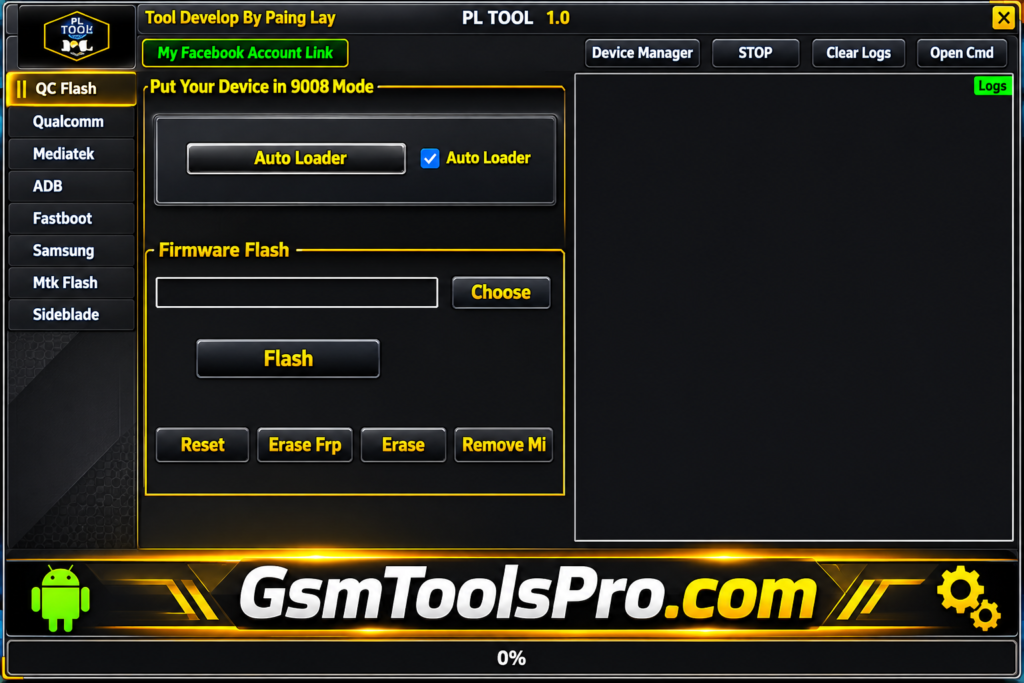
PL Tool V1.0 is a Windows-based mobile servicing software for Qualcomm and MediaTek smartphones. It supports firmware flashing, device formatting, Qualcomm EDL 9008 mode operations, and software repair tasks. The tool works with brands including Samsung, OPPO, Vivo, Huawei, Xiaomi, Realme, and Tecno. Its simple interface brings multiple servicing options together, helping mobile technicians troubleshoot devices and perform software maintenance.
Key Features Of PL Tool 2027
Qualcomm Firmware Flashing
PL Tool supports firmware flashing on Qualcomm smartphones, helping technicians install stock firmware and repair software problems through device connection modes.
Vivo 9008 Mode Support
PL Tool provides Vivo servicing options through 9008 mode, including user lock removal, FRP handling, and Vivo account-related operations on supported models.
Huawei 9008 Mode Support
The tool offers 9008 mode servicing for Huawei and Honor smartphones, including FRP-related operations that depend on model and security compatibility.
MediaTek User Data Formatting
The Tool includes user data formatting options for MediaTek smartphones, helping technicians erase stored device data through servicing modes.
MediaTek Authentication Bypass
The authentication bypass feature supports MediaTek devices, helping technicians access certain firmware flashing and servicing operations on Android models.
MediaTek Firmware Flashing
Supports scatter-based firmware installation on MTK devices, with Download Only, Firmware Upgrade, and Format All plus Download modes.
MediaTek FRP Removal
The tool includes Google FRP and Samsung FRP servicing options for MediaTek smartphones, helping technicians handle factory reset protection locks.
Xiaomi Account Servicing
PL Tool provides Xiaomi and Mi account-related servicing options, with available functions depending on the smartphone model and software version.
Bootloader Unlock and Relock
The bootloader section offers unlock and relock, allowing technicians to manage bootloader status during software servicing operations.
What’s New in PL V1.0?
- Added Qualcomm firmware flashing support for compatible devices.
- Introduced Qualcomm FRP Reset and Erase options.
- Added Vivo 9008 Mode servicing support.
- Added Huawei and Honor 9008 Mode functions.
- Included new MediaTek (MTK) servicing options.
- Added MediaTek user data formatting features.
- Introduced MediaTek authentication bypass support.
- Added scatter-based firmware flashing with multiple download modes.
Download Information
| Information | Details |
|---|---|
| Tool Name | PL Tool |
| Version | V1.0 |
| File Size | 184.7 MB |
| Platform | Windows |
| Chipset Support | Qualcomm & MediaTek |
System requirements
| Requirements | Details |
|---|---|
| Operating System | Windows 7, 8, 10, 11 |
| System Type | 32-bit / 64-bit |
| Processor | Intel Dual-Core or Higher |
| RAM | 4 GB Recommended |
| Free Storage | 500 MB |
| USB Connection | USB 2.0 or 3.0 |
| USB Drivers | Qualcomm and MediaTek USB Drivers |
| Internet | Required for driver downloads |
How to Use PL Tool Safely?
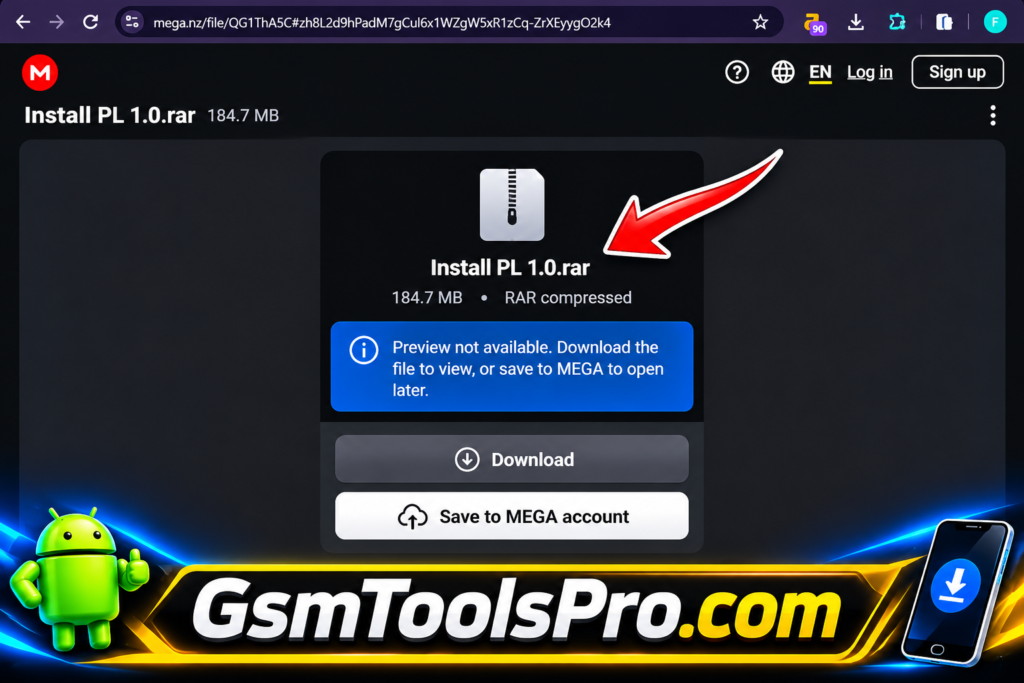
- Download PL Tool: Download PL Tool from a trusted source and scan the setup file with antivirus software before opening it.
- Check Device Compatibility: Identify your smartphone’s exact model, chipset, and supported connection mode before starting any servicing operation.
- Install USB Drivers: Install the required Qualcomm or MediaTek USB drivers so Windows can properly detect your connected smartphone.
- Prepare Firmware Files: Choose the correct firmware package and scatter file for your device model when performing MediaTek flashing.
- Connect Your Smartphone: Connect the phone using a working USB cable and select the required mode, such as EDL, Fastboot, or ADB.
- Select the Required Function: Open the appropriate Qualcomm or MediaTek section and choose the servicing option you need.
- Start and Monitor the Process: Review all settings before starting, follow the on-screen instructions, and avoid disconnecting the phone during an active operation.
Pros and Cons
| Pros | Cons |
|---|---|
| Supports both Qualcomm and MediaTek chipsets. | Not all functions support every device model. |
| Includes firmware flashing options for compatible smartphones. | Incorrect firmware can cause software problems. |
| Provides selected Qualcomm 9008 mode operations. | Requires compatible USB drivers for device detection. |
| Offers Fastboot and Samsung ADB functions. | Advanced operations may be difficult for beginners. |
| Includes MediaTek formatting and authentication bypass options. | Formatting can permanently erase user data. |
| Supports selected Samsung, Vivo, Huawei, Xiaomi, and OPPO devices. | Some functions may require specific authorization or device conditions. |
| Combines multiple servicing options in one interface. | Official compatibility and developer information is limited. |
Also Read: FixHexa Tool Download Latest Version For Motorola, Xiaomi [2027]
Conclusion
PL Tool is a useful Windows-based mobile servicing utility for Qualcomm and MediaTek smartphones. The tool offers firmware flashing, FRP removal, user data formatting, Fastboot, ADB, and other repair functions. PL Tool brings multiple servicing options into one interface, making phone software maintenance easier for technicians. Always check device compatibility and use the correct drivers before starting any operation.
FAQ’s
What is PL V1.0 used for?
PL Tool is a Windows mobile servicing utility for Qualcomm and MediaTek devices, offering firmware flashing, FRP services, formatting, ADB, and Fastboot functions.
Does PL support Qualcomm 9008 mode?
Yes, PL Tool includes Qualcomm 9008 EDL mode operations for selected compatible Vivo, Huawei, Honor, and OPPO devices.
Can this Tool flash MediaTek firmware?
Yes, it supports scatter-based firmware flashing with Download Only, Firmware Upgrade, and Format All plus Download modes.
Does PL Tool support Samsung FRP removal?
PL Tool includes selected Samsung FRP-related functions through its MediaTek and Samsung servicing sections. Compatibility depends on the device model.
Can PL Tool remove Xiaomi Mi Account?
The tool lists Xiaomi and Mi Account servicing options for selected devices. Available functions depend on chipset, model, and software version.
Is PL Tool compatible with Windows 11?
PL Tool is a Windows-based application, but official Windows 11 compatibility is not confirmed. Proper USB drivers are also required.