SN Write Tool v2.1408 Download MediaTek IMEI Tool Updated Version
Lost IMEI numbers after firmware flashing can cause problems on MediaTek phones. SN Write Tool v2.1408 helps mobile technicians restore original IMEI numbers and write serial numbers, barcodes, and Wi-Fi/Bluetooth MAC addresses. This lightweight Windows utility supports compatible MTK devices and uses AP_DB, MD1_DB, and USB drivers for device identifier repair.
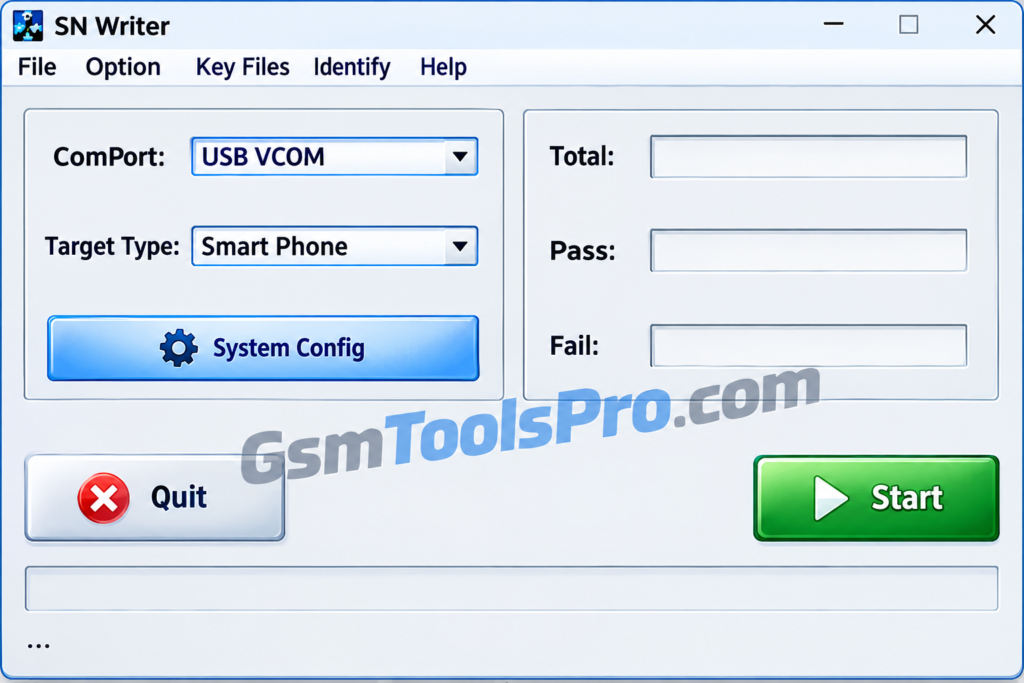
What Is the SN Write Tool?
SN Write Tool is a Windows software used by mobile technicians to write or restore IMEI numbers, serial numbers, Wi-Fi and Bluetooth MAC addresses, and barcodes on MediaTek devices. It helps repair missing device identifiers after firmware flashing or software issues.
Key Features of SN Write Tool
Flash & Write IMEI
The tool allows you to flash or write the IMEI on a single, dual, or multi-SIM mobile. Furthermore, it supports four IMEI numbers for MediaTek chipset devices.
IMEI Lock
If the device’s IMEI is locked after a factory reset or any repair software, you can easily update the IMEI using the tool and unlock the device for smooth use.
Simple & Easy Tool
The tool is designed to be beginner-friendly, so it can be easily handled by juniors or seniors and saves time during software repair.
Require database file
Before starting the repair, you have to provide the database file to ensure the flash IMEI for your hardware.
Backup & Restore
The tool offers to back up and restore files before and after the servicing so the files can be saved and backed up without any loss.
Download Information
| Component | Details |
|---|---|
| Tool Name | SN Write Tool |
| Version | v2.1408 |
| File Size | 11.8 MB (your supplied file details) |
| File Password | None |
| File Format | ZIP archive (verify your downloaded file) |
| Supported Platform | Windows |
| Chipset Support | MediaTek (MTK) |
System Requirements
| Component | Minimum Requirements |
|---|---|
| Operating System | Windows 7 or later |
| Processor | Compatible Windows processor |
| RAM | Not officially specified |
| Free Storage | Enough space to extract the 11.8 MB archive |
| USB Connection | Required |
| USB Drivers | Compatible MediaTek USB/VCOM drivers |
| Device Support | MediaTek (MTK) devices only |
| Database Files | Compatible AP_DB and MD1_DB files |
| Battery | At least 60% recommended |
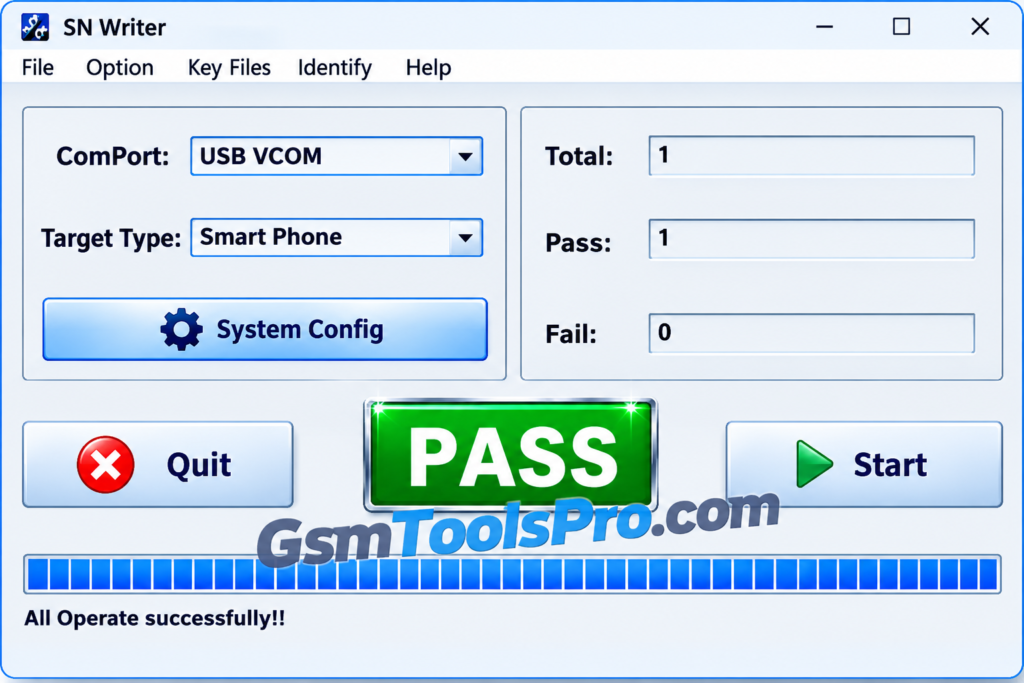
How to Download and Use SN Write Tool v2.1408 to Write IMEI?
- Download SN Write Tool v2.1408 from a trusted source, such as the SN Write Tool download page.
- Extract the downloaded archive on your Windows computer.
- Open the extracted firmware folder and locate the matching MD1_DB and AP_DB database files.
- Run SN Writer.exe to launch the utility.
- Set the communication port to USB VCOM.
- Choose the correct device category, such as Smartphone, Tablet, or Feature Phone.
- Open System Config and enable the IMEI option.
- Load the required MD1_DB and AP_DB files into the tool.
- Save your configuration and click Start to begin the process.
- Enter the device’s original IMEI when prompted. Use only the identifier assigned to that device.
- Power off the phone and connect it to your computer with a compatible USB cable.
- Wait for SN Write Tool to complete the operation and display its success message.
- Restart the phone and check whether the original IMEI has been restored correctly.
Pros and Cons
| Pros | Cons |
|---|---|
| Supports IMEI writing on compatible MediaTek devices. | Does not support Qualcomm, Spreadtrum, or other non-MediaTek chipsets. |
| Can write serial numbers, barcodes, and Wi-Fi/Bluetooth MAC addresses. | Requires compatible AP_DB and MD1_DB files for the device. |
| Runs as a portable application without standard installation. | Incorrect database files may cause writing errors. |
| Supports multiple IMEI entries on compatible dual-SIM devices. | Requires suitable MediaTek USB drivers and a stable USB connection. |
| Helps restore original device identifiers after software-related issues. | Incorrect settings or identifier data may cause repair failures or network connectivity problems. |
Also Read: The Ghost Tool v3.0.0.2 Download Free Latest Version [2026]
Conclusion
SN Write Tool is a lightweight Windows setup for writing IMEI numbers, serial numbers, barcodes, and Wi-Fi or Bluetooth MAC addresses on MediaTek devices. Its portable design makes it useful for mobile repair technicians handling device identifier issues. For successful operation, use compatible AP_DB and MD1_DB files and the correct USB drivers to help avoid writing errors.
FAQ’s
What is Write Tool used for?
SN Write Tool writes IMEI numbers, serial numbers, barcodes, and Wi-Fi or Bluetooth MAC addresses on supported MediaTek devices.
Is SN Write Tool v2.1408 free to download?
SN Write Tool v2.1408 is available from download websites. Check the source and scan the downloaded file before opening it.
Does Write Tool work with Qualcomm devices?
No, SN Write Tool is designed for supported MediaTek devices. It does not provide native support for Qualcomm chipsets.
Why is SN Write Tool showing a database error?
This error often occurs when the AP_DB or MD1_DB files do not match the phone’s model or firmware build. Use compatible files.
Why is SN Write Tool not detecting my phone?
Check the MediaTek USB VCOM drivers, USB cable, connection port, and phone connection mode. Connecting the powered-off device may be required.
Do I need to install SN Write Tool on Windows?
SN Write Tool is generally portable. Extract its files and run SN_Writer.exe, provided the version is compatible with your Windows system.