AMF Tool V1.2.5 Download MTK & Qualcomm Tool [2027]
Is your Android phone stuck on FRP lock or facing software repair problems? AMF Tool v1.2.5 helps mobile technicians service supported Qualcomm Snapdragon, MediaTek, and Spreadtrum devices. It combines FRP servicing, Mi Account reset, EFS management, NV data backup, and firmware operations in one Windows tool, with support for smartphone models from multiple brands.
What is AMF Tool?
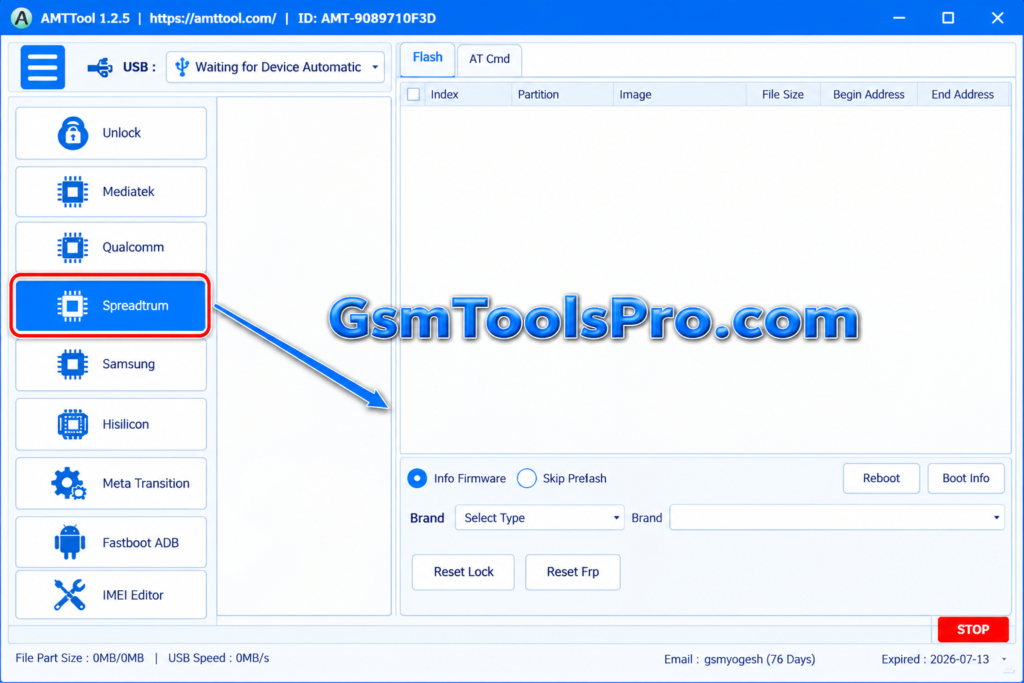
AMF Tool is a Windows-based Android repair and servicing tool designed for Qualcomm Snapdragon smartphones, with support for MediaTek and Spreadtrum devices. It offers useful functions for mobile technicians, including FRP servicing, Mi Account reset, EFS backup and restore, and NV data backup. AMF Tool offers servicing options in one simple interface, helping users manage smartphone software repair tasks more easily.
Key Features Of AMF Tool
FRP Servicing
AMF Tool provides FRP servicing options for Android devices, helping technicians handle Google Factory Reset Protection on smartphones when the owners forget the Google verification passwords.
Mi Account Servicing
The tool offers Mi Account reset and servicing options for Xiaomi devices, helping technicians manage account-related repair tasks.
EFS Management
AMF Tool supports EFS partition management on mobile devices, including erasing and restoring EFS data during repair operations.
NV Data Backup
The tool can back up NV data before repair operations, helping technicians save important device information for restoration when needed.
Firmware Operations
The software includes firmware and software servicing options for Android devices, allowing technicians to perform operations on Qualcomm Snapdragon-based smartphones.
Automatic Device Detection
It can detect Android smartphones connected to a Windows PC, helping technicians identify connected devices before starting servicing operations.
Qualcomm Snapdragon Support
The Tool is mainly designed for Qualcomm Snapdragon-based Android smartphones, providing device-specific servicing functions according to the chipset and model.
Multi-Brand Support
AMF supports various smartphone brands, including Samsung, Xiaomi, Vivo, OPPO, Realme, Motorola, etc.
Download Information
| Details | Information |
|---|---|
| File Name | AMF Tool |
| Version | 1.2.5 |
| File Size | 110.3 MB |
System Requirements
| Requirement | Recommended |
|---|---|
| Operating System | Windows 7, 8, 10, or 11 |
| Architecture | 32-bit or 64-bit |
| RAM | 2 GB minimum |
| Storage | 100 MB+ free space |
| Processor | Intel/AMD Dual-Core or better |
| USB | Working USB port for device connection |
| Drivers | Required device USB drivers |
| Internet | Recommended for downloads/updates |
How to Download, Install & Use the AMF Tool?
- Download AMF Tool v1.2.5.
- Click on the download link or visit a trusted source.
- Wait for the download to complete.
- Extract all files to your Desktop.
- Open the extracted folder.
- Install the required USB drivers.
- Connect your supported Android device to the PC.
- Open AMF Tool.
- Run the tool as administrator.
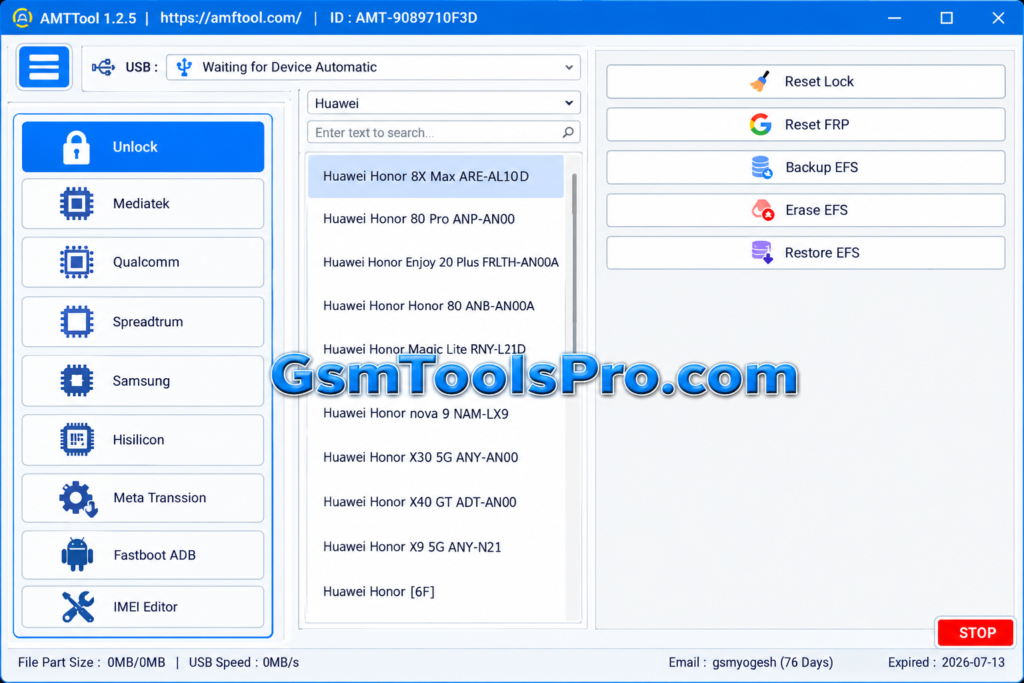
- Select the required servicing option for your device.
Pros and Cons
| Pros | Cons |
|---|---|
| Supports compatible Qualcomm Snapdragon, MediaTek, and Spreadtrum devices. | Compatibility varies by device model, chipset, and software version. |
| Combines multiple Android repair and servicing functions in one tool. | Advanced repair operations require technical knowledge. |
| Includes FRP servicing, Mi Account options, EFS management, and NV data backup. | Incorrect operations may cause data loss or device issues. |
| Supports various Android brands and compatible smartphone models. | Required USB drivers may vary by device. |
| Provides a single interface for multiple servicing tasks. | Available functions may differ across devices and tool versions. |
Also Read: Griffin Unlocker Tool v2026.07.10 Download [Latest Version 2027]
Conclusion
AMF Tool is a Windows Android servicing tool for Qualcomm Snapdragon, MediaTek (MTK), and Unisoc devices. It combines FRP servicing, Mi Account reset, EFS management, NV data backup, and firmware-related repair functions in one interface. With support for smartphone brands, including Samsung and Nokia, it helps mobile technicians handle common software repair tasks. Before starting, check device compatibility, install the correct USB drivers, and back up important data.
FAQ’s
Why does AMF Tool show a vcruntime140.dll error?
This error may occur when the required Microsoft Visual C++ runtime is missing or damaged. Install or repair the official Microsoft Visual C++ Redistributable.
Why does AMF Tool fail to detect my phone?
Check the USB cable, connection mode, and device drivers. For MediaTek phones, verify that the correct MTK USB or VCOM driver is installed.
What should I do if AMF Tool gets stuck during a repair?
Check the tool’s log, USB connection, and device mode before trying again. Avoid disconnecting the phone during an active operation.
Can an incorrect firmware file damage my phone?
Yes. Firmware for the wrong model or hardware variant can cause boot problems or brick the device. Verify the exact model before flashing.
Why does AMF Tool trigger a Windows security warning?
Some downloaded packages or patch files may trigger security alerts. Do not disable antivirus protection blindly; verify the file’s source and scan it before running.
What should I check before trying to repair a phone with AMF Tool?
Confirm the exact model, firmware compatibility, USB drivers, and connection mode. Back up important data before performing operations that may erase or modify partitions.