FRP Hijacker Tool Latest Version Download [2027 Tested Setup]
Locked out of your Samsung Galaxy after a factory reset? FRP Hijacker Tool by GSM Hagard offers FRP-related functions, ADB operations, and soft-brick repair options for Samsung devices. Check its compatibility with your phone model, Android version, and security patch before downloading.
What is FRP Hijacker?
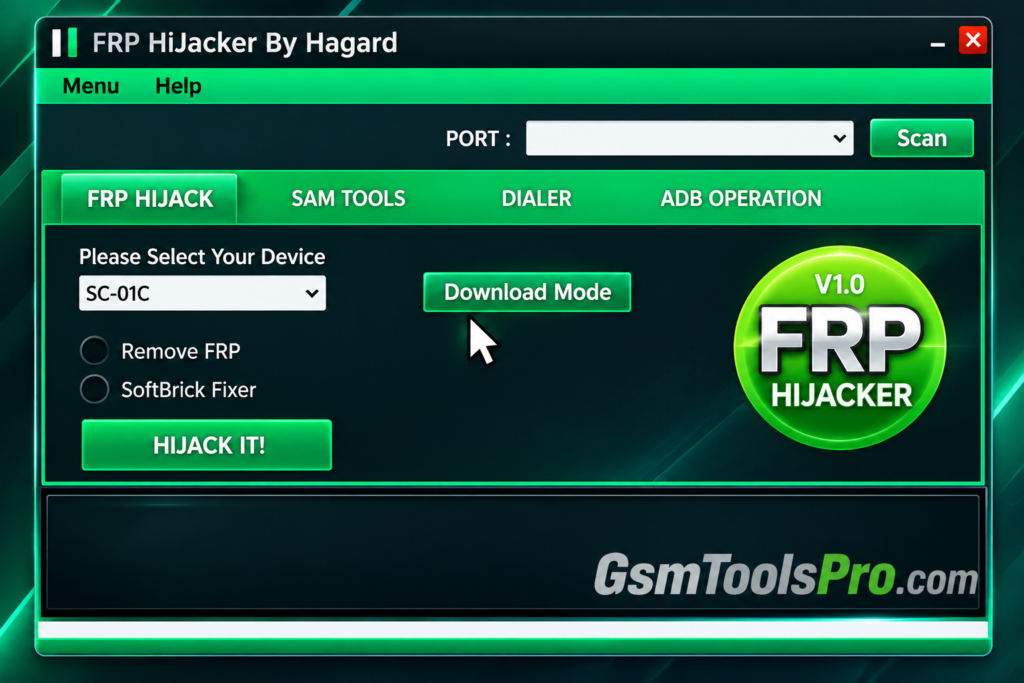
FRP Hijacker Tool by GSM Hagard is a Windows-based repair tool designed for Samsung Galaxy smartphones and tablets. The tool offers FRP removal options, factory reset functions, ADB commands, and soft-brick repair features. The tool depends on the Samsung model, Android version, and security patch.
Key Features of FRP Hijacker
FRP Unlock
The tool allows technicians to unlock FRP-locked devices when the owners of the devices lose their Google verification after a factory reset; then it helps to unlock the device and make the mobile fully functional.
Soft-Brick Repair
It solves soft-brick issues, including boot loops or devices that fail to start properly, and helps with flashing firmware and unlocking the bootloader, etc.
Easy ADB Activation
FRP Hijacker Tool offers ADB functions for Samsung phones, helping users perform servicing tasks when USB debugging is enabled and device access is available.
Multi-Modal Support
Hijacker Tool supports Samsung Galaxy devices, including models from the S, A, Z, J, and Note series. Compatibility varies by model and software version.
Download Information
| Information | Details |
| Tool Name | FRP Hijacker |
| Latest Known Version | V1.0 |
| Developer | GSM Hagard |
| File Name | FRP Hijacker V1.0 |
| File Size | Varies by download source |
| File Format | ZIP / RAR |
System Requirements
| Requirement | Minimum Details |
| Operating System | Windows XP, 7, 8, 8.1, or 10 |
| Processor | Windows-compatible CPU |
| RAM | Not officially specified |
| Free Storage | Space for the tool and extracted files |
| USB Drivers | Samsung USB Drivers |
| USB Cable | Working USB data cable |
| Additional Software | Microsoft .NET Framework may be required |
| Internet Connection | May be needed for downloads or drivers |
How to Download, Install & Use FRP Hijacker?
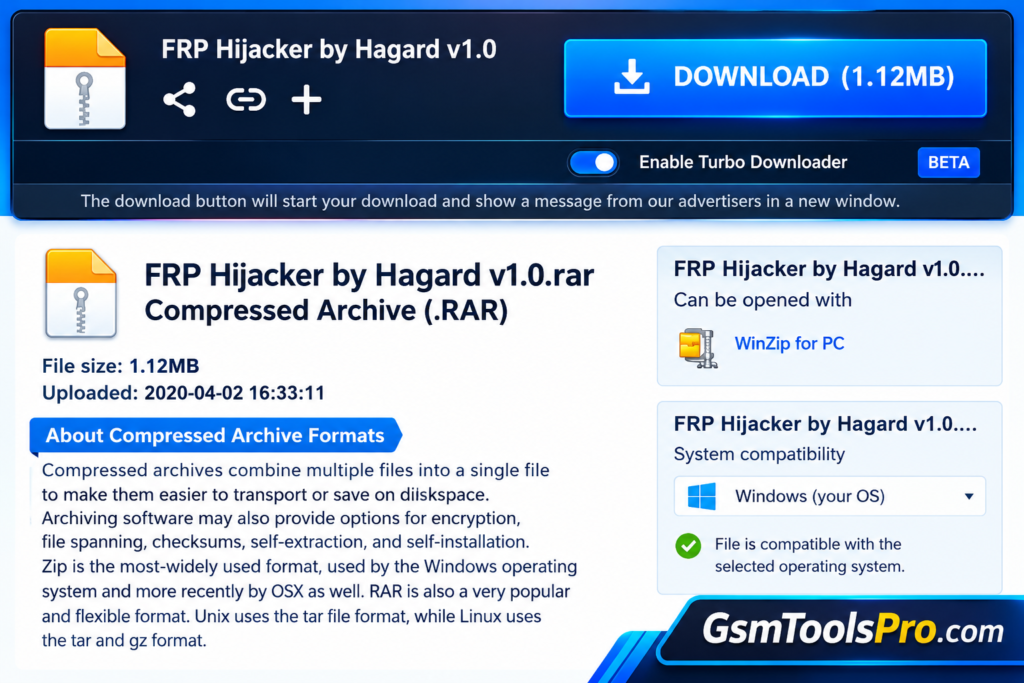
- Get the Tool: Download FRP Hijacker by GSM Hagard from a trusted source, such as the download page.
- Verify Device Support: Check your Samsung model, Android version, and Windows compatibility before proceeding.
- Scan the Download: Run a security scan on the downloaded file to check for potential threats.
- Unpack the Files: Extract the ZIP or RAR archive using a reliable extraction program.
- Review Dependencies: Read the included instructions to see whether .NET Framework or other components are needed.
- Set Up the Tool: Follow the provided installation steps after verifying the source and files.
- Prepare USB Drivers: Install compatible Samsung USB drivers from a reliable source if they are required.
- Open FRP Hijacker: Launch the application and check that it runs correctly on your Windows PC.
- Connect Your Samsung Phone: Use a working USB data cable and follow the recommended connection method for your device.
- Select a Supported Function: Choose an available servicing option that matches your device and the repair task you are authorized to perform.
- Check the Device: Confirm whether the operation worked. If the issue continues, consult Samsung’s official recovery instructions.
Pros and Cons
| Pros | Cons |
| Free to use on supported Samsung devices. | Supports only selected Samsung models. |
| Offers FRP-related servicing functions. | Newer Android versions may not be supported. |
| Includes ADB operations and soft-brick repair options. | Works on Windows, not natively on macOS or Linux. |
| Provides multiple servicing methods for compatible devices. | Official updates and developer support are unclear. |
| Useful for certain older Samsung Galaxy models. | Incorrect operations may cause data loss or software issues. |
| Offers several functions in one tool. | Unverified downloads may contain security risks. |
Also Read: AMF Tool V1.2.5 Download MTK & Qualcomm Tool [2027]
Conclusion
FRP Hijacker by GSM Hagard is a Windows tool for Samsung Galaxy phones and tablets. It offers FRP-related functions, ADB operations, factory reset options, and limited soft-brick repair features. However, support depends on the device model, Android version, and security patch. Before downloading, check file safety and compatibility. If you cannot access your own phone, Google Account Recovery or Samsung Support may also help.
FAQ’s
Is FRP Hijacker Tool compatible with all Samsung phones?
No, FRP Hijacker supports selected Samsung Galaxy models. Compatibility depends on the device model, Android version, and security patch.
Why is my Samsung phone not detected by FRP Hijacker?
Check the USB cable, Samsung USB drivers, and device connection mode. Forum users have reported that changing the USB cable resolved detection issues.
Does FRP Hijacker work on Android 12 or newer?
It may not work on every device running newer Android versions. Results depend on the model, firmware, security patch, and available servicing methods.
Can FRP Hijacker fix a soft-bricked Samsung phone?
It may help recover some compatible Samsung devices with software problems, but it cannot repair every bootloop or firmware failure.
Why does FRP Hijacker fail to remove the FRP lock?
The method may be incompatible with your phone’s firmware or security patch. Users have reported unsuccessful attempts even when a tool appears to complete the process.
Is FRP Hijacker Tool safe to download?
Download it only from a source you trust. Scan the archive before extracting it, as unofficial packages may contain harmful files or modified software.
![MRT Tool v6.1 Full Activated Setup Download [2026] (2)](https://gsmtoolspro.com/wp-content/uploads/2026/09/MRT-Tool-v6.1-Full-Activated-Setup-Download-2026-2-768x576.png "MRT Tool v6.1 Full Activated Setup Download [2026] 3")