Modem META Tool v10.2340.0.05 Free Mediatek IMEI Tool Download [2026]
MediaTek phones can fail to connect, enter META Mode, or complete IMEI servicing. Modem META Tool provides a practical Windows solution for MediaTek Android devices, with META Mode, IMEI, modem data, connectivity, and diagnostic features for technicians.
What is the Modem Meta Tool?
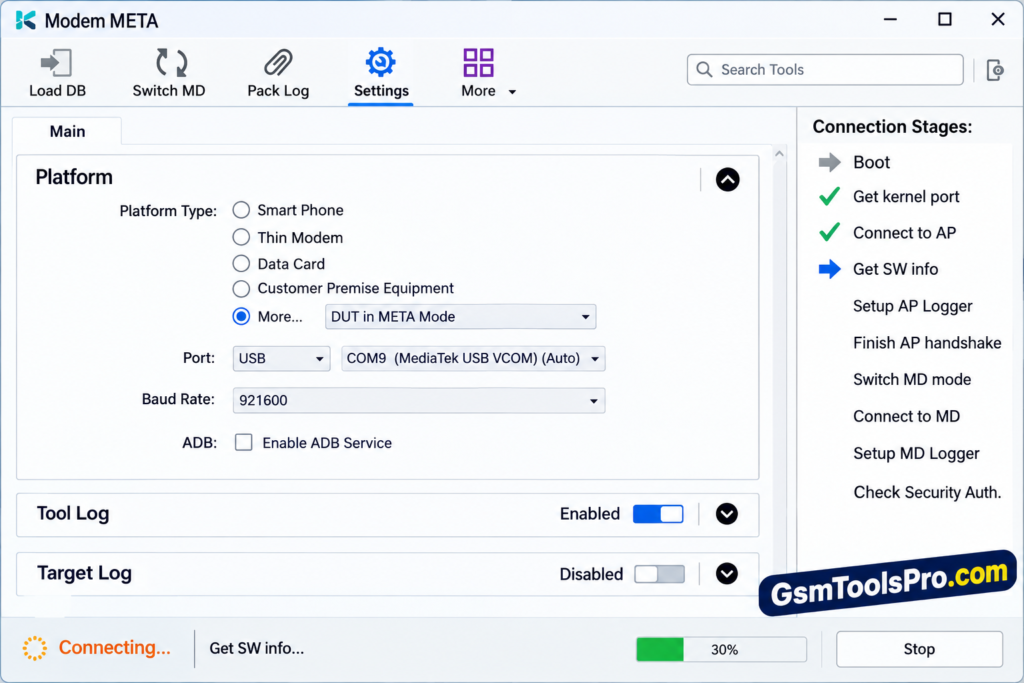
Modem META Tool is a Windows MediaTek repair software designed for Android devices. It works with devices in META Mode and supports tasks related to IMEI, Serial Number, Bluetooth, Wi-Fi address, and modem data. Technicians can use it for device maintenance, identity data backup and restore, and modem-related troubleshooting. Modem META Tool is also known as an alternative to Maui META Tool.
Key Features of the Modem Meta
Easy Windows Installation
The tool can be easily downloaded and installed directly on your computer in a few steps and is ready for performing operations.
IMEI Writing & Repair
Modem META Tool supports writing, repairing, and restoring IMEI data on MediaTek Android devices using META Mode.
Smartphone & Data Card Support
Supports MediaTek smartphones and compatible data cards for servicing and diagnostic operations.
USB, UART & IP Connectivity
It supports USB, UART, and IP connections for communication between MediaTek devices and Windows computers.
Baud Rate Adjustment
The tool adjusts the baud rate to maintain stable communication between the computer and the connected MediaTek device.
Log Tracking
It shows operation logs and process status, helping technicians monitor completed actions and identify errors.
Meta Mode Support
Works with supported MediaTek devices in META Mode for diagnostic, servicing, and repair operations.
Security File Management
Handles required security files for supported MediaTek device servicing, configuration, and repair operations.
What’s New in Modem Tool v10.2340.0.05?
- 5G Support: Adds support for compatible 5G MediaTek devices.
- Newer Chipsets: Improves compatibility with newer MediaTek processors.
- Updated Version: Moves beyond older ModemMETA releases such as V10.2124.0 and v10.2340.0.05.
Download Information
| Tool Name | Modem META Tool |
| Version | v10.2340.0.05 |
| Size | 140 MB |
| Platform | Windows |
| Chipset Support | MediaTek |
System Requirements
| Requirement | Minimum |
| Operating System | Windows PC/Laptop |
| RAM | 4 GB |
| Storage | 2 GB |
| USB Cable | Original USB Cable |
| Chipset | MediaTek |
How to Download, Install & Use META Modem Tool
- Download Modem META Tool from the link below or a reliable source.
- Extract the downloaded ZIP/RAR file to a folder.
- Open the extracted Modem META Tool folder.
- Find and launch the setup file.
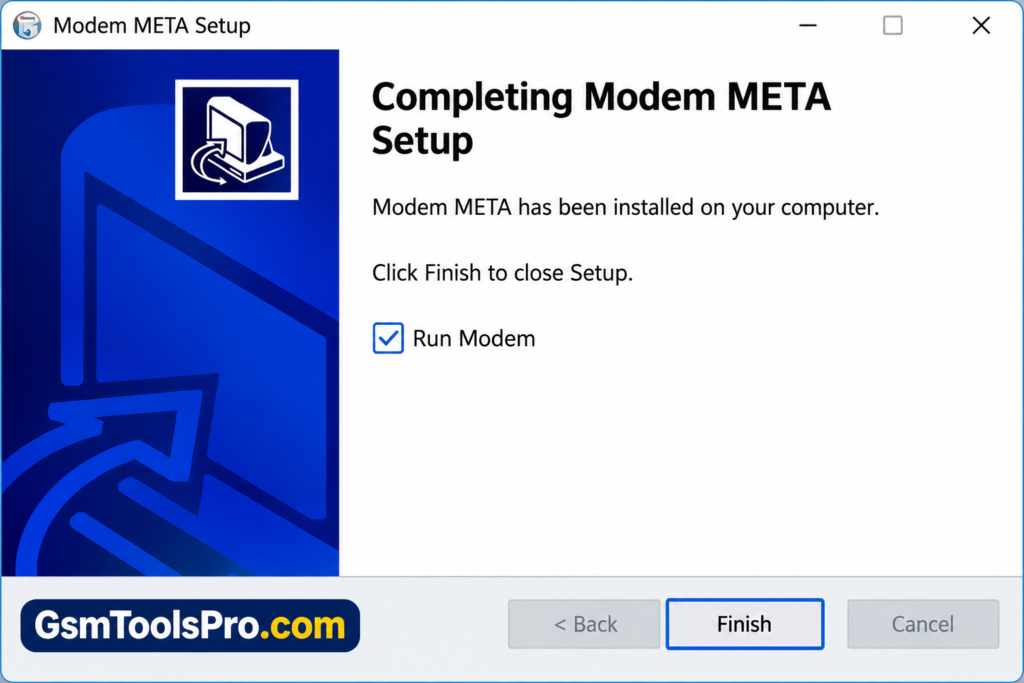
- Follow the installation wizard and click Next.
- Choose Install and let the process complete.
- Select Finish when the installation ends.
- Launch Modem META Tool from the desktop shortcut.
- Use Run as Administrator if Windows requests permission.
- Connect your supported MediaTek device in the required META Mode.
Pros & Cons
| Pros | Cons |
| Supports MediaTek devices | Limited to supported MTK platforms |
| IMEI backup and restore | Compatible drivers may be required |
| USB, UART, and IP connectivity | Device and firmware compatibility varies |
| META Mode support | Some operations need security files |
| Log tracking and device detection | Advanced functions need technical knowledge |
Also Read: Miracle Advanced Android Tool V1.35 Free Download Setup [2026]
Conclusion
Modem META Tool is a useful Windows tool for supported MediaTek Android devices. It helps technicians handle IMEI, Serial Number, Bluetooth, Wi-Fi, modem data, and META Mode operations. With USB, UART, and IP connectivity plus log tracking, it provides practical options for MediaTek device servicing and maintenance. Before servicing must back up the personal data so the data is safely transferred after the operation.
Frequently Asked Questions
Why is Tool Modem META stuck on “Connect to MD”?
This can happen when the MediaTek device does not enter META Mode correctly or the required drivers and firmware files are incompatible.
Why does Modem META Tool fail to detect my MediaTek phone?
Users report detection problems when the phone does not enter the required META/BROM connection state, even when MediaTek USB drivers are installed.
Why does Modem META Tool show an SLA verification error?
Some newer MediaTek devices use security authentication that can prevent supported IMEI servicing operations through Modem META Tool.
Why does Modem META Tool get stuck during the Boot stage?
A missing or incompatible Preloader/BROM connection can stop the tool during boot and prevent the META Mode handshake.
Why does Modem META Tool show “Query MDLogger status Failure”?
This message has been reported during IMEI-related work and indicates that MDLogger functions may not operate normally on that device.
Why does Modem META Tool give “Meta command execute failed”?
Forum users have reported this error during IMEI parameter operations, with driver and Windows compatibility being among the troubleshooting areas discussed.
![OST Tool V6.3.7 Download For Nokia Firmware 2026 [100% Working].](https://gsmtoolspro.com/wp-content/uploads/2026/09/OST-Tool-V6.3.7-Download-For-Nokia-Firmware-2026-100-Working-768x576.png "OST Tool V6.3.7 Free Download Nokia Firmware 2026 [Activated] 3")