HELIOS TOOL V1.0.0 Download Latest Version 2027
Is your iPhone stuck with a passcode or activation issue? HELIOS TOOL v1.0.0 offers a Ramdisk-based solution for Apple devices with A12 and A13 Bionic chips, featuring DFU mode, activation record backup and restore, and device information detection. Check device compatibility before starting, as Hello Bypass remains in beta.
What is HELIOS TOOL?
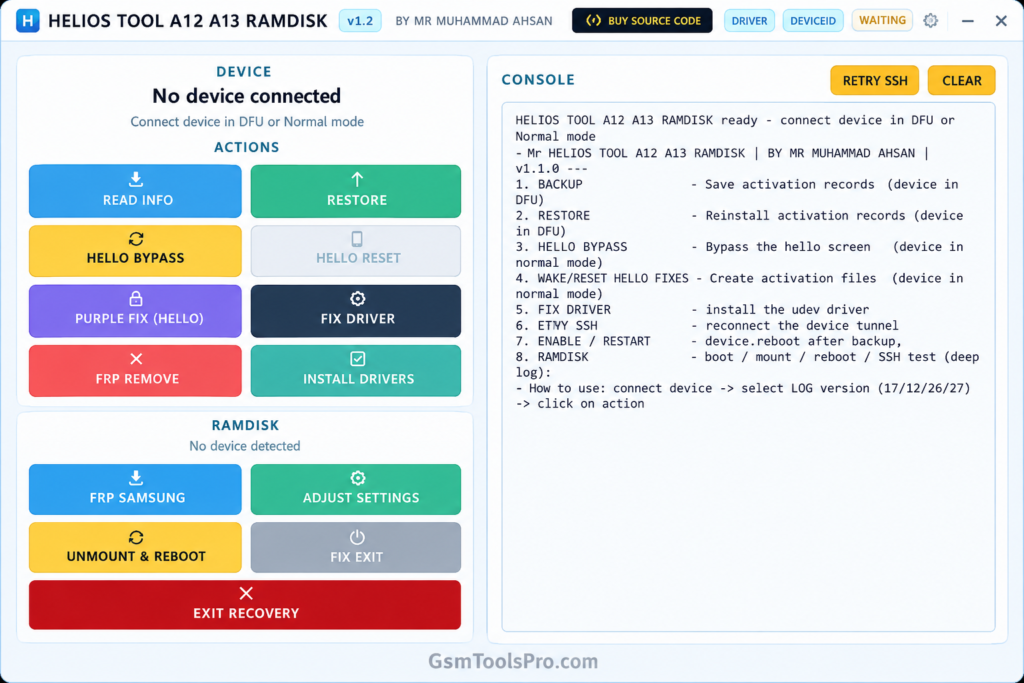
HELIOS TOOL is a Windows-based software for servicing Apple devices, including iPhones and iPads. It uses Device Firmware Update mode and a Ramdisk environment to perform supported maintenance tasks. The software can display device information, such as the ECID, chip, and iOS version. Its available functions depend on device compatibility and software version.
Key Features OF HELIOS TOOL 2027
Passcode Removal
HELIOS TOOL uses a Ramdisk environment to remove passcodes on Apple devices, depending on the device and the correct setup.
Activation Record Backup
The BACKUP function saves activation records locally and associates them with the device ECID for later use during servicing operations.
Activation Record Restore
The RESTORE function retrieves previously saved activation records from local storage or the server for device servicing workflows.
Hello Unlock Operation
The HELIOS Tool includes a Hello Bypass option for activation workflows. This feature is in beta in version 1.0.0 and may fail.
Ramdisk Boot
The tool boots Apple devices into a Ramdisk environment, giving technicians access to file system and device servicing operations.
Automatic Ramdisk Selection
HELIOS TOOL detects the connected device and iOS version, then selects a compatible Ramdisk bundle to reduce manual selection.
Device Information Detection
The software displays important device details, including ECID, chipset information, and iOS version, helping technicians identify connected Apple devices.
DFU Driver Installation
It provides a driver-fix option to install required Windows DFU drivers, including libusbK and usbliter8, for device communication.
| Information | Details |
|---|---|
| Tool Name | HELIOS TOOL |
| Version | v1.0.0 |
| Platform | Windows 10/11 (64-bit) |
| Main File Size | Approximately 86 MB or 53 MB, depending on source |
| Ramdisk Pack | Approximately 2.5 GB |
System Requirements
| Component | Requirements |
|---|---|
| Operating System | Windows 10 / Windows 11 (64-bit) |
| Processor | 64-bit compatible CPU |
| RAM | Not officially specified |
| Free Storage | Enough space for the tool and Ramdisk files |
| Main Tool Size | Approximately 86 MB |
| Ramdisk Pack | Approximately 2.5 GB |
| USB Connection | USB data cable |
| Device Mode | DFU Mode |
| Drivers | libusbK and usbliter8 |
| Permissions | Administrator privileges |
| Internet | May be required for server-based functions |
How to Download and Prepare HELIOS TOOL?
- Visit the Website: Open the HELIOS TOOL website and look for the available download for version 1.0.0.
- Download the Tool: Download the setup file from a trusted source and save it on your Windows PC.
- Extract the Files: If the download is compressed, extract its contents into a separate folder.
- Check Device Compatibility: Confirm that your Apple device uses a supported A12 or A13 Bionic chip.
- Get the Ramdisk Files: Make sure the required Ramdisk files are available. The complete pack may be around 2.5 GB.
- Prepare Your Computer: Use a Windows 10 or Windows 11 (64-bit) PC with enough free storage space.
- Connect Your Device: Use a reliable USB data cable and follow the tool’s instructions to
- enter DFU mode.
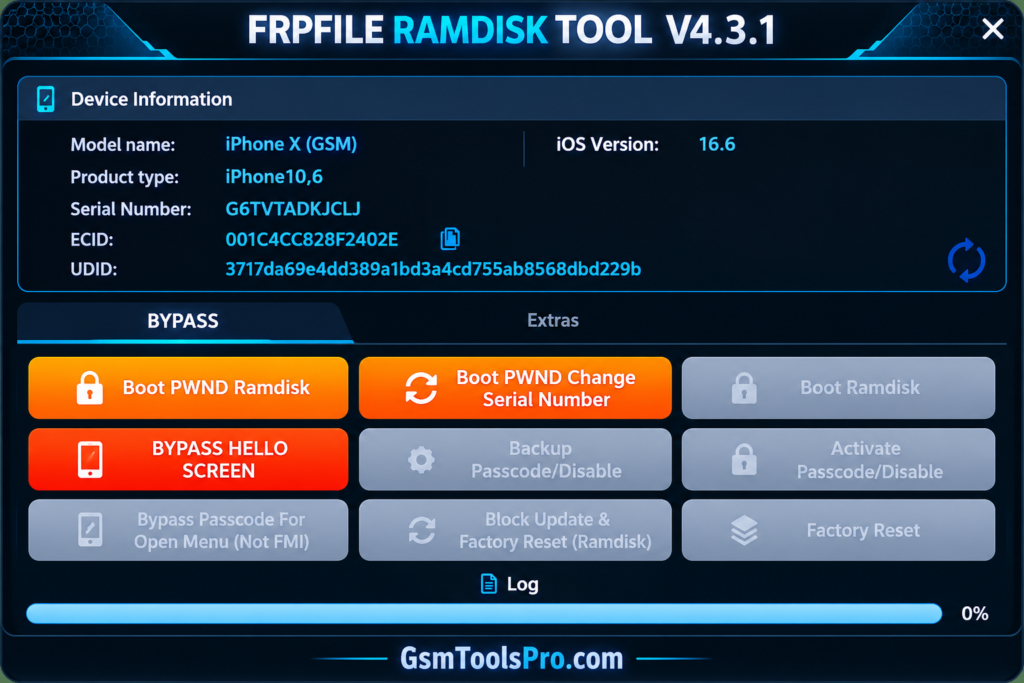
- Open HELIOS TOOL: Run the application, check the detected device information, and read the console messages before starting any supported operation.
Pros and Cons
| Pros | Cons |
|---|---|
| Supports selected Apple devices with A12 and A13 Bionic chips. | Does not support all Apple devices. |
| Provides passcode removal options for supported devices. | Hello Bypass is still in beta. |
| Includes activation record backup and restore functions. | Requires additional Ramdisk files of around 2.5 GB. |
| Automatically selects compatible Ramdisk bundles. | Requires the correct device and iOS compatibility. |
| Displays ECID, chip, and iOS information. | Some operations require an internet connection. |
| Includes automatic DFU driver installation. | Driver issues may prevent device detection. |
| Provides Ramdisk boot and volume mounting options. | Requires DFU mode for supported operations. |
| Includes an SSH connection test and process console. | Some functions may fail depending on device compatibility. |
Also Read: GSM Pro Tool v5.4 Download Latest Version Free [2027]
Conclusion
HELIOS Tool is Windows software for servicing Apple devices with A12 and A13 Bionic chips. The tool offers Ramdisk boot, passcode removal, activation record backup and restore, DFU driver installation, and device information detection. Before using HELIOS TOOL, check your device and iOS compatibility, prepare the required Ramdisk files, and back up important data where possible. Hello Bypass is still in beta, so results may vary.
FAQ’s
Why is HELIOS TOOL not detecting my iPhone?
Check the USB cable, DFU mode, and required drivers. Run the driver-fix option with administrator permissions if needed.
Which iPhone models work with HELIOS TOOL?
HELIOS TOOL supports selected A12 and A13 Bionic devices. Check your exact iPhone model and iOS version before use.
Why does HELIOS TOOL fail during Hello Bypass?
Hello Bypass is a beta feature in version 1.0.0. Results may vary depending on device compatibility and iOS version.
What should I do if Ramdisk boot gets stuck?
Check the DFU connection, USB drivers, and matching Ramdisk files. Review the tool’s console for errors before trying again.
Does HELIOS TOOL need an internet connection?
An internet connection may be needed to download Ramdisk files and verify device authorization. Locally available files may reduce download needs.
Why does activation record restoration fail?
Check that a valid backup is available and the device is supported. Keep a separate copy of important records before starting.