TFT MTK Module Tool V7.0.0 Latest Version for FRP & Flashing
Facing FRP locks, forgotten screen passwords, bootloops, or firmware errors on MediaTek Android phones? TFT MTK Module Tool V7.0.0 brings scatter firmware flashing, FRP removal, screen lock reset, bootloader unlocking, Mi Account services, and NVRAM backup together in one Windows application for MTK smartphones and tablets.
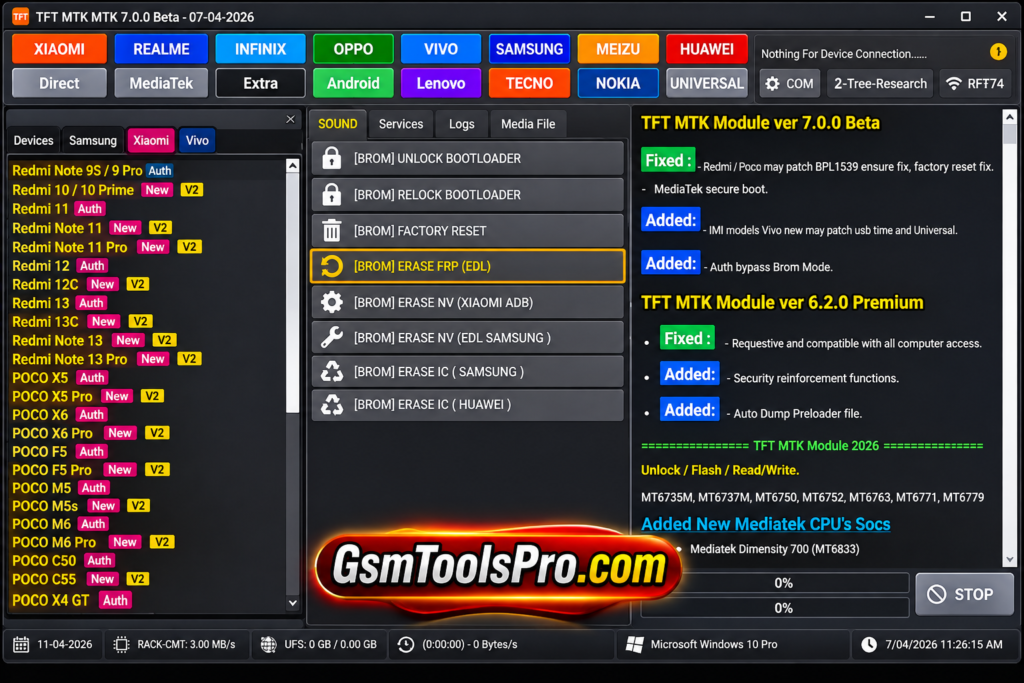
What is TFT MTK Module Tool?
TFT MTK Module Tool is a Windows-based servicing software for MediaTek Android smartphones and tablets. The tool supports features including scatter firmware flashing, FRP removal, screen lock reset, factory reset, bootloader unlocking, Mi Account operations, etc. It connects through USB and supports devices from Android 5.0 to Android 13, depending on the model, chipset, firmware, and security patch level.
TFT MTK Module Tool Features 2027
Scatter Firmware Flashing
Flash scatter stock firmware on MediaTek devices. This can help resolve bootloops, stuck logos, firmware errors, failed updates, and other software problems.
FRP Removal
Perform Google FRP servicing on MediaTek smartphones and tablets. Options such as Erase FRP and Erase FRP New are available for Android devices.
Screen Lock Reset
Reset pattern, PIN, or password locks on Android devices. This can help technicians access the device when the phone cannot be opened normally, or the owner forgets the password.
Factory Reset
Restore MediaTek devices to their default settings through the tool. A factory reset can help with software issues but may erase user data.
Bootloader Unlock & Relock
Unlock or relock the bootloader of MediaTek devices directly through the tool. This provides technicians with access to bootloader servicing options.
Auth Bypass
The tool supports Auth Bypass operations for devices running in BROM mode. BROM is a low-level MTK mode used before the Android system starts.
Mi Account Services
Technicians perform Mi Account operations on Xiaomi devices. Options such as MiCloud erase and reset help them handle account-lock servicing tasks.
Vivo Demo Mode Removal
Remove demo mode from Vivo smartphones through the available servicing function. This feature is useful when working on retail or demonstration devices.
Device Information
Read basic information from connected MediaTek devices before servicing. This helps technicians identify the phone, chipset, and connection status before performing repair operations.
NVRAM Backup & Restore
Create and restore NVRAM backups on devices. Backups help protect important device information before flashing or other servicing work.
Save Format
Format MediaTek devices through the available servicing mode while preserving selected data where the device and operation allow it.
Firmware Read & Write
Read and write firmware data and device partitions for backup and software maintenance. Availability depends on the connected model and servicing mode.
Download Information
| Information | Details |
|---|---|
| Tool Name | TFT MTK Module Tool |
| File Name | TFT_MTK_MODULE_v7.0.0.zip |
| File Version | v7.0.0 |
| File Size | 71.11 MB |
| File Format | ZIP |
| Platform | Windows |
| Architecture | 32-bit / 64-bit |
System Requirements
| Requirement | Details |
|---|---|
| Operating System | Windows 7, 8, 10, 11 |
| Processor | Intel Dual-Core or equivalent |
| RAM | 2 GB or more |
| Storage | At least 500 MB free space |
| Architecture | 32-bit / 64-bit |
| USB Port | Required |
| USB Drivers | MediaTek VCOM / device-specific drivers |
| Internet | Required for supported online operations |
| Device Support | Compatible MediaTek (MTK) Android devices |
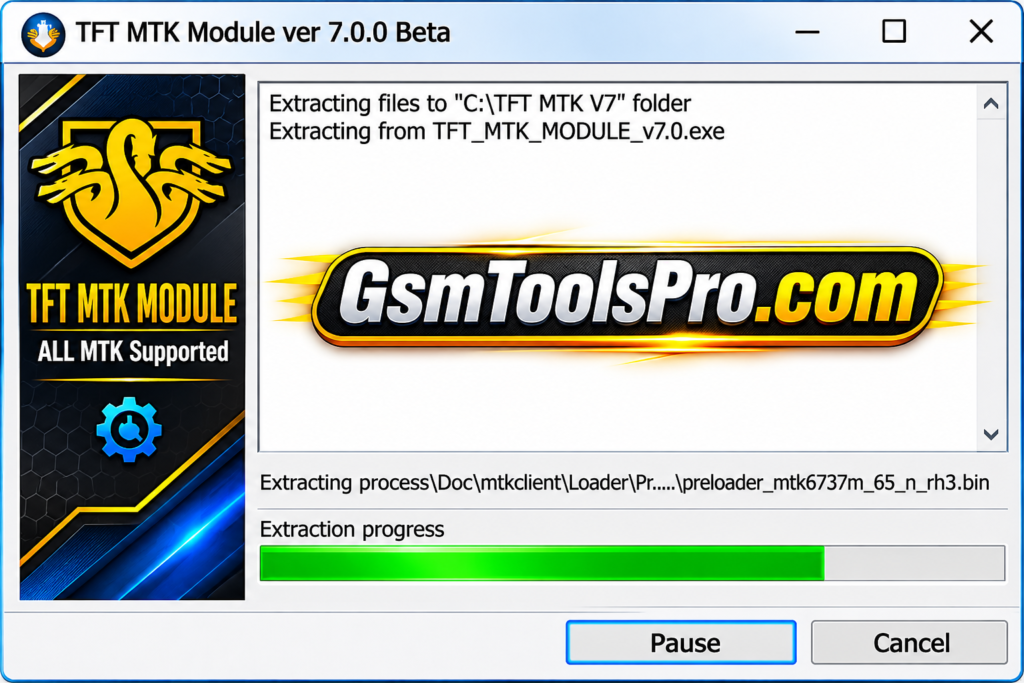
How to Download & Install the TFT MTK Module Tool?
- Get the latest compatible TFT MTK Module ZIP file from a reliable download source.
- Extract the downloaded package using WinRAR or 7-Zip and save the files in a new folder.
- Install the necessary MediaTek USB drivers so your Windows PC can detect the connected Android device.
- Locate the extracted setup folder and launch the TFT MTK Module executable file.
- Connect your MediaTek-powered smartphone to the PC with a working USB data cable.
- Wait for the software to detect the phone and read its available chipset information.
- Select the required servicing function, such as FRP removal, firmware flashing, or factory reset.
- Follow the on-screen instructions and avoid disconnecting the USB cable while the operation is running.
- Once completed, safely disconnect the phone, restart the device, and check the results.
Pros and Cons
| Pros | Cons |
|---|---|
| Supports scatter firmware flashing on compatible MediaTek devices. | Works only with supported MediaTek chipsets. |
| Offers FRP removal and screen lock reset options. | Not every feature works on all device models. |
| Includes bootloader unlock and relock functions. | Requires proper MediaTek USB drivers. |
| Provides Mi Account and Vivo Demo Mode services. | Some operations can erase personal data. |
| Supports NVRAM backup and restore. | Incorrect firmware can cause device software problems. |
| Includes firmware read and write options. | Newer security patches may limit some operations. |
| Combines multiple servicing functions in one interface. | Requires technical knowledge for advanced servicing tasks. |
| Supports different USB connection and servicing modes. | Device compatibility depends on chipset and firmware version. |
Also Read: Ultra Unlock Tool V4.4.3 Download Setup for Android Devices [2027]
Conclusion
TFT MTK Module Tool is a useful Windows utility for technicians working with MediaTek Android smartphones and tablets. The tool combines scatter firmware flashing, FRP removal, screen lock reset, bootloader unlocking, Auth Bypass, Mi Account services, etc in one place. Its simple interface makes common MTK servicing tasks easier. Always check device compatibility, install the correct USB drivers, and back up data before starting repairs.
FAQs
What is TFT MTK Module Tool used for?
TFT MTK Module Tool is a Windows-based utility for servicing MediaTek Android devices. It supports firmware flashing, FRP removal, screen lock reset, and other maintenance operations.
Which devices are supported by TFT MTK Module Tool?
It works with compatible MediaTek smartphones and tablets from brands such as Xiaomi, Redmi, OPPO, Vivo, Realme, Tecno, and Infinix. Support depends on the chipset and model.
Can TFT MTK Module Tool remove FRP locks?
Yes, it offers supported FRP removal options, including Erase FRP and Erase FRP New for compatible MediaTek devices.
Does TFT MTK Module Tool support firmware flashing?
Yes, it supports scatter-based stock firmware flashing on compatible MTK devices. Always select the correct firmware for your phone model.
Can I unlock the bootloader using TFT MTK Module Tool?
Yes, the tool provides bootloader unlock and relock options for supported MediaTek smartphones. Availability depends on device compatibility.
Does TFT MTK Module Tool support Xiaomi Mi Account operations?
Yes, it includes Mi Account and MiCloud-related operations, such as erase and reset options, for supported Xiaomi devices.
Is TFT MTK Module Tool compatible with Qualcomm devices?
No, this module is designed for MediaTek chipsets. Qualcomm-powered smartphones require a compatible Qualcomm servicing tool.