Avatar Auth Tool v1.0.5 Download for Windows Latest Version 2027
Xiaomi devices can become difficult to service when FRP locks, Mi Account issues, firmware errors, or flashing problems appear. Avatar Auth Tool V1.0.5 brings Qualcomm and MediaTek support into one Windows utility, with firmware flashing, EFS management, Partition Manager, ADB, Fastboot, EDL, and Mi Assistant workflows. Its main value is combining common Xiaomi repair tasks in a single tool for supported models and chipsets.
What Is the Avatar Auth Tool?
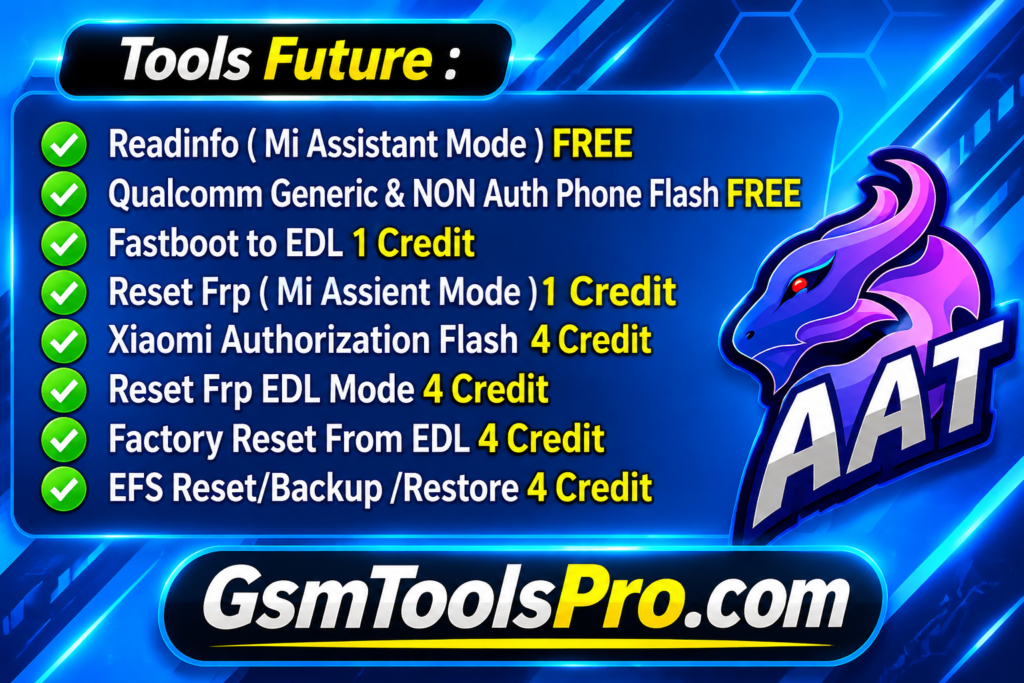
Avatar Auth Tool is a Windows-based mobile repair software for Xiaomi, Redmi, and POCO devices using Qualcomm and MediaTek chipsets. The tool supports ADB, Fastboot, EDL, and Mi Assistant modes for firmware flashing, device information, EFS backup and restore, partition management, FRP, and factory reset, etc. Its MediaTek V5/V6 support and Qualcomm workflows make it useful for Android repair and software maintenance jobs.
Firmware Flashing
Flash firmware on Xiaomi, Redmi, and POCO devices using Qualcomm or MediaTek files such as Scatter, XML, Download Agent, and Firehose.
Device Information
Read device details such as model, chipset, Android version, IMEI number, and software information through communication modes.
FRP & Factory Reset
Perform FRP and factory reset operations on Android devices to handle software servicing and bypass FRP.
Mi Account Servicing
Avatar Auth allows access to Mi Account servicing functions for Xiaomi devices, with availability on the device model, firmware, and service method.
EFS Management
Manage EFS data on devices with available backup, restore, reset, and wipe functions for specific servicing workflows.
Partition Manager
Work with device partitions for firmware and software repair tasks through the built-in Partition Manager.
Fastboot to EDL
Switch Qualcomm devices from Fastboot mode to EDL mode for deeper device servicing.
ADB & Fastboot
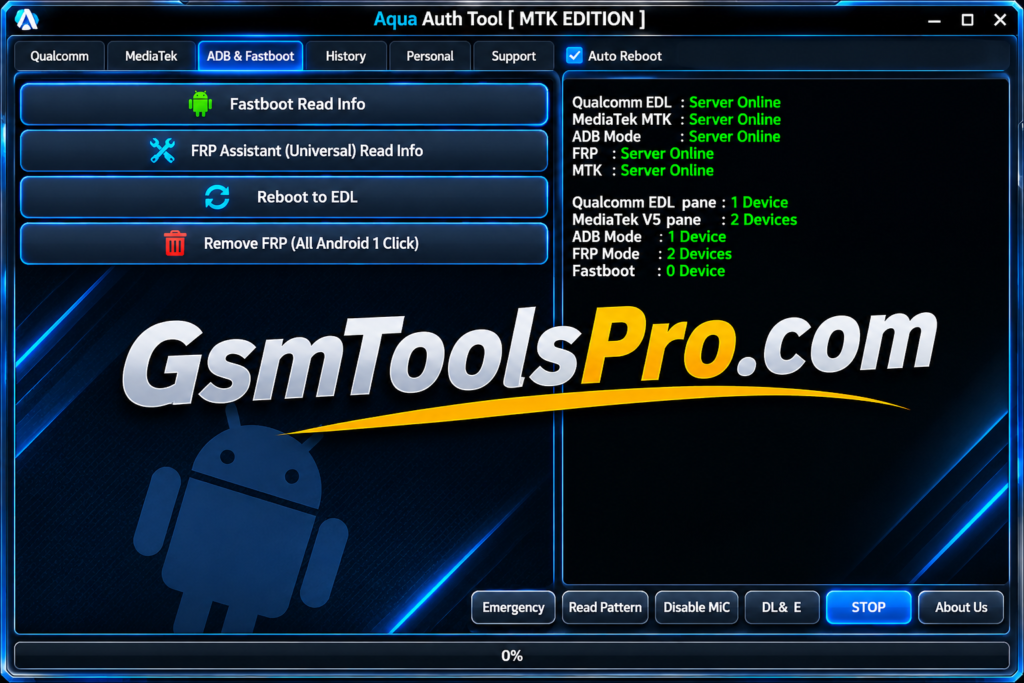
Use ADB and Fastboot modes to connect Android devices, read information, and perform software servicing functions.
Mi Assistant Support
The Avatar Auth software connects Xiaomi devices through Mi Assistant or Sideload mode to read device information and perform servicing tasks.
MediaTek V5 & V6
The Auth tool supports MediaTek V5 and V6 workflows using files, protocols, and authentication methods for Xiaomi servicing.
ENG Preloader
Use ENG Preloader functions on MTK devices for specific servicing and flashing requirements.
Manual Auth
Provide manual authentication workflows for EDL, MTK V6, Fastboot to EDL, and Sideload FRP servicing modes.
What’s New in the Avatar Auth Tool?
- Redesigned User Interface for a better user experience.
- Advanced User Management System.
- Expanded Qualcomm and MediaTek device compatibility.
- Improved Manual Authentication Key Generation.
- Enhanced Server-Based Firmware Flashing.
- Better ADB, Fastboot, and EDL Mode Support.
Download Information
| Information | Details |
|---|---|
| Tool Name | Avatar Auth Tool |
| Version | V1.0.5 |
| Developer | Avatar Auth Tool |
| File Type | ZIP |
| Platform | Windows |
| Supported Devices | Xiaomi, Redmi, POCO |
| Chipset Support | Qualcomm & MediaTek |
| Download Size | 27.45 KB |
System Requirements
| Requirement | Minimum Requirement |
|---|---|
| Operating System | Windows 7, 8, 8.1, 10, 11 |
| Processor | Intel Dual-Core or equivalent |
| RAM | 2 GB or more |
| Storage | At least 500 MB free space |
| Architecture | 32-bit / 64-bit |
| USB Port | Required |
| Device Drivers | Required for connected devices |
| Internet | Required for online/authentication functions |
| USB Cable | Compatible data cable |
How to Download, Install & Use Avatar Auth Tool V1.0.5
- Download the Avatar Auth Tool from the link below or a trusted website.
- Extract the downloaded archive using a suitable extraction utility.
- Install the drivers required for your Xiaomi Qualcomm or MediaTek device.
- Open the Tool folder on your Windows computer.
- Run Avatar Auth Tool.exe with administrator privileges.
- Connect the Device using the appropriate USB mode.
- Read Device Info before starting any major operation.
- Select the platform, such as Qualcomm or MediaTek.
- Choose the Required Function, such as firmware flashing, backup, reset, or partition management.
- Verify Compatibility and the selected files before proceeding.
- Start the Operation and avoid disconnecting the USB cable.
Pricing (Limited Free Testing Period)
| Service | Credits Required |
|---|---|
| Qualcomm EDL | 0 Credits |
| MediaTek V5 | 0 Credits |
| MediaTek V6 | 0 Credits |
| FDL | 0 Credits |
| FRP | 0 Credits |
Pros and Cons
| Pros | Cons |
|---|---|
| Supports Qualcomm and MediaTek chipsets. | Limited support for unsupported device models. |
| Includes multiple mobile servicing functions in one tool. | Requires a Windows PC. |
| Supports ADB, Fastboot, EDL, and Mi Assistant modes. | Some operations require technical knowledge. |
| Offers firmware flashing for supported devices. | Certain functions depend on server availability. |
| Includes EFS backup, restore, and reset options. | Incorrect EFS operations can cause device issues. |
| Provides built-in Partition Manager features. | Compatibility depends on chipset and firmware version. |
| Supports MediaTek V5 and V6 protocols. | Requires proper USB drivers. |
| Offers FRP and Mi Account servicing options. | Some operations may require paid credits or authentication. |
| Provides device information reading features. | A stable internet connection is needed for online services. |
Also Read: Pegasus Tool V3.2 Free Download For Windows 2027
Conclusion
Avatar Auth Tool v1.0.5 is a Windows mobile servicing utility for supported Xiaomi, Redmi, and POCO devices using Qualcomm and MediaTek chipsets. The tool combines firmware flashing, device information reading, EFS and partition management with ADB, Fastboot, EDL, and Mi Assistant support. Its multiple servicing modes make it useful for technicians handling Xiaomi software and firmware tasks. Compatibility varies by model, chipset, firmware, and authentication requirements.
FAQ’s
Does Avatar Tool V1.0.5 support Qualcomm devices?
Yes. Avatar Auth Tool supports selected Qualcomm devices with firmware flashing, EDL, Fastboot-to-EDL, EFS, and other servicing functions.
Does Avatar Auth Tool support MediaTek devices?
Yes. It includes MediaTek V5 and V6 workflows for supported Xiaomi devices and compatible servicing files.
Can Auth Tool flash Xiaomi firmware?
Yes. The tool provides firmware flashing functions for supported Qualcomm and MediaTek Xiaomi devices. Always use firmware compatible with the exact model.
Does Avatar Auth Tool require credits?
Some operations can require credits or server authentication. The tool’s service announcements have also advertised limited-time free testing, so availability can change.
Can Avatar Auth Tool reset FRP?
Yes. FRP-related functions are available for supported devices through methods such as EDL or Mi Assistant/Sideload, depending on the model and software.
Why does Avatar Auth Tool show a server or authentication error?
Server maintenance, offline services, authentication requirements, credits, or unsupported device configurations can cause problems. Check the service status before retrying.

One Comment