Pegasus Tool V3.2 Free Download For Windows 2027
Facing Android FRP locks, SIM restrictions, firmware errors, or network problems? Pegasus Tool V3.2 brings Android servicing into one Windows application. The tool supports MediaTek, Qualcomm, and Unisoc devices with FRP removal, carrier unlocking, firmware flashing, etc repair features. Its multiple connection modes help technicians handle different Android repair tasks from one place.
What Is Pegasus Tool?
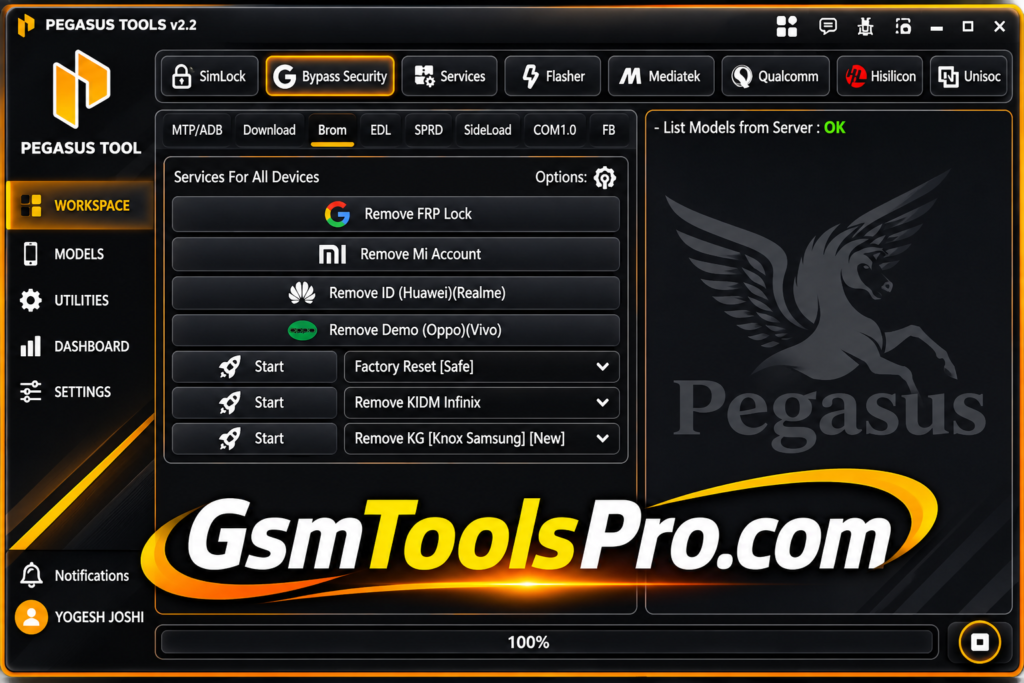
Pegasus Tool is a Windows-based Android servicing tool for technicians. The tool helps to read device information, manage SIM and security locks, handle FRP, flash firmware, etc. It supports MediaTek, Qualcomm, and Unisoc devices through ADB, MTP, Fastboot, EDL, BROM, and Sideload modes. Pegasus also includes carrier unlock, certificate, CSC, Samsung Account, and Mi Account services.
Key Features of Pegasus Tool
SIM Lock & Security
The tool helps manage SIM and carrier services, including device information, carrier unlock, relock, code-lock details, certificate read/write, and CSC configuration.
FRP & Account Services
It supports security servicing through MTP, ADB, Download, BROM, EDL, SPRD, and Sideload modes for FRP, Samsung Account, Mi Account, MDM, and Knox/KG tasks.
Samsung Security
The Pegasus provides Samsung-focused servicing options for models, including security, Knox, KG, account, CSC, and other common software-related operations.
Firmware Flashing
It flashes firmware using Samsung BL, AP, CP, CSC, LG KDZ, Fastboot XML, MTK Scatter, and Qualcomm EDL files, with options for MD5 checks, NAND erase, and userdata clearing.
MediaTek Support
The software supports MediaTek devices for partition read, write, format, and backup operations, FRP, Huawei ID, Vivo Demo, OPPO ID, Mi Account, MDM, and bootloader services.
Qualcomm Support
The application provides Qualcomm servicing through modes such as EDL, including partition operations, FRP, Mi Account, Huawei ID, Samsung KG, factory reset, and security backup or restore.
Unisoc / Spreadtrum Support
Supports Unisoc devices through SPRD mode for FRP, factory reset, partition, and other basic software servicing operations.
IMEI & Network Services
It includes IMEI-related servicing along with APN, USB, network, and diagnostic options for Android devices.
VoLTE & Calling
The Pegasus software provides network and VoLTE settings that can help technicians troubleshoot certain 4G calling and mobile network software issues.
Download Information
| Download Information | Details |
|---|---|
| Tool Name | Pegasus Tool |
| Latest Version | V3.2 |
| File Size | Not specified |
| File Format | ZIP |
| Developer | Pegasus Tools |
| Operating System | Windows |
System Requirements
| System Requirements | Minimum Requirements |
|---|---|
| Operating System | Windows 7, 8, 8.1, 10, 11 |
| Processor | Intel Dual-Core or equivalent |
| RAM | 2 GB or higher |
| Free Storage | 500 MB |
| Architecture | 32-bit / 64-bit |
| USB Port | Required |
| USB Drivers | Device-specific drivers |
| Internet Connection | Required for online services |
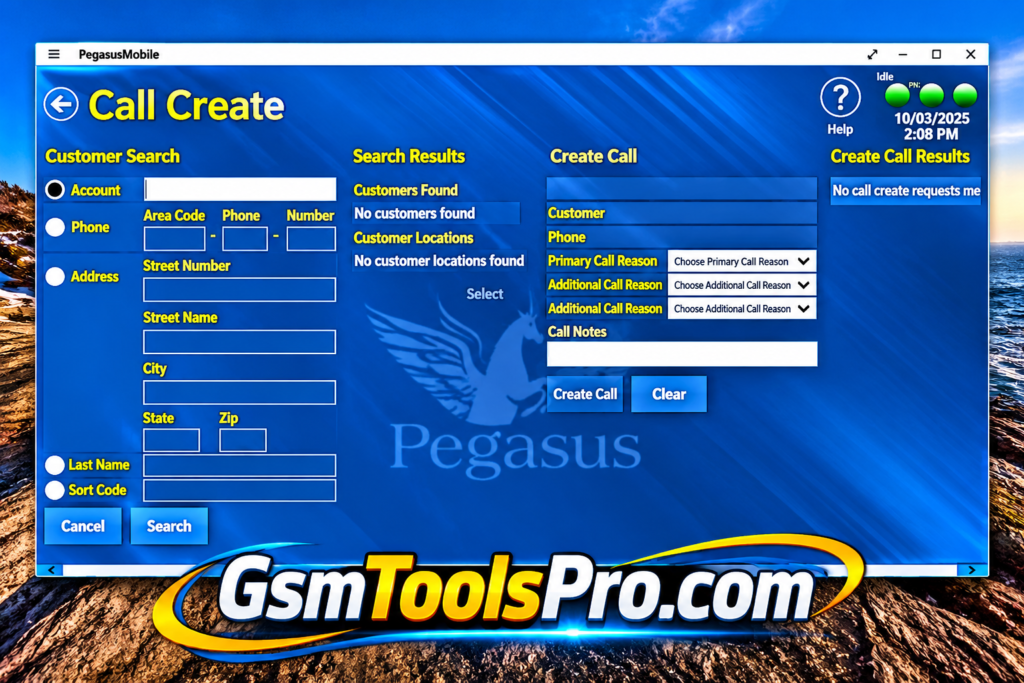
How to Download, Install & Use Pegasus Tool V3.2?
- Download: Download Pegasus Tool V3.2 from the provided download link or its official website.
- Register: Create an account if the tool requires account activation.
- Install: Extract the downloaded package and run the setup file.
- Drivers: Install the required USB and chipset drivers.
- Launch: Open Pegasus Tool and sign in if required.
- Connect: Connect your supported Android phone to the PC using a USB cable.
- Select Mode: Choose ADB, MTP, Fastboot, BROM, EDL, or SPRD mode.
- Read Info: Check the device model, chipset, and connection details.
- Select Function: Choose the required FRP, SIM, firmware, or security servicing option.
- Verify: Confirm the device model, firmware, and operation compatibility.
- Start: Run the selected operation and avoid disconnecting the phone until it finishes.
Pros and Cons
| Pros | Cons |
|---|---|
| Supports MediaTek, Qualcomm, Unisoc, and HiSilicon chipsets. | Some features work only on selected device models. |
| Includes SIM unlock, carrier lock, and certificate services. | Requires a Windows PC to run. |
| Provides FRP, Samsung Account, Mi Account, and MDM services. | Some operations require specific connection modes. |
| Supports firmware flashing and partition management. | Incorrect firmware can cause serious software problems. |
| Offers ADB, MTP, Fastboot, EDL, and other connection modes. | Some services require account activation or a paid plan. |
| Includes security backup and restore options. | Device compatibility must be checked before each operation. |
| Provides network, APN, and VoLTE-related services. | Certain operations may erase user data. |
Also Read: Alien Tool v1.0.16 Download for Windows: Motorola MTK Support
Conclusion
Pegasus Tool V3.2 is a Windows-based Android servicing solution for mobile technicians. The tool supports MediaTek, Qualcomm, Unisoc, Samsung, Xiaomi, OPPO, Vivo, and other compatible devices. Its features include FRP and account services, SIM unlocking, firmware flashing, IMEI maintenance, partition management, and network repair through multiple service modes. Before using it, check device compatibility, match the correct firmware, and back up important data to avoid unexpected problems.
FAQ’s
What is Pegasus Tool V3.2?
Pegasus Tool V3.2 is a Windows-based Android servicing application that offers SIM unlocking, FRP services, firmware flashing, and device repair functions.
Which chipsets does Pegasus Tool support?
It supports MediaTek, Qualcomm, Unisoc, and HiSilicon platforms. Available functions depend on the device model and supported service.
Can Pegasus Tool remove FRP locks?
Yes, it provides supported FRP servicing options for compatible Samsung, Xiaomi, MediaTek, Qualcomm, and Unisoc devices.
Does Pegasus Tool support firmware flashing?
Yes, it supports different firmware formats, including Samsung files, LG KDZ, Fastboot XML, MTK Scatter, and Qualcomm EDL firmware.
Which connection modes are available in Pegasus Tool?
It supports multiple modes, including ADB, MTP, Fastboot, BROM, EDL, SPRD, and Sideload for compatible Android devices.
Is Pegasus Tool free to use?
Downloading the application does not automatically provide paid access. Available features, trials, and usage limits depend on your Pegasus account and selected plan.