UMT SPD Tool V1.9 Setup Download Unisoc Module 100% Working
When Unisoc/Spreadtrum phones have flashing or servicing issues, finding the right tool can be frustrating. UMT SPD Tool V1.9 brings PAC firmware flashing, Diag Mode, FRP servicing, NVRAM backup, ADB, Fastboot, and Loader Support together for supported devices, helping technicians handle common Android software repair tasks from one Windows application.
What is the UMT SPD Tool?
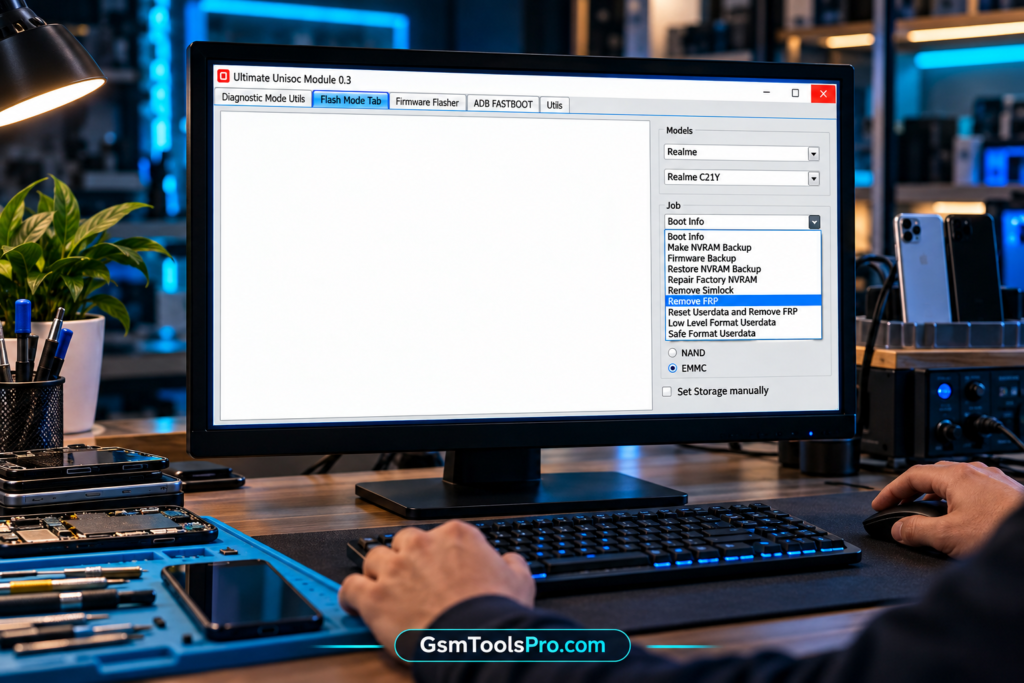
UMT SPD Tool is a Windows-based Android repair software for Android devices with Unisoc (Spreadtrum) chipsets. It helps mobile technicians to flash stock firmware, use Diag Mode, Flash Mode, ADB, and Fastboot, and perform FRP unlock, etc. operations. The tool works with brands such as itel, Infinix, Tecno, Nokia, Motorola, Realme, Samsung, Xiaomi, etc. Its simple interface helps technicians to manage mobile repairs easily.
Key Features Of UMT SPD Tool
Diag Mode
UMT SPD Tool uses Diag Mode to connect with Unisoc devices, read phone information, run diagnostics, perform reset operations, and manage NVRAM backups for technicians.
Flash Mode
Flash Mode connects UMT SPD Tool with Unisoc phones to flash firmware, manage software, handle user data, and perform supported bootloader, FRP, and repair operations.
Firmware Flashing
The Tool flashes Unisoc and Spreadtrum firmware using PAC or XML files, with loader selection for Android devices and safer repair tasks. It also allows you to select the correct loader when the phone requires a specific one.
IMEI & Serial Number
UMT SPD Tool supports IMEI, Serial Number (SN), Bluetooth, Wi-Fi, and Device Information servicing for phones during authorized device repair.
SIM Lock
UMT SPD Tool provides SIM Lock Operations to read SIM lock information and manage network lock on Android devices.
Bootloader Unlock
SPD Tool supports Bootloader Unlock and relock on compatible Unisoc devices for firmware and software repair tasks.
ADB & Fastboot
ADB and Fastboot help technicians check Device Information, view partition details, run commands, and perform reboot operations on Android devices.
Custom Loader
UMT SPD Tool provides Loader Support when the default loader fails. Technicians can select a compatible Loader or use a PAC firmware file.
Backup & Device Utilities
Device Utilities help technicians manage backups, check connected devices, and use Windows Device Manager to find drivers or connection issues.
FRP Servicing
FRP provides options for Factory Reset Protection on Unisoc smartphones during authorized phone servicing and maintenance.
NVRAM Backup & Restore
UMT SPD Tool supports NVRAM Backup and Restore on Android devices, helping technicians keep important device data safe before software repair.
IMEI, SN & Device Information
UMT SPD Tool supports IMEI, Serial Number (SN), Bluetooth, Wi-Fi data, and Device Information for phone servicing tasks.
What’s New in UMT SPD Tool V1.9?
- Improved Unisoc/Spreadtrum device support
- Better FRP servicing and reset functions
- Improved firmware flashing and device connections
- Enhanced custom Loader Support
- Custom Loader creation from compatible PAC firmware
- Improved NVRAM Backup and Restore
- Better security data backup and restore
- Improved Bootloader Unlock and relock options
- Enhanced RPMB read/write support
- Improved UFS device handling
- Added Reboot to Flash Mode
- Improved DM-Verity flag fixing
- Bug fixes and better overall device servicing
Download Information
| Detail | Information |
| Tool Name | UMT SPD Tool / UMTPro Unisoc Module |
| Version | v1.9 |
| Platform | Windows |
| Chipset | Unisoc / Spreadtrum |
| File Type | Installer / ZIP package |
| USB Driver | Unisoc USB Driver required |
| Activation | UMT dongle/box with valid activation |
| Main Use | Flashing, FRP, Diag Mode, NVRAM, SIM Lock, IMEI/SN and software servicing |
UMT SPD Tool System Requirements
| Requirement | Minimum |
| Operating System | Windows 7, 8, 10, or 11 |
| RAM | 2 GB or more |
| Storage | 500 MB+ free space |
| USB Port | Required |
| Drivers | UMT & Unisoc USB Drivers |
| Hardware | Compatible UMT dongle/box with activation |
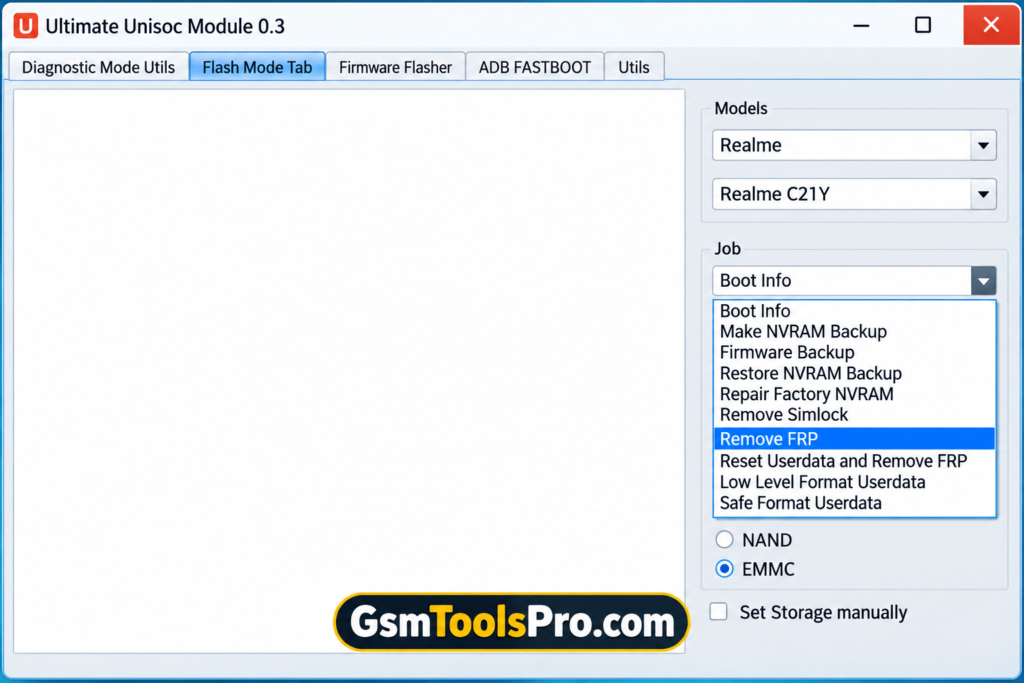
How to Download, Install & Use UMT SPD Tool V1.9?
- Get UMT SPD Tool V1.9: Download the setup package from a reliable source and save it on your Windows PC.
- Unpack the Package: Extract the downloaded ZIP or RAR file to an easy-to-find folder.
- Connect UMT Hardware: Attach the compatible UMT dongle or box to your computer.
- Install USB Drivers: Install the required UMT and Unisoc drivers so Windows can detect the phone.
- Install the Tool: Open the setup file and follow the installation steps.
- Start UMT SPD Tool: Launch the UMTPro Unisoc Module after installation.
- Choose the Required Function: Select the suitable servicing option based on your repair task.
- Connect the Phone: Put the supported Unisoc device into the required mode and connect it with USB.
- Check Device Information: Read the phone information before starting any major operation.
- Create a Backup: Make an NVRAM or security backup when the device and operation support it.
- Run the Operation: Select firmware flashing, FRP servicing, factory reset, bootloader, or another supported function.
- Wait for Completion: Keep the USB connection stable and do not disconnect the phone until the process ends.
Pros & Cons
| Pros | Cons |
| Supports many Unisoc/Spreadtrum chipsets | Requires compatible UMT hardware and activation |
| Supports PAC/XML firmware flashing | Device support varies by model |
| Includes FRP servicing and Factory Reset | Wrong firmware or loader can cause software problems |
| Offers NVRAM and security backup/restore | Some advanced functions need technical knowledge |
| Supports ADB, Fastboot, and Diag Mode | Some operations may erase user data |
| Provides custom Loader support | Certain functions need the correct device mode |
Also Read: SamFw FRP Tool v6.0.1 Download Free Unlocked Version 2026
Conclusion
UMT SPD Tool V1.9 is a Windows solution for Unisoc/Spreadtrum Android devices. It provides PAC firmware flashing, Diag Mode, FRP servicing, Factory Reset, NVRAM backup, security backup, Bootloader Unlock, etc., functions in one tool. Before any operation, technicians should confirm the phone model, chipset, firmware, and UMT activation to avoid compatibility or software issues, and always back up your files before starting the process.
FAQ’s
What is the UMT SPD Tool used for?
UMT SPD Tool is used for supported Unisoc/Spreadtrum phones, including firmware flashing, FRP servicing, NVRAM backup, and software repair.
Does UMT SPD Tool support PAC firmware?
Yes. It supports PAC firmware flashing on compatible Unisoc devices, with suitable loaders and device support.
Can UMT SPD Tool remove FRP?
Yes, FRP removal is supported on compatible Unisoc devices, but the exact function depends on the phone model and security.
Why does UMT SPD Tool show a loader error?
A wrong or unsupported Loader can cause connection or boot errors. Selecting the correct model or compatible custom loader may help.
Can UMT SPD Tool backup NVRAM?
Yes. Supported devices can use NVRAM Backup and Restore to preserve important device data before servicing.