E-GSM Tool v4.3.3 Setup Download for Windows [Latest Version]
Is your Android phone stuck in a boot loop, FRP-locked, or failing to flash firmware? E-GSM Tool V4.3.3 helps to troubleshoot Samsung, Xiaomi, and other Android devices with ADB, Fastboot, MediaTek, Qualcomm EDL 9008, FRP servicing, and firmware flashing from a Windows PC.
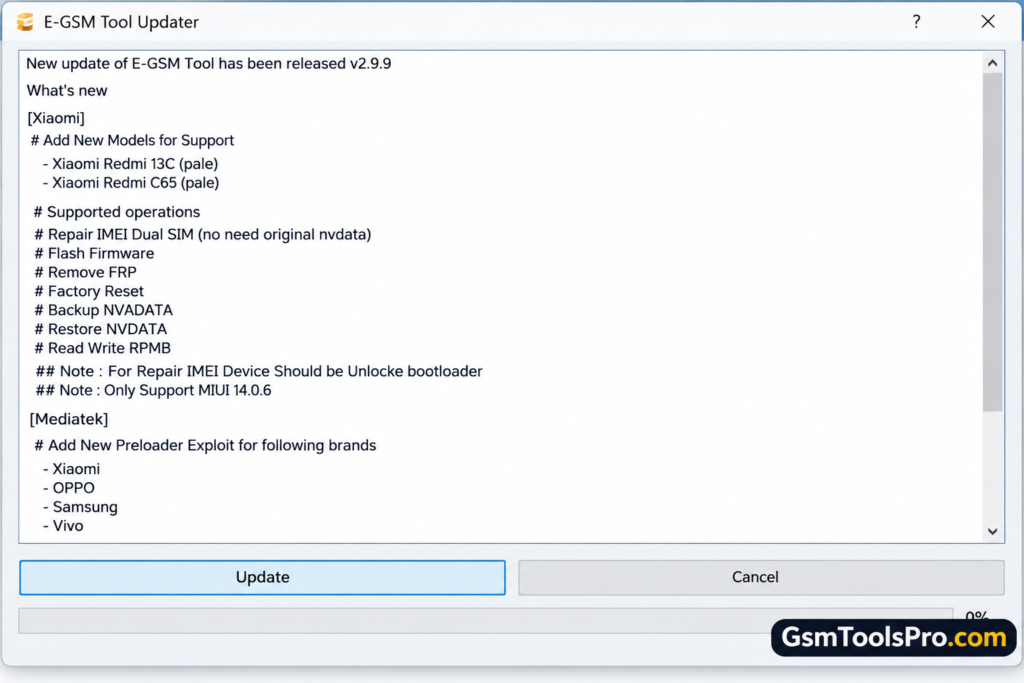
What is the E-GSM Tool?
E-GSM Tool is a Windows-based Android repair tool developed by the E-GSM Team. The tool supports functions such as ADB, Fastboot, FRP removal, firmware flashing, etc. Depending on the phone model and chipset, technicians can use modes like Qualcomm EDL 9008 and Download Mode to troubleshoot software issues on Android devices.
Key Features Of E-GSM Tool
Device Information Reader
E-GSM Tool reads device information, including model number, Android version, build number, IMEI number, serial number, and chipset details.
ADB mode
ADB connects Android devices to a computer through USB debugging. Technicians can read device information, install APK files, reboot into Recovery Mode, and perform servicing operations.
Fastboot mode
Fastboot helps technicians access bootloader information, check device details, reboot Android phones, and perform available operations through Fastboot Mode.
FRP Unlock
The tool helps tounlock the FRP locked devices safely when the device is locked after a factory reset, and the owner forgets their password.
MediaTek Functions
MediaTek functions support Android devices using MediaTek chipsets. Depending on the model and security level, technicians can select connection modes, retrieve device information, and perform servicing tasks.
Qualcomm Functions
Qualcomm functions help identify Android devices with Qualcomm chipsets. Technicians can read available device information and access software servicing operations, depending on the device.
Firmware Flashing
Firmware flashing allows technicians to install or reinstall compatible firmware on Android devices.
Dual SIM IMEI Repair
The Dual SIM IMEI Repair provides network identifier servicing for Android devices.
Download Information
| Information | Details |
| Tool Name | E-GSM Tool |
| Latest Version | V4.3.3 |
| File Size | 37.8 MB |
| Developer | E-GSM Team |
System Requirements
| Requirement | Minimum Specification |
| Operating System | Windows 7, 8, 10, or 11 |
| Processor | Dual-Core CPU |
| RAM | 2 GB |
| Storage | 100 MB free space |
| USB Connection | USB port and compatible cable |
| Drivers | Required Android USB drivers |
| Internet | Required for online functions, if applicable |
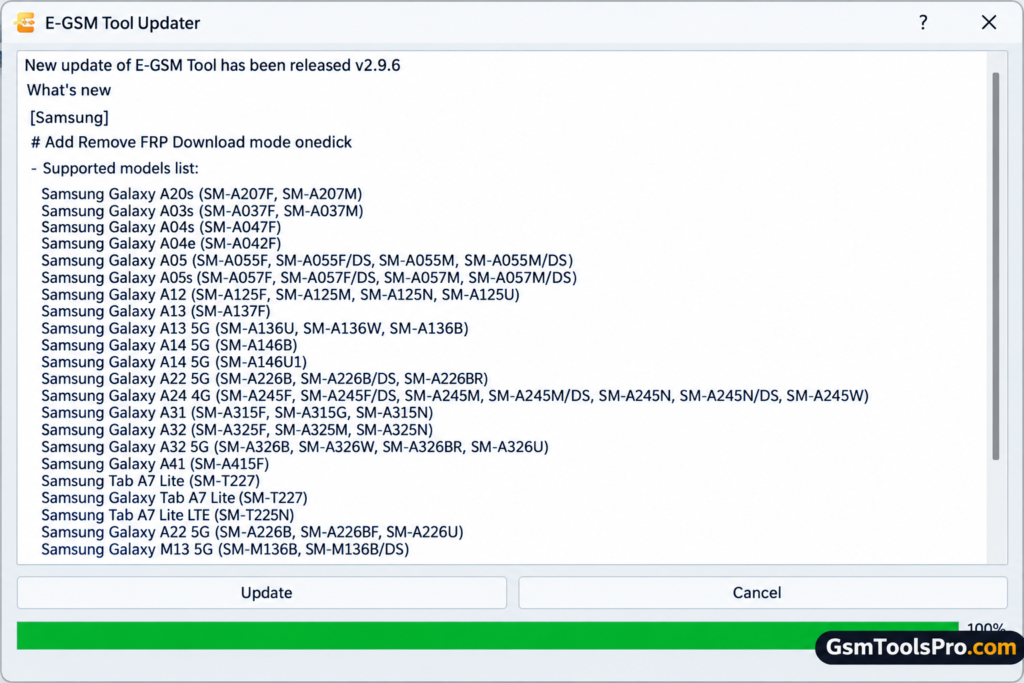
How to Download, Install, and Use E-GSM Tool V4.3.3?
- Download E-GSM Tool V4.3.3 from the official website; you can also download it from the given link.
- Extract the downloaded ZIP or RAR archive if the file is compressed.
- Open the extracted folder and run the setup file as Administrator, if provided.
- Install the required Android USB drivers on your Windows PC.
- Launch E-GSM Tool and follow any activation instructions.
- Connect your Android phone to the computer using a working USB cable.
- Select the supported connection mode, such as ADB, Fastboot, or Download Mode.
- Choose a compatible function, such as Device Information, FRP servicing, or Firmware Flashing.
- Follow the on-screen instructions and wait for the operation to finish.
- Restart your phone if the selected operation requires it, then check that the device works correctly.
Pros and Cons
| Pros | Cons |
| Supports over 5,000 device models across multiple brands. | Not every feature works on all supported models. |
| Offers FRP removal, factory reset, and bootloader functions. | Compatibility depends on the model and security patch. |
| Supports firmware flashing on MediaTek and Qualcomm chipsets. | Incorrect firmware can cause software problems or data loss. |
| Reads device information, including IMEI and Android version. | Some operations require credits or paid services. |
| Adds device support and bug fixes through regular updates. | Users must check model compatibility before servicing. |
Also Read: ASUS Flash Tool 3.2.10 Free Download for Windows New Version [2026]
Conclusion
E-GSM Tool is a Windows Android servicing software for technicians who need device information, FRP functions, firmware flashing, and ADB or Fastboot support. The tool works on Samsung, Xiaomi, Huawei, OPPO, MediaTek, and Qualcomm devices. It helps to solve software servicing tasks from one interface, while available features depend on the device model, chipset, and security level. Consequently, download and backup you data before starting servicing.
FAQ’s
Why does E-GSM Tool show “Cannot unpack data” error?
This error has been reported on GSM-Forum. Check your internet connection, downloaded files, and tool version before trying again.
Can E-GSM Tool flash firmware without authentication?
Some supported models have firmware flashing options without authentication. Availability depends on the device model and the tool’s supported functions.
Does E-GSM Tool support Xiaomi and Redmi IMEI repair?
GSM-Forum update posts list dual-SIM IMEI repair for selected Xiaomi and Redmi models. Support varies by model and tool version.
Can E-GSM Tool remove FRP from Huawei phones?
Forum posts document FRP servicing for selected Huawei devices. Check the exact model, software version, and supported connection mode before use.
Does E-GSM Tool support Qualcomm EDL mode?
E-GSM Tool forum posts describe EDL-related operations, including device information and firmware flashing on selected devices. Compatibility depends on the model.
Why is my phone not detected by E-GSM Tool?
Check the USB cable, Android USB drivers, device connection mode, and Windows Device Manager. Also confirm that your phone model is supported.
![OST Tool V6.3.7 Download For Nokia Firmware 2026 [100% Working].](https://gsmtoolspro.com/wp-content/uploads/2026/09/OST-Tool-V6.3.7-Download-For-Nokia-Firmware-2026-100-Working-768x576.png "OST Tool V6.3.7 Free Download Nokia Firmware 2026 [Activated] 5")