Android Win Tool v2.1.8 Download Latest Version for Windows 2026
Android phone repair can become difficult when dealing with boot loops, flashing issues, EDL, IMEI, or partition problems. Android Win Tool v2.1.8 combines ADB, Fastboot, Qualcomm, MediaTek, Xiaomi, EDL, QCN/XQCN, and EFS functions in one Windows utility, helping technicians handle supported servicing and troubleshooting tasks more easily.
What is the AndroidWin Tool?
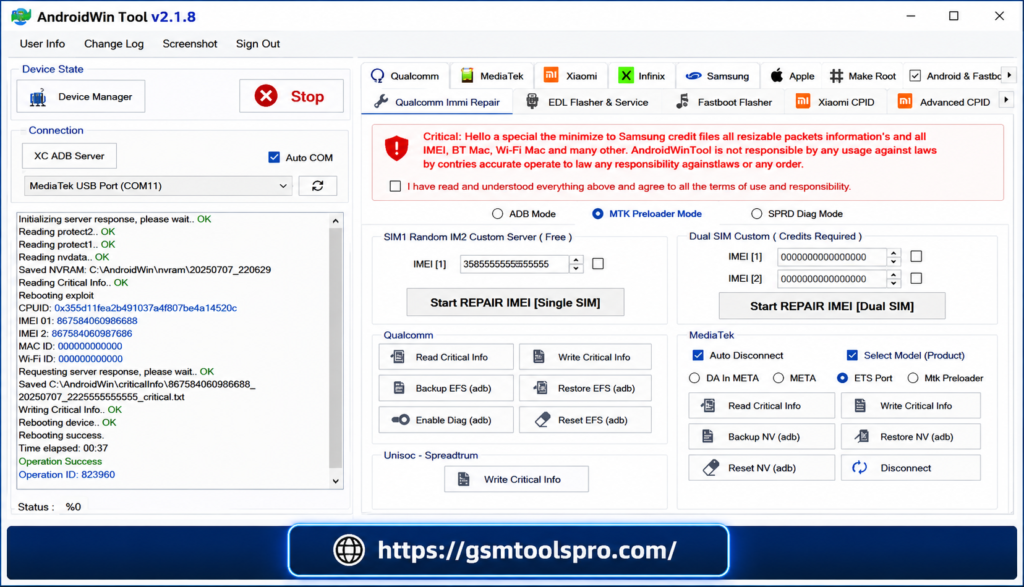
Android Win Tool is a Windows utility for Android phone servicing and software repair. It offers ADB, Fastboot, EDL, firmware flashing, QCN/XQCN backup, and partition handling functions. It is mainly useful for Qualcomm and Xiaomi devices, helping technicians manage common repair and troubleshooting tasks more easily.
Key Features Of Android Win Tool
ADB & Fastboot
Android Win Tool provides ADB and Fastboot commands for managing Android devices. Its partition tools let technicians view, write, and erase partitions, while Fastboot support makes partition management and device troubleshooting easier.
Rooting with Magisk 27.0
Android Win Tool provides Magisk rooting options for Android devices. Technicians can manage AVB/dm-verity, patch vbmeta, restore boot images, and root or unroot devices using ADB or TWRP, with additional controls for force encryption and Recovery Mode.
Xiaomi Device Support
For supported Xiaomi smartphones, Android Win Tool provides Qualcomm, MTK, EDL, Fastboot, QCN/XQCN, and EFS functions. Technicians can use these options for firmware servicing, bootloop fixes, account-related operations, EDL access, and IMEI repair.
Qualcomm EDL Mode
The Qualcomm EDL section provides tools such as Sahara V3 Protocol, Universal EDL Flasher, and Partition Manager. Technicians can use them for supported firmware flashing, full firmware backup, partition restoration, user-data handling, and Xiaomi authentication.
DIAG Mode
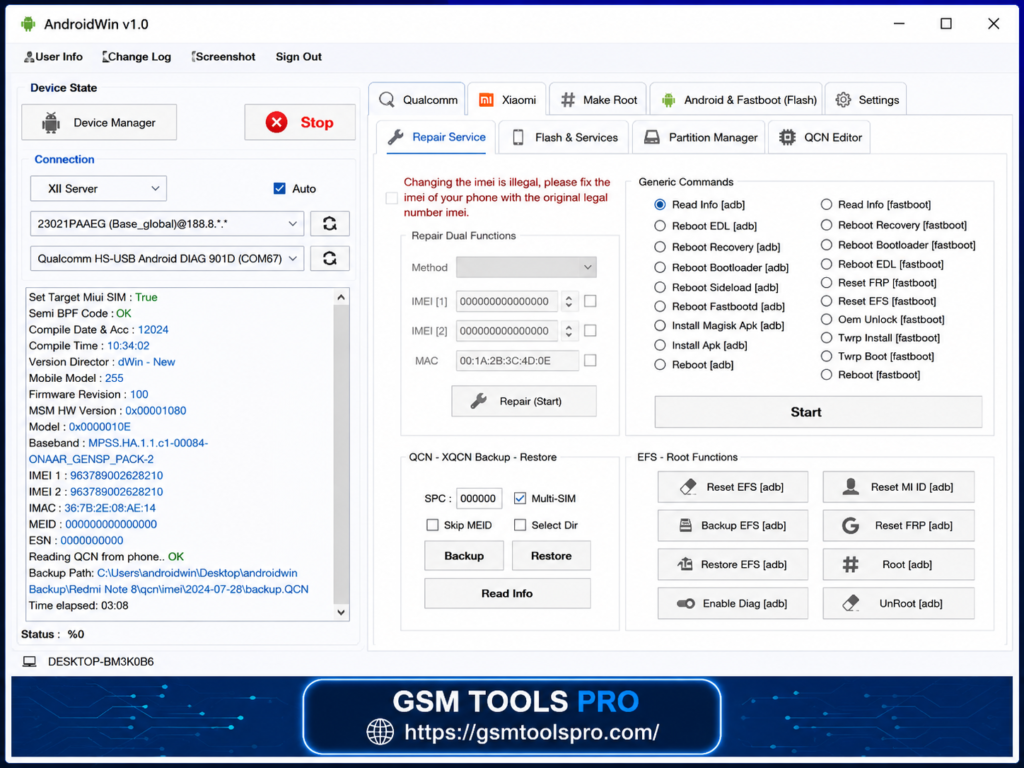
With DIAG Mode, technicians can work with Qualcomm devices for QC/NV IMEI repair and QCN/XQCN management. The backup and restore functions recover important network-related configuration data when required.
User-friendly interface
The tool comes with a simple interface designed for easier Android servicing. Arranged options for ADB, Fastboot, EDL, Qualcomm, Xiaomi, and repair functions help technicians navigate different tasks without complications.
What’s New in v2.1.8 (2026 update)
Version 2.1.8 improves MTK and Xiaomi servicing with new bootloader unlock and IMEI repair options. It also adds Xiaomi Qualcomm EDL reboot, updates MTK IMEI repair, and fixes several issues across ADB, Fastboot, and EDL.
Pros & Cons Android Win Tool v2.1.8
| Pros | Cons |
| Qualcomm device support | Device support is model-dependent |
| ADB/Fastboot functions | Requires technical experience |
| EDL firmware flashing | Incorrect changes can cause boot problems |
| QCN/XQCN management | Data loss is possible during some operations |
| EFS management | EFS handling requires extra care |
| Partition tools | Updates may affect compatibility |
Android Win Tool v1.3.2 file Information
| Information | Details |
| Tool Name | Android Win Tool |
| Latest Version | v2.1.8 |
| Platform | Windows PC |
| Supported OS | Windows 10 or later |
| File Format | Setup / Installer |
| File Size | 362 MB* |
| Version Status | Latest listed version |
How to Download & Install Android Win Tool v2.1.8?
- Download: Download the latest v2.1.8 package from a reliable source.
- Extract: Use 7-Zip or WinRAR to extract the package.
- Drivers: Install compatible Qualcomm, ADB, and Fastboot drivers.
- Open Tool: Run Android Win Tool with administrator privileges.
- Connect Phone: Connect the supported device through USB.
- Enter Mode: Put the phone into the required ADB, Fastboot, or EDL mode.
- Check Device: Confirm model, chipset, and connection details.
- Select Service: Pick the required repair, flashing, QCN, EFS, or partition function.
- Check Firmware: Confirm all files are correct for the device.
- Run Operation: Start the process without disconnecting the device.
Conclusion
In conclusion, Android Win Tool v2.1.8 offers several Android repair functions in a single Windows tool. With Qualcomm and MediaTek support, plus ADB, Fastboot, EDL, QCN/XQCN, EFS, and firmware tools, it can be a practical option for technicians working with supported devices.
Also Read: BFT Tool v1.8 Best Flash By BossV Download Latest Version (100% Working)
FAQs
Does Android Win Tool need an internet connection?
Most basic functions can work without the internet, while certain authentication or device-specific services may require an active connection.
Can I create a QCN backup before repairing a device?
Yes. The tool supports QCN/XQCN backup and restore on compatible Qualcomm devices to help preserve network configuration data.
Is root access required to use the Android Win Tool?
No. Functions like ADB, Fastboot, EDL, and firmware flashing can generally be used without root. Some advanced operations have specific requirements.
Can it reboot Xiaomi phones into EDL Mode?
Yes. Android Win Tool v2.1.8 provides Fastboot Reboot EDL for supported Qualcomm-based Xiaomi devices.
Can the tool unlock MediaTek bootloaders?
Yes. Version v2.1.8 supports MTK bootloader unlocking through Fastboot on compatible MediaTek devices.
Does it support IMEI repair on MTK devices?
Yes. MTK IMEI repair is available for supported Xiaomi devices, but the device must have root access for this function.