Lizard Tool v1.0.7 Free Download Latest Version for PC 2027
Facing FRP, MDM, KnoxGuard, or firmware issues on Android phones? Lizard Tool V1.0.7 brings Samsung, Motorola, Xiaomi, ADB, etc. functions into one Windows tool, helping technicians handle different device servicing tasks without switching between multiple applications.
What is Lizard Tool?
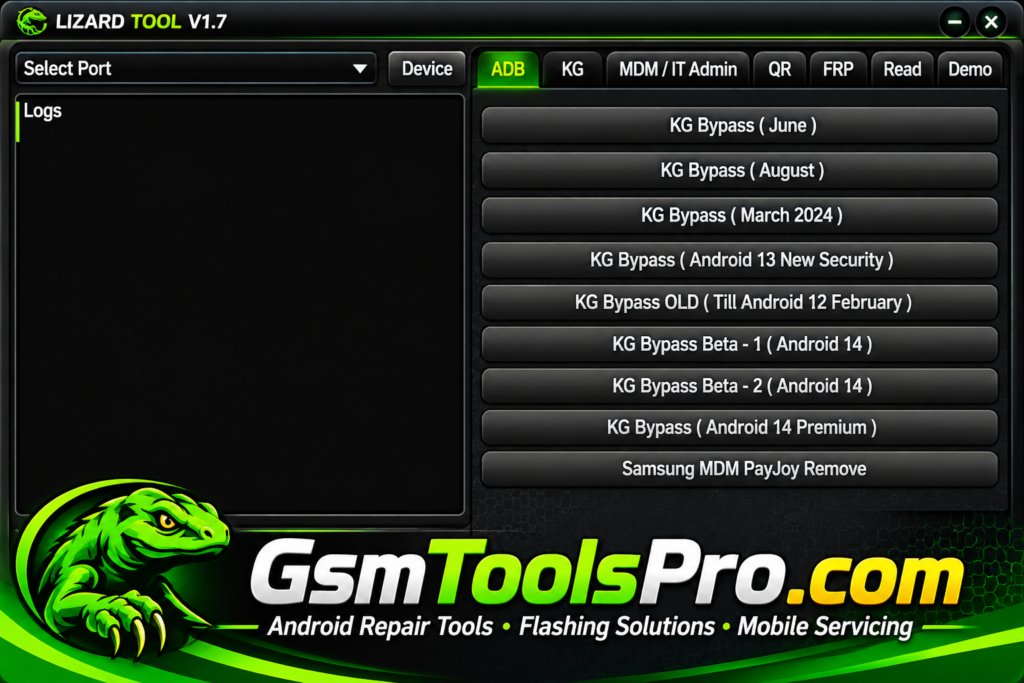
Lizard Tool is a Windows-based Android servicing Application for mobile technicians. The tool supports devices from brands such as Samsung, Motorola, and Xiaomi and provides ADB, MTP, Fastboot, FRP, MDM, KnoxGuard, IT Admin, etc functions in one interface. It helps with device management, software troubleshooting, resets, and bypass operations on different models. Lizard Tool is designed to simplify Android servicing tasks without requiring multiple separate applications.
Key Features Of Lizard Tool 2027
ADB Functions
Lizard Tool provides ADB options to read device information, view the live screen on a PC, manage settings, and disable OTA updates.
Samsung KnoxGuard Bypass
The tool includes different KnoxGuard methods for Samsung devices, with options for the Android version and security patch.
Samsung MDM & PayJoy Removal
Lizard Tool provides MDM and PayJoy removal options for Samsung devices, helping technicians manage device restrictions.
IT Admin & Work Profile
It includes Work Profile, Universal, and other IT Admin options for Android devices, with support varying by model and Android version.
FRP Operations
The tool includes FRP bypass options for Android devices to help technicians handle Google Factory Reset Protection during device servicing.
MTP Functions
Lizard Tool supports Samsung MTP operations for reading device information, enabling ADB through modes, performing resets, and accessing Download Mode.
QR Code Generator
The built-in QR Code Generator creates codes for Android setup, ADB pairing, and device management operations on different Android versions.
Motorola Fastboot Repair
It provides Motorola Fastboot options, including system partition repair, XML firmware flashing, and other Fastboot-based servicing tasks.
IMEI Repair
The tool includes an IMEI repair option for Motorola devices, including cases involving null or missing IMEI information.
Factory Mode
Lizard Tool provides a Factory Mode option for Motorola devices to help technicians perform specific servicing operations.
Tecno, Itel & Infinix MDM
The tool includes dedicated MDM options for Tecno, Itel, and Infinix smartphones, with compatibility depending on the device and Android version.
Multiple Android Versions
Lizard Tool offers different servicing methods for Android versions, including Android 12, 13, 14, and 15, depending on the device and security patch.
What’s New in Lizard Tool V1.0.7?
- Xiaomi FRP Sideload Mode added for supported Xiaomi devices.
- Motorola XML Fastboot Flash added for flashing supported XML firmware packages.
- Samsung KG Android 13 New Security method added.
- Samsung MDM patches expanded with additional methods.
- Android 14 Method 1 received a fix.
- Axio Finance Hyper OS support added.
- Hyper OS IT Admin OG Play Store method added.
- Android 15 IT Admin OG Play Store method added.
- UI improvements and bug fixes were included.
- Forgot Password and Disable Factory Reset issues were also fixed.
DownLoad Information
| Information | Details |
|---|---|
| Tool Name | Lizard Tool V1.0.7 |
| Version | V1.0.7 |
| File Size | 200.5 MB |
| File Type | ZIP |
| Developer | Lizard Team |
| Platform | Windows |
System Requirments
| Requirement | Minimum / Recommended |
|---|---|
| Operating System | Windows 7, 8, 10, 11 (64-bit recommended) |
| RAM | 4 GB minimum |
| Free Disk Space | At least 100 MB |
| USB Drivers | Required for supported Android devices |
| USB Port | Required for phone connection |
| Internet | Required for selected activation/online functions |
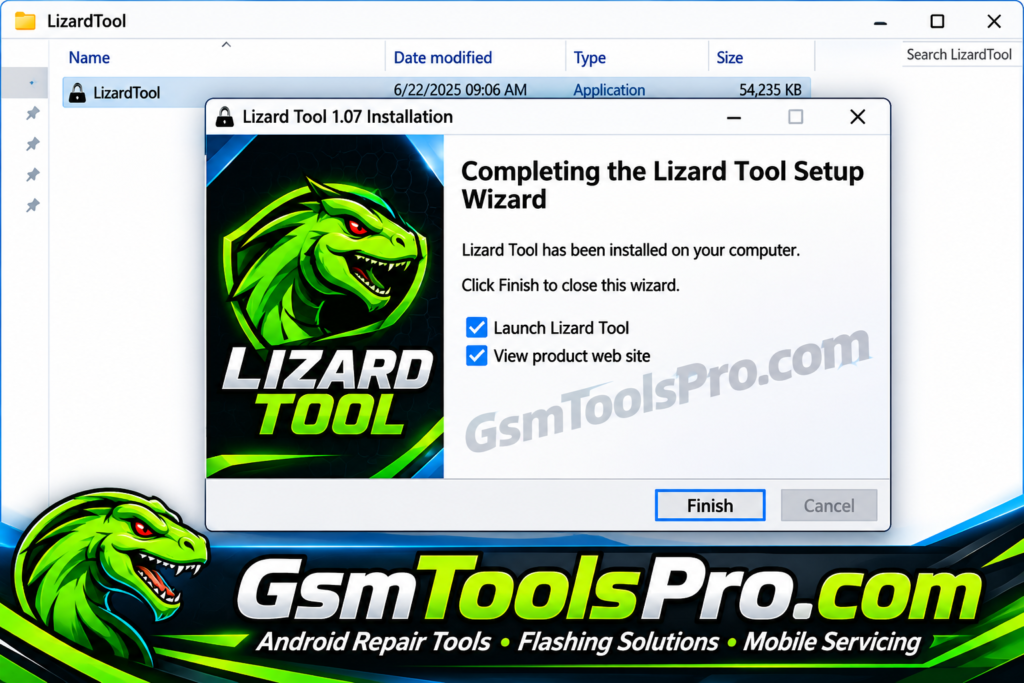
How to Install Lizard Tool V1.0.7 on Windows?
- Download the Lizard Tool V1.0.7 package from a trusted website.
- Scan the downloaded archive with updated security software.
- Extract the RAR or ZIP file using WinRAR or 7-Zip.
- Open the extracted folder and locate the main application file.
- Install the required USB drivers for your phone brand.
- Run the application with the permissions required by its documentation.
- Connect a compatible Android device and check whether the software recognizes it.
Problem And Fixes
| Problem | Possible Fix |
|---|---|
| ADB Device Not Detected | Install the correct ADB/USB drivers, reconnect the phone, and check the device connection. |
| Forgot Password Issue | Update to a build that includes the reported Forgot Password fix. |
| Disable Factory Reset Not Working | Use the updated Lizard Tool build where the Disable Factory Reset issue was fixed. |
| Android 14 Method 1 Failed | Update Lizard Tool and use the fixed Android 14 Method 1. |
| Activation / HWID Issue | Follow the tool’s activation process carefully and avoid repeated HWID submissions. |
| FRP / MDM Method Not Working | Check the device model, Android version, firmware, and security patch because methods vary by device. |
Pros and Cons
| Pros | Cons |
|---|---|
| Combines ADB, MTP, Samsung, MDM, IT Admin, QR, and Motorola functions in one tool. | Exact model compatibility is not clearly documented for every function. |
| Includes multiple Samsung KnoxGuard and MDM methods. | Results can vary with Android version, firmware, and security patch. |
| Provides Android 13 and 14 QR generation options. | Some advanced functions require technical knowledge. |
| Supports Motorola Fastboot system repair and Factory Mode functions. | Some operations depend on the device configuration and required drivers. |
| Adds Xiaomi FRP Sideload and Motorola XML Fastboot functions in the reported update. | It is not an official replacement for manufacturer servicing software. |
| Includes fixes for earlier issues such as Android 14 Method 1 and Disable Factory Reset. | Third-party sources provide limited official documentation for the tool. |
Also Read: SM Tool V1.0 Free Download Qualcomm Unlocking and Flashing Tool
Conclusion
Lizard Tool is a Windows-based Android servicing solution for mobile technicians working with Samsung, Motorola, Xiaomi, and other devices. The tool brings KnoxGuard, MDM, IT Admin, ADB, MTP, QR Code, FRP, and Motorola Fastboot functions into one interface. Its support for different Android versions and security patches can help technicians handle common device servicing tasks, although compatibility depends on the device model, firmware, and security patch.
FAQ’s
Why is Lizard Tool not detecting my Samsung phone?
This can happen when the required USB or ADB driver is missing, or the phone is not connected in the supported MTP or test mode.
Why does the Lizard Tool Forgot Password method not work?
The Forgot Password function had a reported issue in an earlier build. The V1.7 changelog states that this problem was fixed.
Why is Disable Factory Reset not working in Lizard Tool?
The Disable Factory Reset function had a documented bug in an earlier version. Updating to the newer build includes the reported fix.
Why does Android 14 Method 1 fail in Lizard Tool?
Android 14 Method 1 had a reported issue that was fixed in the V1.7 update. The result can still depend on the device and security patch.
Why does Lizard Tool show different results on Samsung devices?
KG and MDM methods are divided by Android version and security patch. Selecting the wrong method can cause the operation to fail.
Does Lizard Tool work with every Android phone?
No. Compatibility is not universal. Support depends on the exact brand, model, Android version, firmware, and security configuration.
Why does Lizard Tool activation fail or get blocked?
Some third-party instructions report HWID submission restrictions, where repeated submissions can cause a permanent block. This is reported by download sites rather than confirmed in official documentation.