QCN Tool V1 Free Download for QCN Editing & IMEI Repair
QCN and network data issues can make Android repair difficult, especially when IMEI or calibration data is affected. QCN Tool V1 gives mobile technicians a simple Windows solution to read IMEI information, create backups, restore data, and manage Single SIM or Dual SIM configurations during Qualcomm servicing tasks.
What is the QCN Tool?
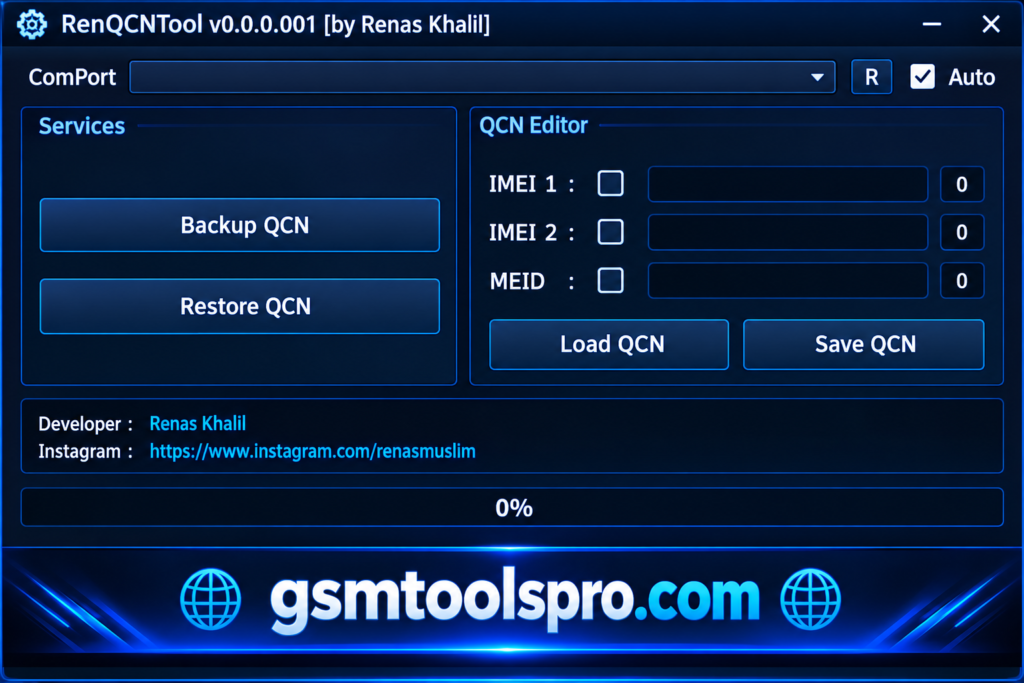
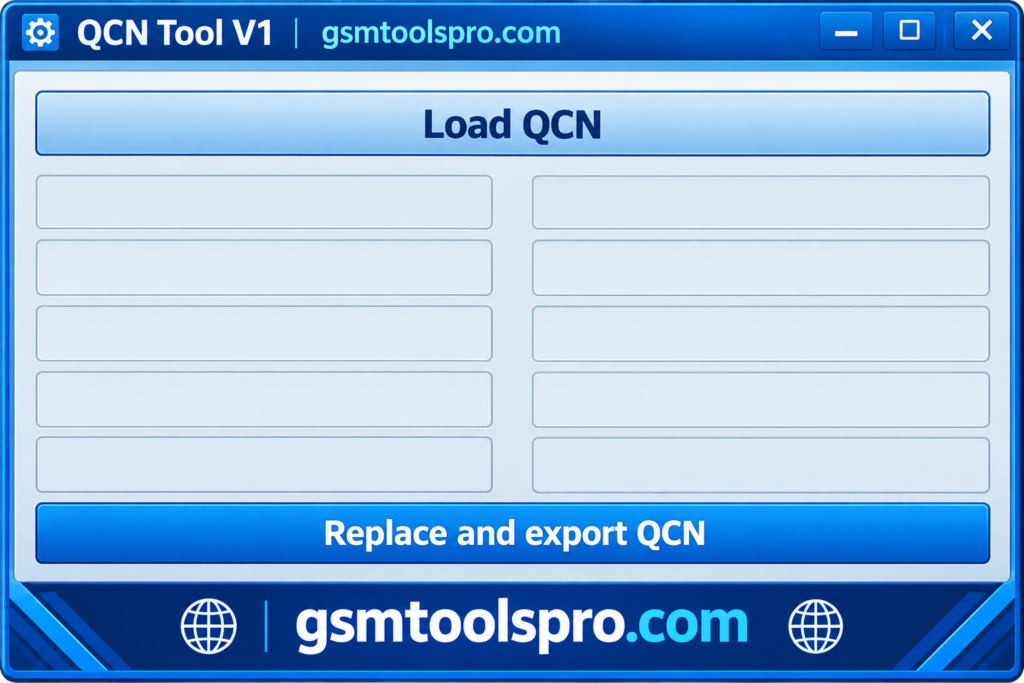
QCN Tool is a Windows tool designed to work with QCN files on Qualcomm Android devices. It can read information stored in a QCN file, including IMEI and Qualcomm calibration data. The tool is used by mobile technicians for QCN file handling, device repair, and network-related servicing. QCN files are commonly used with Qualcomm tools such as QPST and QFIL
Key Features of the QCN Tool
Viewing IMEI Information
The tool helps to read the IMEI information present in QCN files. It is necessary to know the IMEI before repairing it; it makes the repair safer.
Editing IMEI Numbers
If your IMEI Number is broken or experiencing issues, you can edit it using the QCN tool.
Creating QCN Files
If your QCN files are damaged, then you can easily generate the aain by using the QCN tool. It provides an option to generate new QCN files according to the device.
SIM Type Selection
The tool QCN supports single-SIM and dual-SIM devices. Select the correct SIM configuration according to the connected Qualcomm phone for the proper repair process.
Backup & Restore
Create a backup of network and configuration data before flashing, then restore the saved data when needed to recover the device’s previous settings after repair.
Download Information
| File Information | Details |
| Tool Name | QCN Tool |
| Version | V1 |
| File Size | 31.73 MB |
| Password | None |
| Platform | Windows |
System Requirements
| Requirement | Details |
| Operating System | Windows 7, 8, 10, or 11 |
| Processor | Intel/AMD processor |
| RAM | 2 GB or more |
| Storage | At least 100 MB of free space |
| USB Drivers | Qualcomm USB Drivers |
| USB Port | Working USB port and data cable |
| Phone | Qualcomm chipset Android device |
How to Download & Use QCN Tool V1?
- Download the Tool: Get QCN Tool V1 from a trusted source.
- Extract the Files: Unpack the ZIP folder with WinRAR or 7-Zip.
- Install Drivers: Install the required Qualcomm USB drivers on your PC.
- Connect the Phone: Enable DIAG mode and connect the Qualcomm device through USB.
- Open the Tool: Run the QCN Tool and choose the correct connection mode.
- Create a Backup: Use the Backup option to save the device data.
- Restore Data: Select Restore, load the saved file, and apply it.
- Write IMEI: Enter the required IMEI information and use the Write option.
- Restart the Device: Reboot the phone after completing the operation.
Pros and cons
| Pros | Cons |
| Simple interface for QCN file handling | Mainly focused on Qualcomm devices |
| Can view stored IMEI information | Requires proper Qualcomm drivers |
| Supports QCN backup and restore | The device may need DIAG mode |
| Supports Single SIM and Dual SIM settings | Incorrect files can cause network problems |
| Lightweight Windows utility | Not every QCN file is compatible |
| Useful for mobile repair technicians | IMEI data must be handled carefully |
Also Read: GSM Flasher Tool Free Setup Download Latest Version [2026]
Conclusion
QCN Tool V1 is the best Windows setup for repairing Android devices. It supports QCN backup and restore, IMEI information viewing, SIM configuration, and other device servicing tasks. Its simple workflow can help technicians manage network and calibration data during repair. However, the correct device model, Qualcomm chipset, drivers, and backup file are important for safe use. Always handle IMEI and network data carefully to avoid connection or device issues.
FAQ’s
Which devices are compatible with the QCN Tool?
QCN Tool is intended for Qualcomm-based Android devices, but compatibility can vary by model, chipset, software version, and available diagnostic support.
Is it safe to use the QCN Tool?
It can be safe when used correctly. Always create a backup first and use the correct file for the same device. Qualcomm specifically warns against using an xQCN file from another device.
Do I need special drivers for the QCN Tool?
Yes. A compatible Qualcomm USB driver and a supported diagnostic connection are generally required for the PC to communicate with the phone.
Can the QCN Tool fix network issues like no signal or an invalid IMEI?
A valid QCN backup can restore network and calibration data, but it may not fix every no-signal or IMEI issue.