
MDM Fix Tool V1.1.0.1 Free Setup Download [2026]
Locked by MDM, Knox Guard, or IT Admin restrictions? MDM Fix Tool gives Android technicians a practical Windows solution for Samsung, Xiaomi, and other devices, with MDM, KG, FRP, ADB, MTP, and firmware servicing options. Its updated features help with common device-access and software servicing problems.
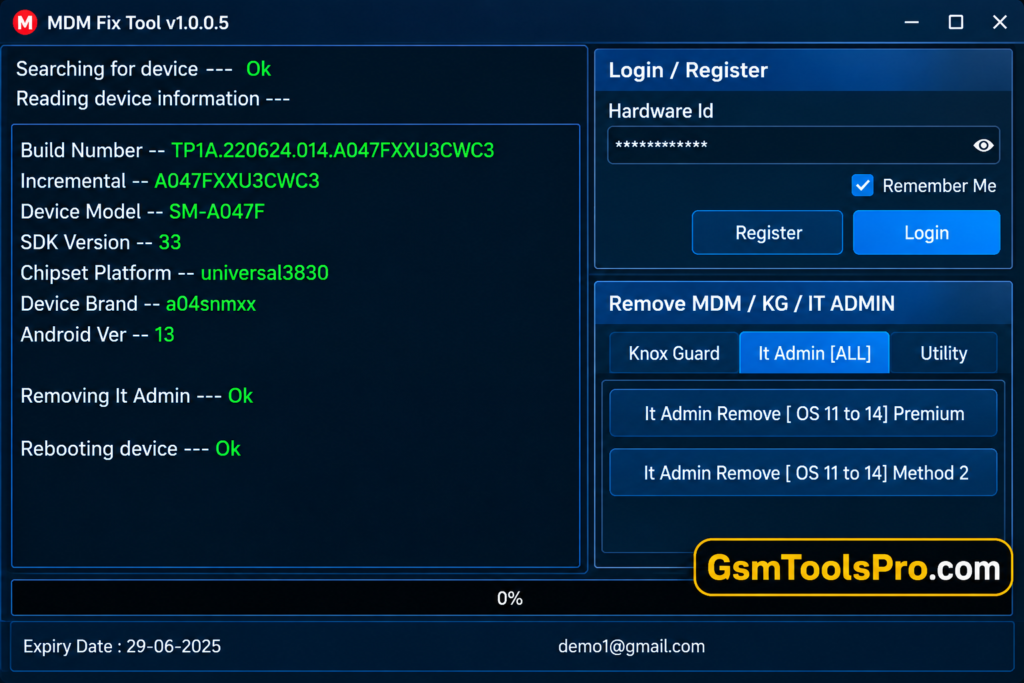
What is MDM Fix Tool?
MDM Fix Tool is a Windows-based Android servicing tool developed by Ufixer. It helps technicians handle Mobile Device Management (MDM), Knox Guard (KG), and IT Admin restrictions on Android devices. The tool allows you to solve issues including lock removal, FRP operations, firmware flashing, factory reset, and data formatting. The tool also supports Xiaomi authentication functions. Some features require paid activation.
Key Features of HalabTech Tool
MDM Bypass
MDM Fix Tool helps technicians remove Mobile Device Management restrictions on Android devices and restore authorized access.
MDM Removal
The tool provides MDM lock removal options for devices, helping users resolve management restrictions with proper authorization.
Device Information Reader
MDM Fix Tool reads connected Android device details, including model information, system status, and relevant connection or driver information.
ADB and Fastboot Support
ADB and Fastboot support helps technicians connect Android phones to Windows PCs for debugging, device checks, and supported servicing tasks.
User-Friendly Interface
MDM Fix Tool features a simple interface with clear options, helping beginners and technicians to use Android servicing functions more easily.
Fast Processing
The tool provides quick access to servicing functions, although processing time depends on the device model, connection, and operation.
Stable Performance
MDM Fix Tool offers Android servicing functions through a Windows interface, while performance may vary with system compatibility and device condition.
Lightweight Software
The MDM Fix Tool setup provides a compact Windows utility for Android servicing tasks without requiring a complex interface.
Knox Guard Removal
MDM Fix Tool includes Knox Guard (KG) servicing options for Samsung devices.
IT Admin Removal
The tool offers options for IT Admin restrictions on Android devices.
What’s New In MDM Fix Tool 2026?
- ADB Driver Detection – Improved Android device detection.
- Android 16 ADB – Added ADB enable via MTP.
- Android 16 FRP – Added FRP removal via MTP.
- Samsung Factory Reset – Improved Download Mode reset support.
- KG Support – Expanded Knox Guard servicing.
- MDM Error Fix – Fixed PIT download errors.
- ADB QR Fix – Improved QR-based ADB enable.
- Pixel Repair – Added CPID, IMEI 0, and serial repair.
- Samsung Models – Added new models and firmware bits.
- Xiaomi Auth – Expanded authentication support.
Download Information
| Details | Information |
| Version | MDM Fix Tool V1.1.0.1 |
| File Size | 129.29 MB |
| File Format | ZIP / RAR |
| Extraction Tool | 7-Zip or WinRAR |
| Supported OS | Windows 32-bit & 64-bit |
| Virus Status | Scanned with Avast Antivirus |
Tool System Requirements
| Requirement | Minimum Specification |
| Operating System | Windows 7, 8, 10, 11 |
| Architecture | 32-bit / 64-bit |
| RAM | 4 GB or higher |
| Storage | 500 MB free space |
| Processor | Intel/AMD Dual-Core or better |
| USB Port | Required for device connection |
| Drivers | ADB / USB drivers installed |
| Internet | Required for selected online functions |
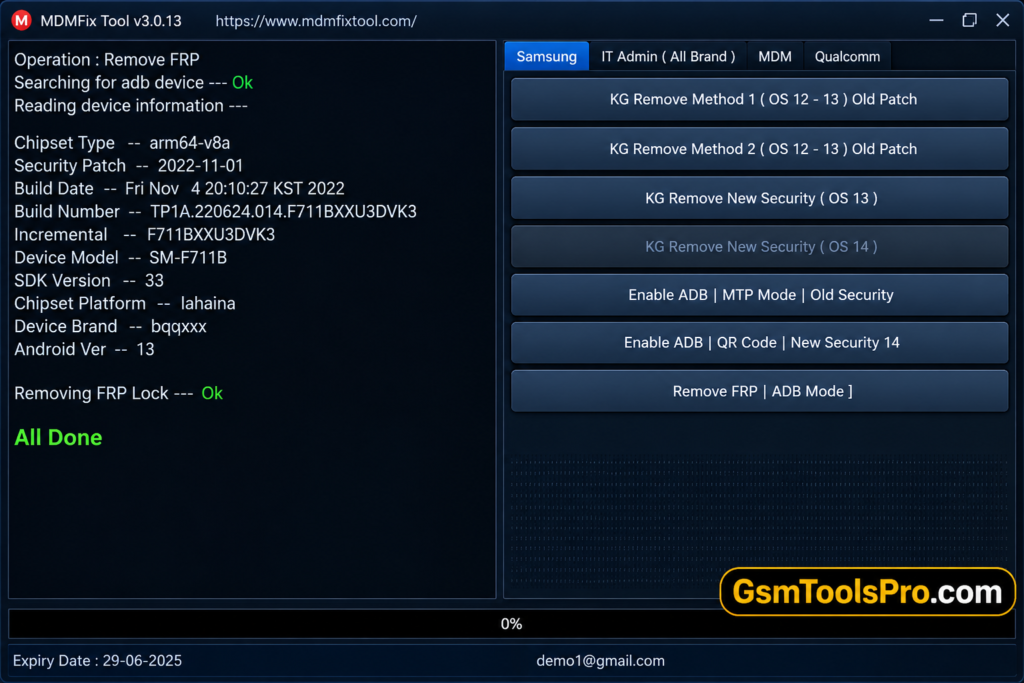
How to Download MDM Tool V1.1.0.1?
- Visit the official MDM Fix Tool website.
- Find the download section for MDM Fix Tool V1.0.9.8.
- Select the available download link to start the setup.
- Let the file download completely to your computer.
- Locate and open the downloaded setup file.
- Complete the installation by following the instructions shown on screen.
Pros & Cons
| Pros | Cons |
| Supports multiple Android brands | Windows-only utility |
| MDM and IT Admin servicing | Some functions need activation/credits |
| Samsung KG and FRP functions | Support varies by model and firmware |
| Xiaomi, Huawei, OPPO and Realme options | Requires proper USB drivers |
| ADB, MTP and EDL support | Incorrect operations can cause data loss |
| Regular feature and model updates | Third-party tool, not manufacturer software |
Also read: HalabTech Tool v1.1 Free Download Activated Setup [2026]
Conclusion
MDM Fix Tool is a Windows software for Android servicing; it provides options for MDM, Knox Guard (KG), FRP, firmware-related, etc on Android devices. Its simple interface can help technicians solve common software restrictions. However, features vary by model and firmware, and some functions may require activation.
FAQ’s
What is Fix Tool used for?
MDM Fix Tool is a Windows Android servicing utility for supported MDM, KG, IT Admin, FRP, flashing, and device repair operations.
Does MDM Fix support Android 16?
Yes, its current feature list includes Android 16 FRP removal and ADB enable options for supported devices.
Can MDM Fix Tool handle Samsung KG locks?
Yes, the tool lists Samsung KG servicing through ADB and EDL, with support depending on the model, chipset, and security patch.
Does MDM Fix Tool support Xiaomi devices?
Yes, listed Xiaomi features include MDM QR unlocking, factory reset, FRP, Mi Account, EFS reset, and selected authentication functions.
Can MDM Fix Tool enable ADB?
Yes, its listed methods include Android 14 ADB enabling through QR and Samsung Test Mode on supported devices.
Is every Android phone supported by MDM Fix Tool?
No. Compatibility depends on the device model, chipset, Android version, security patch, and supported servicing method.

![Minimal ADB and Fastboot Tool Free Setup[Activated 2026]](https://gsmtoolspro.com/wp-content/uploads/2026/09/Minimal-ADB-and-Fastboot-Tool-Free-SetupActivated-768x576.png "Minimal ADB and Fastboot Download Free Setup[Activated 2026] 5")