GSM Pro Tool v5.4 Download Latest Version Free [2027]
Is your Samsung or Android phone stuck with FRP locks, screen lock issues, or firmware problems? GSM Pro Tool V5.4 brings together Samsung repair, MediaTek and Qualcomm servicing, ADB, Fastboot, FRP removal, and firmware flashing in one Windows utility. It also offers partition backup and restore features, helping mobile technicians handle device repair tasks more easily.
What is GSM Pro Tool?
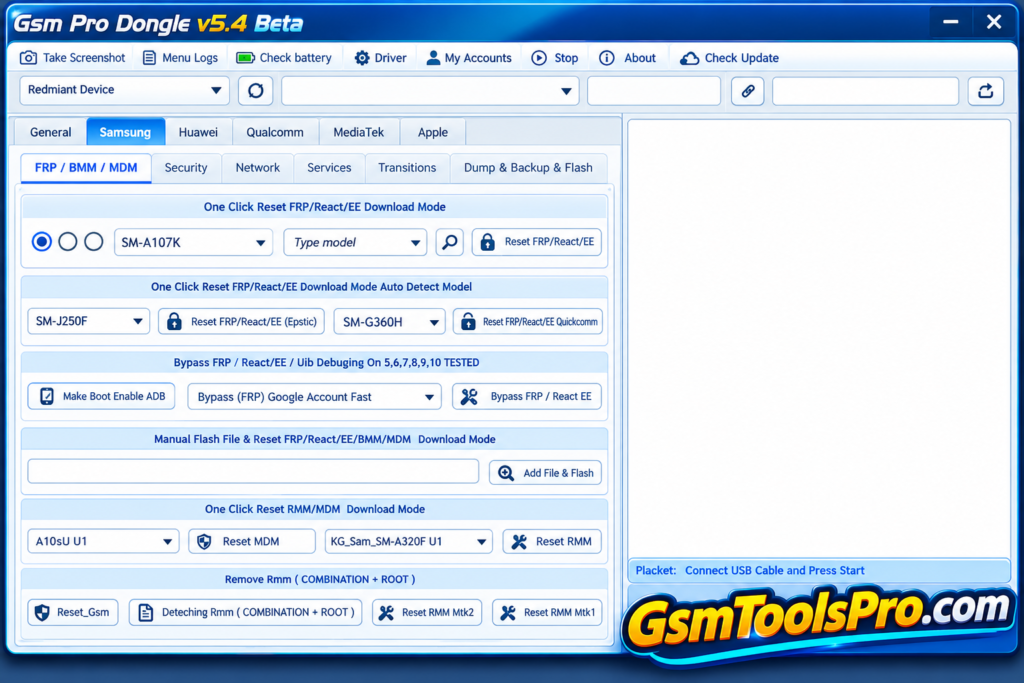
GSM Pro Tool is a Windows-based mobile servicing software designed for Samsung, MediaTek, Qualcomm, and Huawei devices. The tool offers operations for FRP removal, screen lock reset, ADB and Fastboot operations, firmware flashing, factory reset, and partition backup or restore. It also includes Samsung repair options, IMEI-related functions, and support for Apple iOS devices. GSM Pro Tool requires activation, according to the source, and its features may vary by device model and software version.
Key Features Of GSM Pro Tool
Samsung FRP Removal
GSM Pro Tool supports Samsung FRP removal through ADB, Fastboot, Download Mode, and other methods for devices.
Screen Lock Reset
It allows resetting screen locks using Recovery Mode, ADB Mode, Sideload Mode, or supported boot image methods.
Firmware Flashing
The tool supports flashing devices using Advanced Flasher, Qualcomm Flasher, MTK Flasher, TWRP, and CWM recovery tools.
ADB and Fastboot Tools
Technicians can read device information, wipe data, reboot devices, unlock bootloaders, and perform supported Android servicing tasks.
Partition Backup and Restore
Read, dump, back up, and restore device partitions to help technicians manage supported system data.
Qualcomm EDL Services
Access Qualcomm EDL Mode for supported FRP removal, factory reset, configuration erase, and device servicing functions.
MediaTek (MTK) Services
Perform supported MTK FRP removal, factory reset, boot file operations, NVRAM backup, and selected lock-screen repairs.
Samsung Repair Tools
Access EFS and QCN backup, network repair, baseband repair, CSC functions, and other supported Samsung maintenance options.
Download Information
| Information | Details |
|---|---|
| Tool Name | GSM Pro Tool |
| Version | V5.4 |
| First Setup Size | 539 MB |
| Second Setup Size | 226 MB |
Requirements Details
| Requirements | Details |
|---|---|
| Operating System | Windows XP, Vista, 7, 8, 8.1, 10 |
| System Type | 32-bit and 64-bit |
| RAM | Not specified |
| Processor | Not specified |
| Storage | Space required for both setup files |
| USB Port | Required to connect mobile devices |
| USB Drivers | Required for supported device connections |
| Internet Connection | May be required for activation |
| Activation | Developer activation required |
How to Download GSM Pro Tool V5.4
- Visit the GSM Pro Tool V5.4 download page or a trusted source.
- Download the first setup file (Data Setup), which is approximately 539 MB.
- Download the second setup file (GSM Pro Setup V5.4), which is approximately 226 MB.
- Extract the downloaded files using a suitable archive utility.
- Install the required setup files by following the provided instructions.
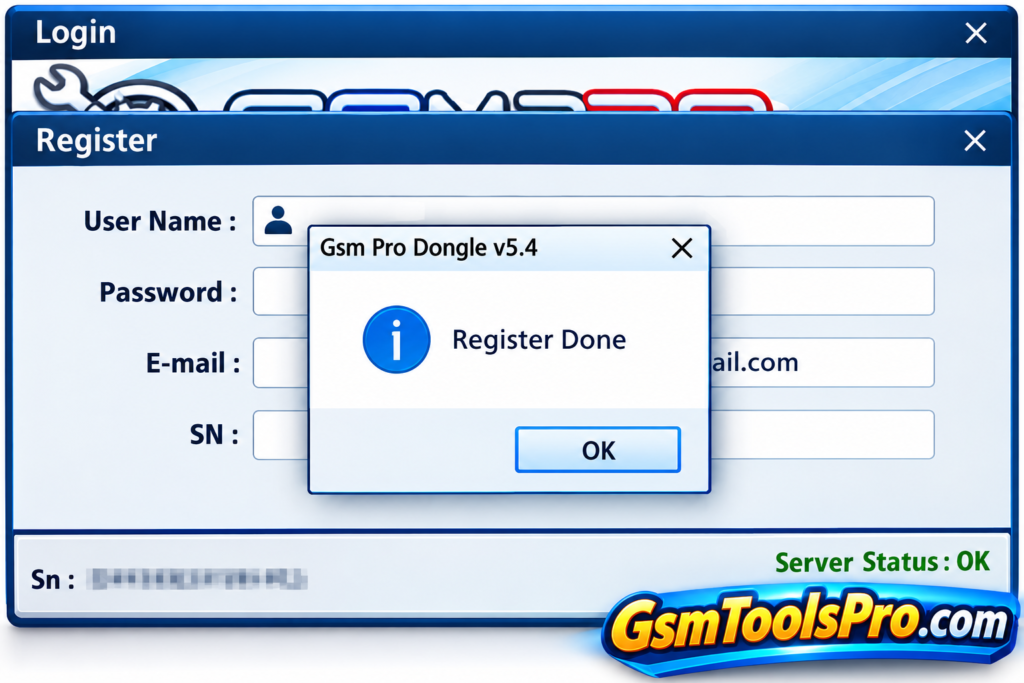
- Contact the developer through the Facebook account mentioned in the original source to request activation.
- Connect your supported mobile device using a USB cable after installing the required drivers.
Pros and Cons
| Pros | Cons |
|---|---|
| Supports Samsung FRP removal and screen lock reset. | Some functions require root access or specific device modes. |
| Includes ADB and Fastboot tools for Android servicing. | Activation through the developer may be required. |
| Offers MediaTek and Qualcomm servicing options. | Support varies by device model and security version. |
| Provides partition backup, restore, and flashing tools. | Incorrect flashing can cause device problems. |
| Supports multiple Android brands and servicing functions. | Current device compatibility is not confirmed. |
Also Read: GSM Pro Tool v5.4 Download Latest Version Free [2027]
Conclusion
GSM Pro Tool V5.4 is a mobile servicing utility for technicians who work with Samsung, MediaTek, Qualcomm, and other supported devices. Its features include FRP removal, screen lock reset, ADB and Fastboot operations, firmware flashing, and partition backup. The tool also offers selected repair functions for Android devices.
FAQ’s
What is GSM Pro Tool V5.4?
GSM Pro Tool V5.4 is a Windows utility for mobile servicing, including Samsung repair, FRP reset, ADB, Fastboot, and flashing functions.
Which devices does GSM Pro Tool V5.4 support?
It lists support for selected Samsung, Huawei, Xiaomi, MediaTek, Qualcomm, and other Android devices. Available functions depend on the model.
Does GSM Pro Tool V5.4 require activation?
Yes. The original download source says activation is requested through the developer’s Facebook account. Current activation availability is unconfirmed.
Can GSM Pro Tool V5.4 remove Samsung FRP?
The tool lists Samsung FRP functions through supported methods, including ADB and
Download Mode. Results depend on the device and security version.
Does GSM Pro Tool V5.4 support Qualcomm and MTK devices?
Yes. Its listed features include Qualcomm flashing and EDL functions, along with MediaTek FRP, Fastboot, and servicing tools for supported devices.
Which Windows versions support GSM Pro Tool V5.4?
The original source lists Windows XP, Vista, 7, 8, 8.1, and 10 in both 32-bit and 64-bit systems. Newer Windows versions are unconfirmed.