FixHexa Tool Download Latest Version For Motorola, Xiaomi [2027]
Is your Motorola or Xiaomi phone facing firmware, FRP, or hardware repair issues? FixHexa Tool 2027 brings XML firmware flashing, Xiaomi Fastboot ROM support, MediaTek FRP, ADB, Fastboot, ISP pinout search, and eMMC/UFS chip information together in one Windows application for mobile technicians.
What is FixHexa Tool?
FixHexa Tool is a Windows-based mobile repair application for Android devices. The tool includes an ISP database for brands such as Samsung, Vivo, Xiaomi, Redmi, and POCO. It provides Layer Scratch, CPU Drill, and No CPU Drill connections. It also includes Moto Flasher for XML firmware, Xiaomi Fastboot Flasher for Fastboot ROMs, and ADB and Fastboot commands for device servicing, making it the best software for repairing.
Key Features Of FixHexa Tool 2027
Motorola Firmware Flashing
FixHexa Tool supports Motorola stock firmware flashing through XML files, with Clean Flash, Safe Flash, and Fix CID Dead options for Android devices.
Flash Logs and Partition Details
Moto Flasher displays real-time flashing logs and partition information, helping technicians monitor firmware installation and check operation details during Motorola device servicing.
MTK FRP and Bootloader Unlocking
The FRP/UBL option provides MediaTek device options for FRP removal and bootloader unlocking, providing Android repair and servicing operations.
ADB and Fastboot Commands
It uses ADB and Fastboot modes to connect the device that is under operation, and you want it with your pc for servicing.
Android Information Extraction
Android Info Extract provides brand-specific options for loading partition files and tag files, helping technicians access device information during servicing.
MediaTek Preloader EMI Support
Preloader EMI loads the MediaTek preloader.bin file to check memory chips, helping technicians identify hardware during device repair operations.
eMMC and UFS Chip Database
Chip Info offers a searchable eMMC and UFS database with chip specifications from manufacturers such as SK HYNIX and SAMSUNG for hardware identification.
ENG ROM Search
ENG ROM Search helps technicians find engineering ROM files by name, making it easier to locate relevant firmware packages for Android devices.
ISP Pinout Search
Find ISP provides model-based and Fastboot search options for locating ISP pinout information, helping technicians identify connection points during hardware-level repairs.
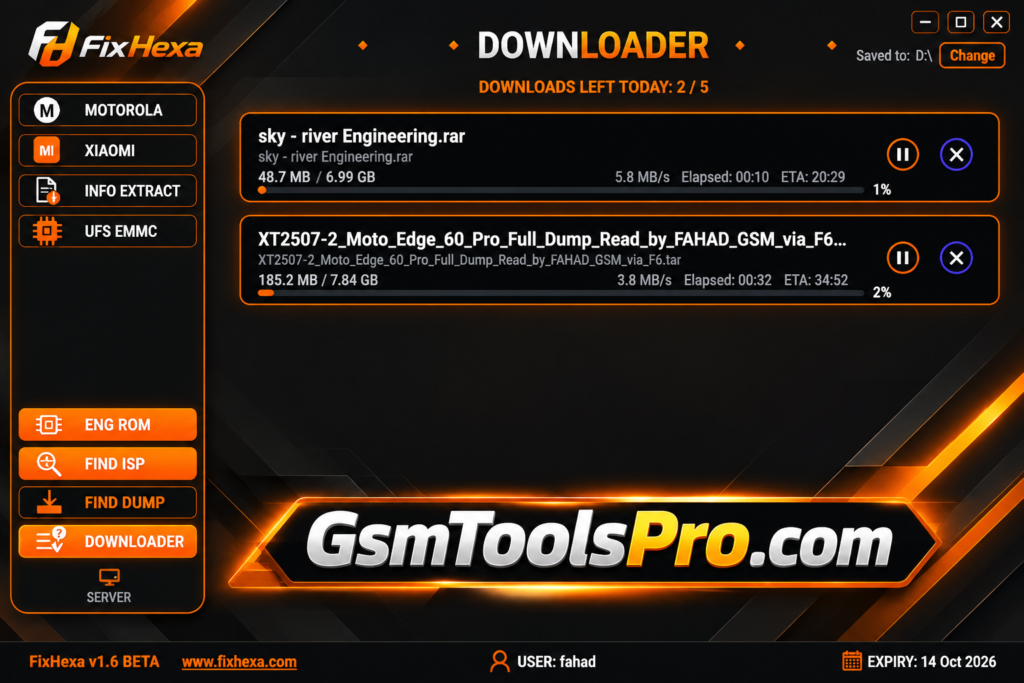
Built-in Downloader
FixHexa Tool includes a built-in Downloader that allows users to retrieve files through its download options for mobile servicing tasks.
FixHexa Tool Download Information
| Information | Details |
|---|---|
| Tool Name | FixHexa Tool |
| Latest Version | Latest Version 2027 |
| File Name | FixHexa Tool |
| File Size | 33.1 MB |
| Platform | Windows |
System Requirements
| Requirements | Details |
|---|---|
| Operating System | Windows 7, 8, 10, or 11 |
| Processor | Intel or AMD Dual-Core Processor |
| RAM | 4 GB or Higher |
| Storage | 1 GB Free Disk Space |
| USB Connection | Available USB Port |
| USB Drivers | Compatible Android, MediaTek, and Qualcomm USB Drivers |
| Internet | Required for Activation and Online Features |
| Permissions | Administrator Rights |
How to Download FixHexa Tool
- Visit the FixHexa Tool download page on GSMToolsPro.
- Find the latest available FixHexa Tool package.
- Click the download link to get the RAR file.
- Wait until the download finishes.
- Open your Downloads folder and locate the downloaded file.
How to Install FixHexa Tool
- Install 7-Zip or WinRAR on your computer.
- Right-click the downloaded FixHexa RAR file and select Extract Here.
- Enter the archive password if requested.
- Open the extracted FixHexa Tool folder.
- Locate Loader.exe inside the folder.
- Right-click Loader.exe and select Run as administrator.
- Follow the on-screen instructions to complete the activation process.
- Open the tool and enter the required login details.
- Click Login to access the FixHexa Tool interface.
Pros and Cons
| Pros | Cons |
|---|---|
| Combines Motorola and Xiaomi servicing utilities in one application. | Some features require a paid activation key. |
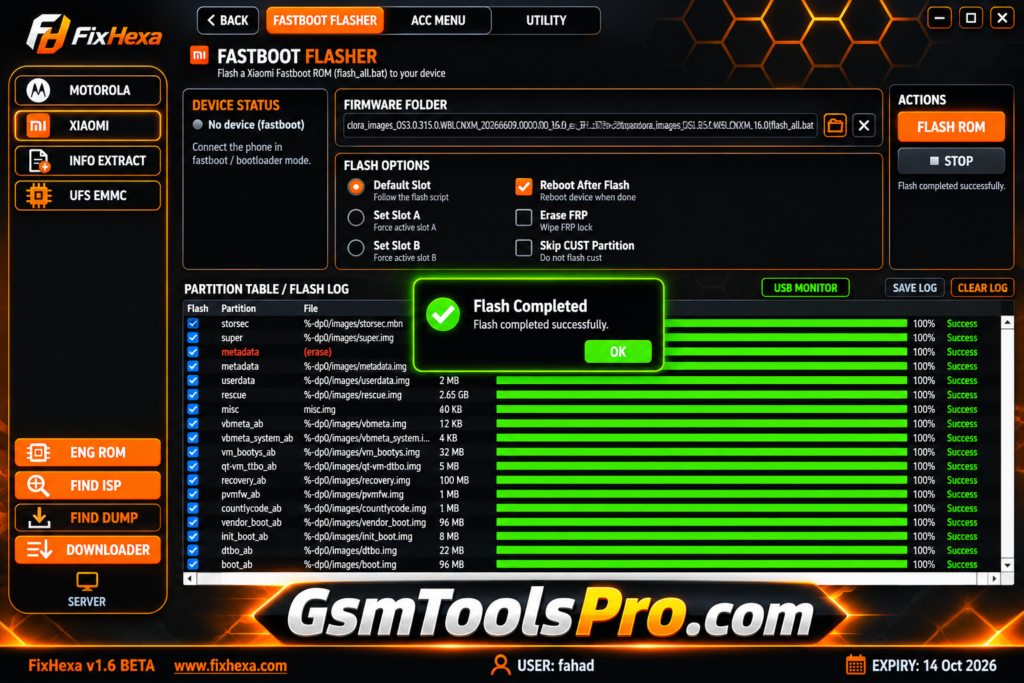
| Supports Motorola XML firmware and Xiaomi Fastboot ROM flashing. | Compatibility depends on the device model and firmware version. |
| Includes ISP pinout and tested dump file search databases. | Advanced repair operations require technical knowledge. |
| Provides ADB and Fastboot commands for device management. | Incorrect flashing can cause data loss or boot issues. |
| Offers eMMC and UFS chip information for hardware identification. | Dump and ENG ROM downloads have daily limits. |
| Includes Motorola CID and dead-boot repair options for supported devices. | License activation is locked to a single PC through HWID. |
Also Read: Adanichell Tool V3.4 Free Download for Android Repairing
Conclusion
FixHexa Tool is a useful Windows application for technicians working with Motorola, Xiaomi, and other Android devices. The tool combines firmware flashing, ADB and Fastboot commands, ISP pinout search, and eMMC/UFS chip information in one place. Its repair utilities can help simplify common servicing tasks. Before using FixHexa Tool, check the device and use the correct firmware files to avoid repair issues.
FAQ’s
What is FixHexa Tool used for?
FixHexa Tool is a Windows-based GSM servicing application for firmware flashing, ISP pinout searching, dump files, and Android device repair.
Does FixHexa Tool support Motorola and Xiaomi devices?
Yes, it includes Motorola XML firmware flashing and Xiaomi Fastboot ROM flashing options for supported device models.
Can FixHexa Tool find ISP pinouts?
Yes, its ISP Finder searches pinout information through Fastboot detection or manual device model searches.
Does Tool support eMMC and UFS chips?
Yes, the Chip Info section provides searchable eMMC and UFS chip specifications from supported manufacturers.
Does Hexa require an activation key?
Yes, an activation key is required for full access. The official website offers different license durations with HWID-based PC locking.
Can Fix Tool repair dead-boot Motorola devices?
Yes, its Moto CID / Dead Fix feature advertises support for compatible Motorola devices, including selected Android 16 cases.