SK Unlocker Tool V23 Free Activated Version 2026
Are you facing FRP locks, forgotten screen locks, or difficult Android servicing tasks? SK Unlocker Tool V23 offers a practical solution with FRP, Fastboot, MTP, firmware flashing, and multi-chipset support for selected Samsung, Qualcomm, MediaTek, Kirin, and SPD/Unisoc smartphones and tablets, helping technicians handle routine software servicing from one Windows-based tool.
What Is SK Unlocker Tool?
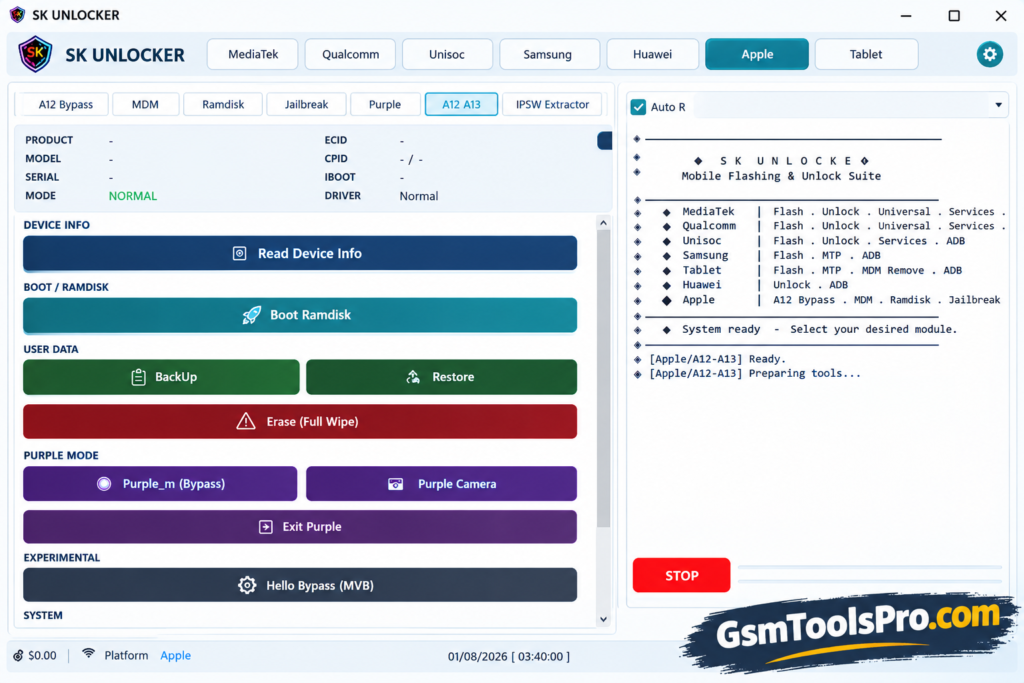
SK Unlocker Tool is Windows-based mobile repair software for technicians handling Android smartphones and tablets. It helps with software problems such as FRP and screen lock. The tool supports MTP and Fastboot connection modes and Qualcomm, MediaTek, Unisoc/SPD, and Samsung devices. Its Multiple device and servicing functions make it useful for daily Android software maintenance and repair work.
Key Features Of SK Unlocker Tool
FRP Lock Support
The Tool can unlock FRP-locked devices and make the device fully functional like a new device.
Screen Lock Support
The tool helps to unlock screen locks that are forgotten by users, such as PINs, patterns, etc without losing personal data.
Multiple Chipset Support
SK Unlocker comes with support for multiple chipsets, including MediaTek, Qualcomm, Kirin, and SPD chipsets.
Fastboot and MTP Support
This feature helps to connect with multiple connection options, giving technicians different connection methods for mobile repair.
Samsung Support
It supports multiple models of Samsung, including devices from the T505–T509 series.
Kirin Support
SK Unlocker Tool supports Kirin processors including 650, 620, 710, 925, 935, 950, 960, 970, and 980, with IMEI writing, FRP removal, factory reset, bootloader unlocking, protection fixes, FullOTA flashing, and EFS deletion.
iPhone Support
SK Unlocker Tool supports PWNDFU Gaster Mode, Ramdisk booting, and Diag Purple Mode for iPhone and iPad models. It also provides Passcode reading and recovery support for devices running iOS 14–16.
File Information
| File Info | Details |
| Tool Name | SK Unlocker Tool |
| Version | V23 |
| File Type | ZIP |
| File Size | ~606 MB |
| Platform | Windows 7, 8, 8.1, 10, 11 |
| Developer/Team | GSM Team |
SK Unlocker v23 system requirements
| Requirement | Details |
| Operating System | Windows 7, 8, 10, 11 |
| Processor | Intel or AMD |
| RAM | 4 GB or higher |
| Storage | At least 1 GB of free space |
| USB Port | Required |
| USB Drivers | Required for device detection |
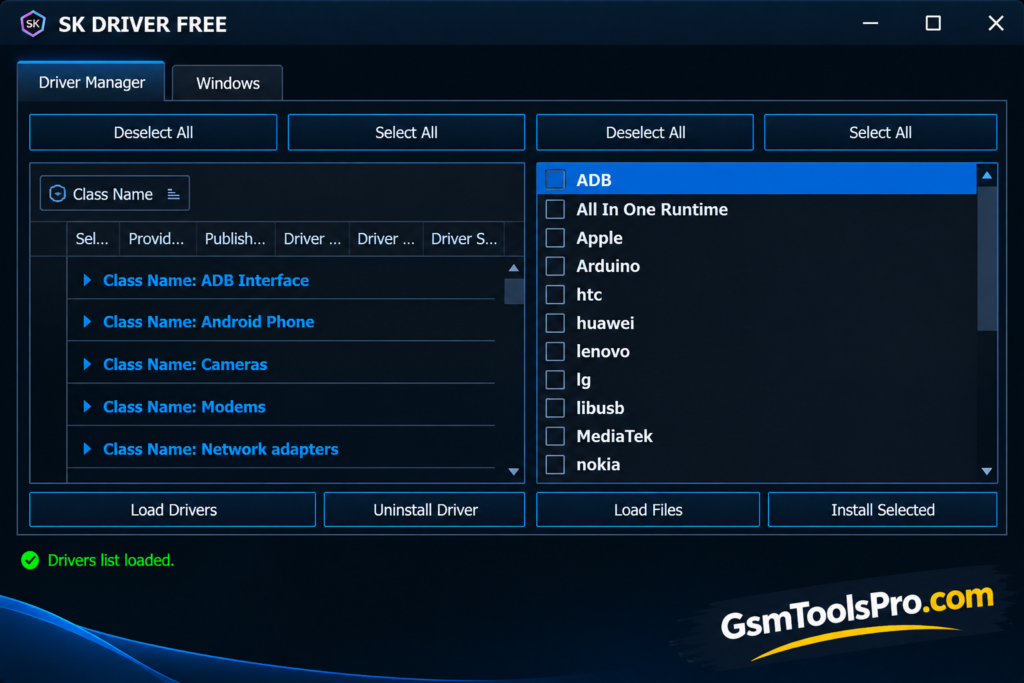
How to Download, Install & Use SK Unlocker Tool V23?
- Download SK Unlocker Tool V23 from a reliable source.
- Extract the downloaded ZIP file to a suitable folder.
- Install the required USB and device drivers.
- Open the extracted SK Unlocker Tool folder.
- Right-click the tool and select Run as Administrator.
- Connect the phone through its supported mode, such as MTP, Fastboot, ADB, Odin, or another available mode.
- First, read the device information to confirm proper detection.
- Select the appropriate chipset section, including MediaTek, Qualcomm, Kirin, SPD, or Samsung.
- Choose the required servicing option, such as reset, flashing, partition, or device information.
- Check the device model and firmware details before proceeding.
- Start the selected process and keep the USB connection stable until it finishes.
- Once completed, restart the device and check whether the operation was successful.
Pros and Cons
| Pros | Cons |
| Supports MediaTek, Qualcomm, Kirin, and SPD/Unisoc platforms. | Support can vary by device model and chipset. |
| Provides Fastboot and MTP connection modes. | Some functions require the correct connection mode. |
| Includes FRP and factory-reset-related functions. | Not every Android version supports all features. |
| Supports firmware flashing on selected devices. | Incorrect firmware can cause software issues. |
| Offers partition read, write, and scan options. | Advanced partition operations require technical knowledge. |
| Includes QCN and Samsung Odin-related functions. | Samsung support is limited to compatible models. |
| Works with selected Android smartphones and tablets. | Device compatibility should be checked before each operation. |
Also Read: Chigo Unlocker Tool V3.5 for Qualcomm, MediaTek & SpreadTrum
Conclusion
SK Unlocker Tool v23 brings several Android servicing functions into one Windows-based software for smartphones and tablets. Its support for different chipsets, connection modes, and repair tasks can simplify routine work. Before starting, verify the device model, chipset, Android version, drivers, and supported function to ensure the selected operation matches the device.
FAQ’s
What is SK Unlocker Tool used for?
SK Unlocker Tool is used for supported Android servicing tasks, including FRP, screen-lock, firmware flashing, factory reset, and device information.
Which chipsets does SK Unlocker Tool support?
It supports selected MediaTek, Qualcomm, Kirin, and SPD/Unisoc devices, depending on the model and available functions.
Does SK Unlocker Tool support FRP removal?
Yes, it provides FRP-related functions for selected Android smartphones and tablets based on device compatibility.
Does SK Unlocker Tool support Samsung devices?
Yes, SK Unlocker Tool supports selected Samsung smartphones and tablets, including certain Odin Mode servicing functions.
Does SK Unlocker Tool support Fastboot and MTP?
Yes, the tool supports Fastboot and MTP modes for compatible devices and servicing operations.
Can SK Unlocker Tool flash firmware?
Yes, it provides firmware flashing options for selected devices and platforms using supported firmware formats.

![Xiaomi Tool v2026.01.18 Use for Mi Account Setup Download [2026] (2)](https://gsmtoolspro.com/wp-content/uploads/2026/09/Xiaomi-Tool-v2026.01.18-Use-for-Mi-Account-Setup-Download-2026-2-768x576.png "Xiaomi Tool v2026.01.18 Use for Mi Account Setup Download [2026] 5")